Mod. 6609d-6612d: Automatic Forms Cutter 13.12.2006
-28-
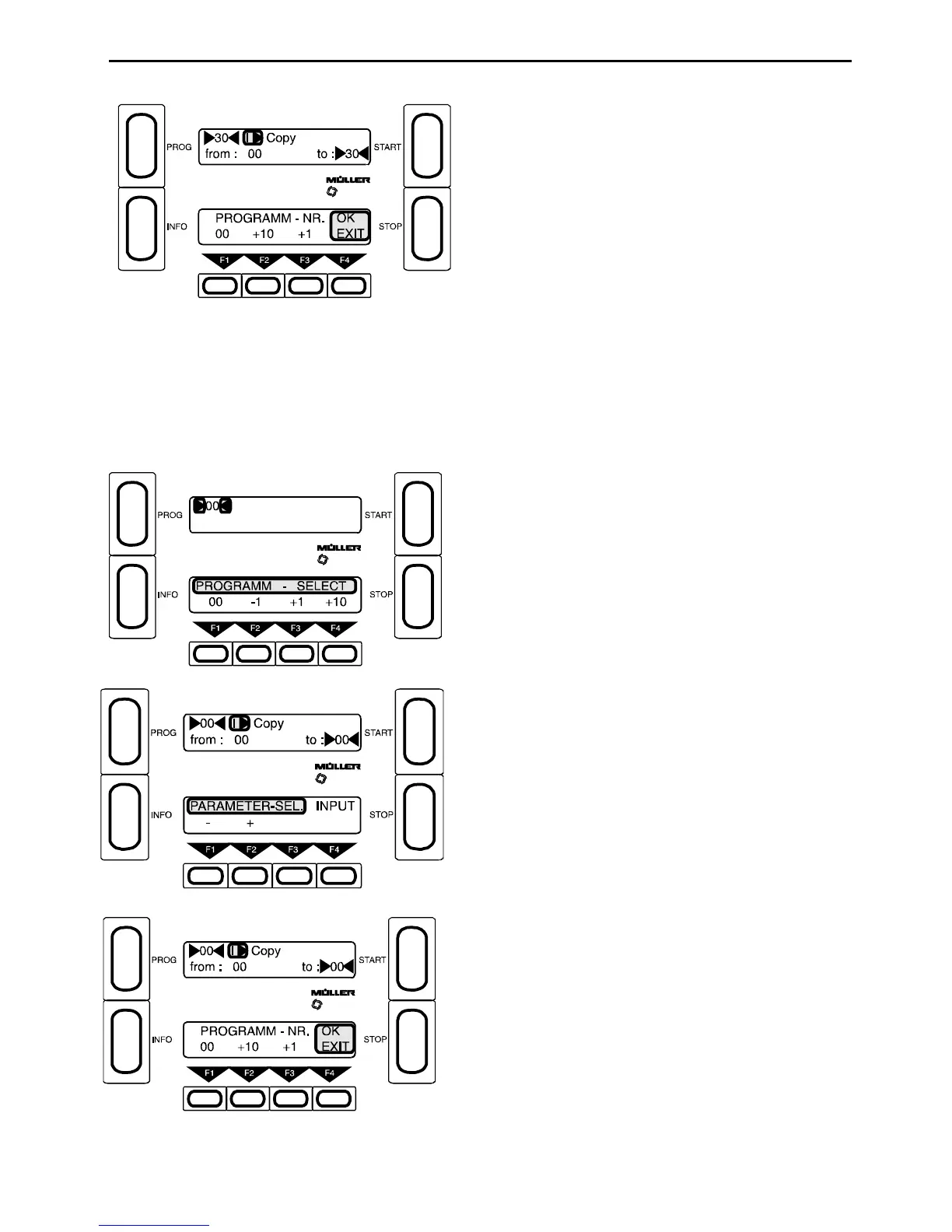
F1 - Select program slot 00
F4 - Exit
When F4 is pressed, the program is copied from
program slot 00 into slot 30.
Example:
A program with the number 30 is to be altered. To do this, it has to be loaded in slot 00.
Before a program with a number between 01 and 83 ca n be altered, its parameters must first be copied into slot
00. The altered program is then recopied into its original slot. It is not possible to copy programs i nto slots 84-99.
Every time the machine is switched on, fixed progra ms from the EPROM memory overwrite program slots 84 -99.
F1 - Select program slot
Press PROG
F1 - Select parameter l) Copy
F4 - Input
F2 - At “from” enter 30
F4 - Exit
When F4 is pressed the program is copied from 30
to 00.
The alterations can now be carried out.



 To Next Page