Mod. 6609d-6612d: Automatic Forms Cutter 13.12.2006
-37-
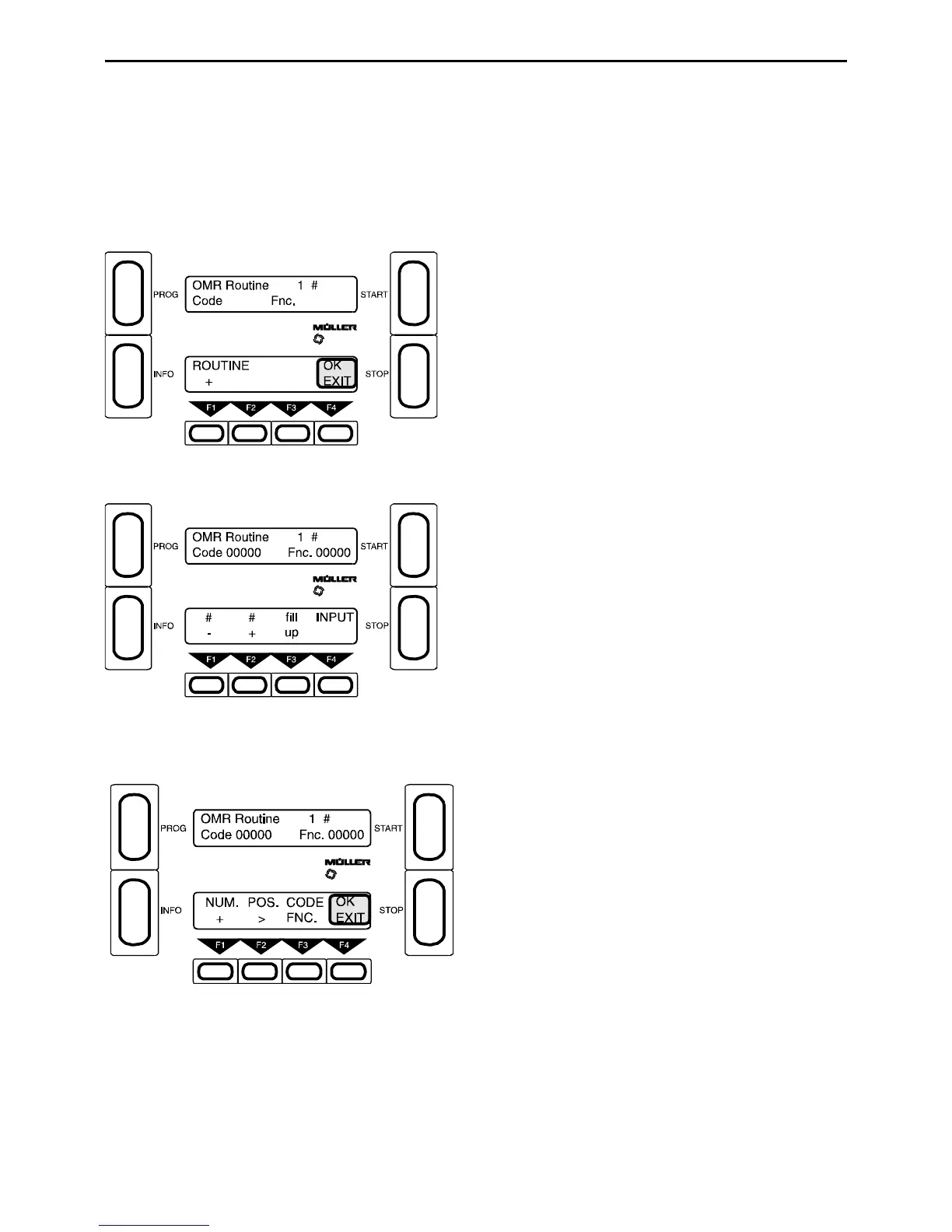
To program the OMR routine you must:
1. be in the programming level (Section 3.3).
2. program parameter k) Reader.
3. change into the service routine by pressing INFO and then PROG.
3. select and start service no. 008.
F1 - Select a routine 1-6 (R)
1 Standard OMR routine (fixed program)
2-6 OMR programs which can be written by the user
F4 - Exit
F1 and F2 - Select a position #00-#32 (R)
F3 - Fill up the remaining positions.
(Code 00000 is not permitted in the OMR routine. This is
so that if, for example, the machine does not recognise a
mark it will stop and show a reading error.)
F4 - Input
F1 - Select number (0-9) (R)
F2 - Current write position = (R)
F3 - Select CODE or FNC.
F4 - Exit
To return to program press the Prog-button twice and call Service Nr. 000.



 To Next Page