MT CELL SETUP MANUAL MT556XNB, MT556UNB AND MT557D | 12
3 UNPACKING THE CELL
Revision 3.0 www.multitaction.com
15.9.2020
P/N: MT2201012
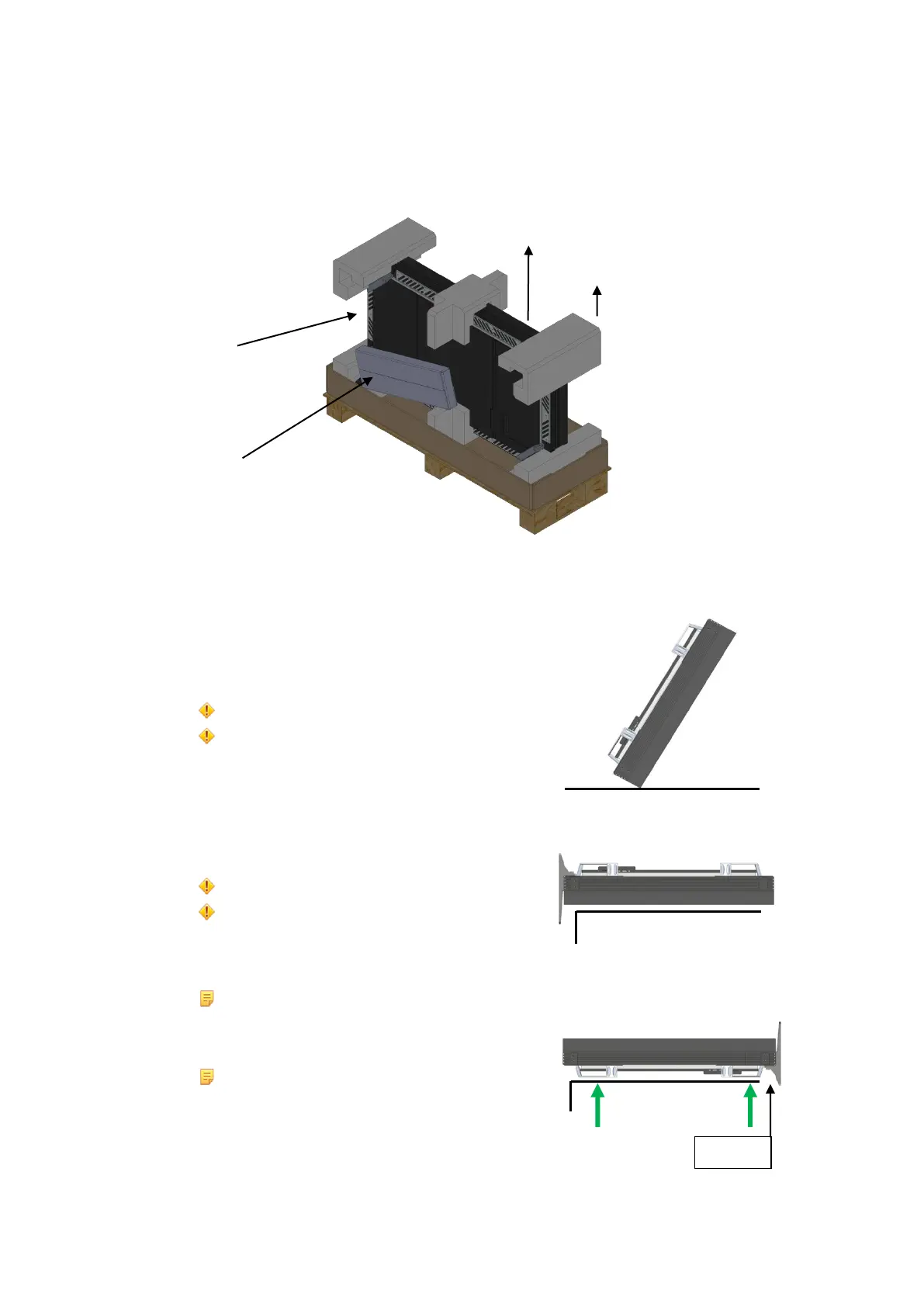
4. Remove the protective Cell top paddings (item 3 in the fig.).
5. Remove the Cell from the container with help from another person, one lifting from each side
(item 4 in the fig.).
1 Cell. 2 Accessories box. 3 Remove the paddings. 4 Remove the Cell.
6. Instructions for careful handling.
Caution: Never rest the Cell on its edge.
Attention: Ne jamais la Cellule reposer sur son bord.
Caution: Never rest the Cell on its LCD Screen.
Attention: Ne jamais laisser la Cellule reposer
sur son Écran LCD.
Note:
Place over a table when remove the legs.
Lift only by the handless.
Remarque:
Mettre sur une table en retirant les pieds.
Soulever seulement par la poignée.



 To Next Page