MT CELL SETUP MANUAL MT556XNB, MT556UNB AND MT557D | 21
5 GET THE CELL INTO POSITION
Revision 3.0 www.multitaction.com
15.9.2020
P/N: MT2201012
Note: Any unauthorized modification of the Cell will void warranty.
Remarque: Toute modification non autorisée de la Cellule invalidera la garantie.
5.2.1 Custom table with installed Cell
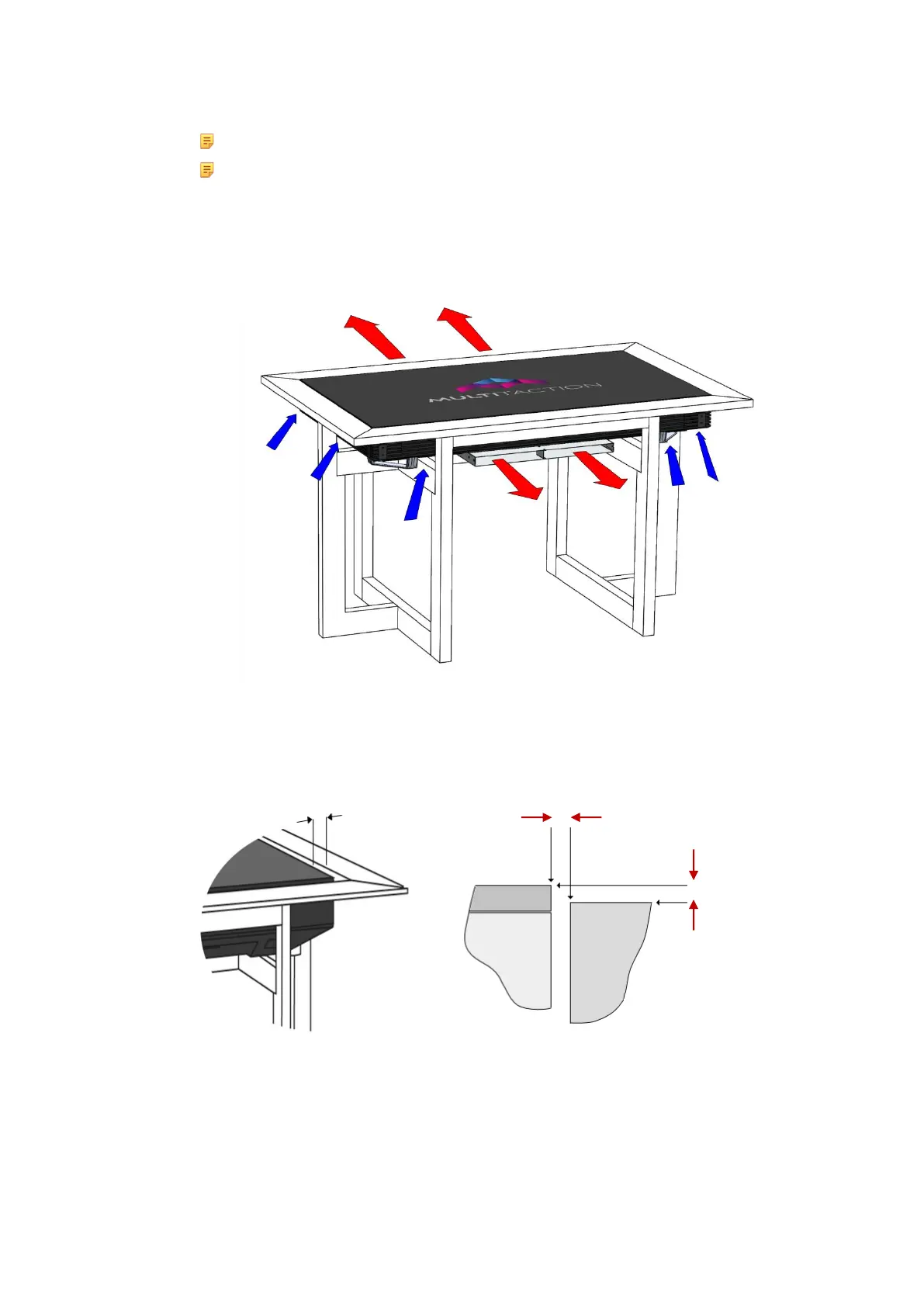
Custom table with installed Multitaction Cell
Ensure that the clearances between the display side and table, and between the LCD surface and
surrounding table surface, do not exceed 2mm. The table should protect the edge of the display.
Maximum table clearances
a. Maximum 2mm gap between display side and table
b. Maximum 2mm difference between LCD surface and table surface
VENTILATION:
WARM AIR OUT from center of cell
VENTILATION:
COOL AIR IN from sides of cell


 To Next Page