MT CELL SETUP MANUAL MT556XNB, MT556UNB AND MT557D | 11
3 UNPACKING THE CELL
Revision 3.0 www.multitaction.com
15.9.2020
P/N: MT2201012
3 Unpacking the Cell
The Cell is delivered in a specially designed cardboard box to secure it during transportation.
You need two people to remove the Cell from its box, one person lifting from each side. Make sure
you have enough space around the cardboard box to lift the Cell and position it in the desired
location.
3.1 What’s in the box?
MultiTaction Cell product box contains the following items:
MultiTaction Cell
A pair of desk stands
Power Cords 3 m (EUR, US, GB)
Digital video cable 3 m (Display Port)
Ethernet cable 3 m (Cat6)
English user manual
Carefully check that you have received all the items before proceeding to install the Cell. If your
product box is missing an item, please contact your dealer.
3.2 Unpack the cardboard box
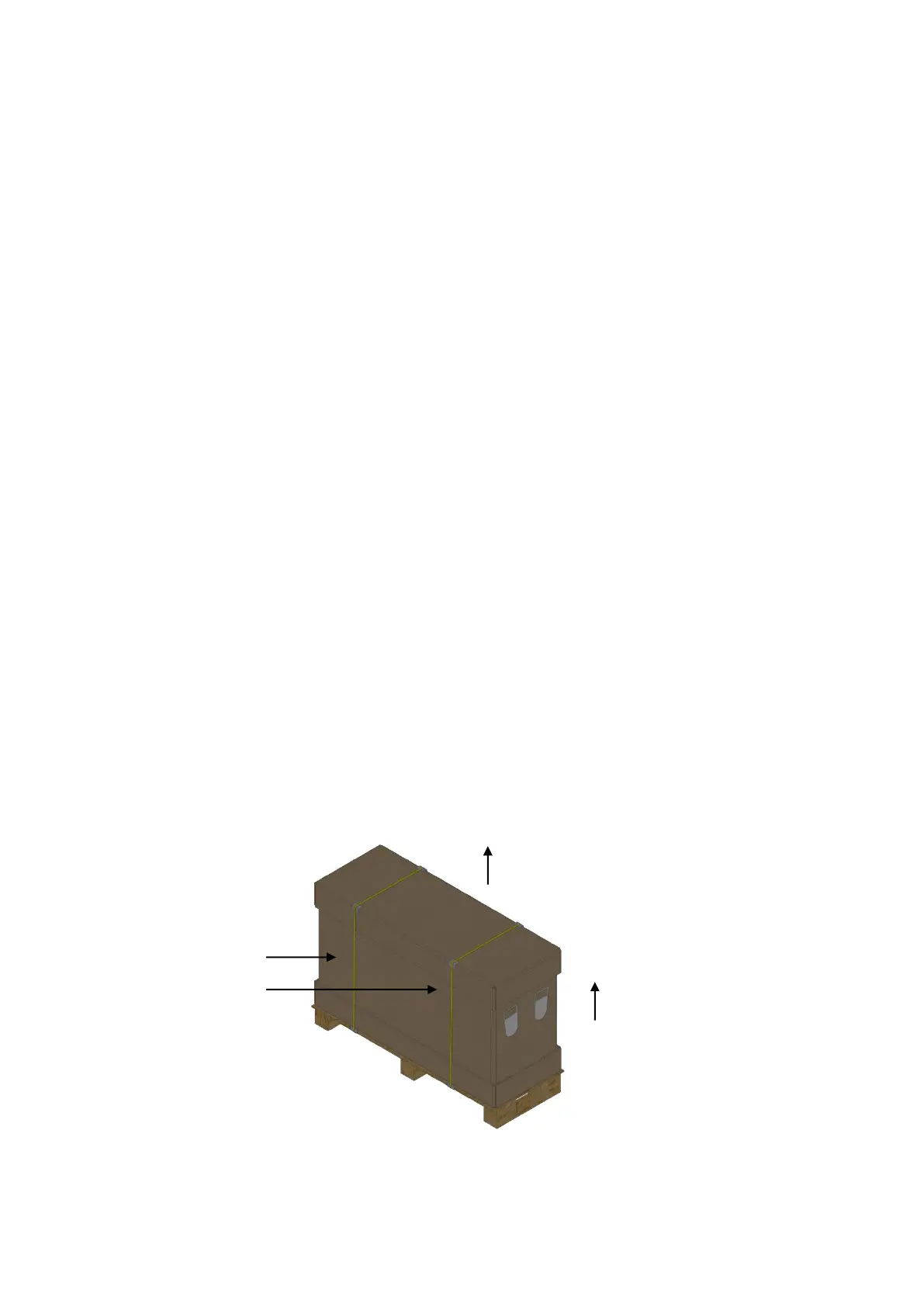
To unpack the Cell from its cardboard shipping box, place the shipping box on a clean floor. Then:
1. Cut the packing straps.
2. Open the top lid and
3. Centre of the box.
1 Packing straps. 2 Remove the top part of the box. 3 Remove the centre part of the box.


 To Next Page