MT CELL SETUP MANUAL MT556XNB, MT556UNB AND MT557D | 17
5 GET THE CELL INTO POSITION
Revision 3.0 www.multitaction.com
15.9.2020
P/N: MT2201012
5.1 Mounting an Multitaction Cell
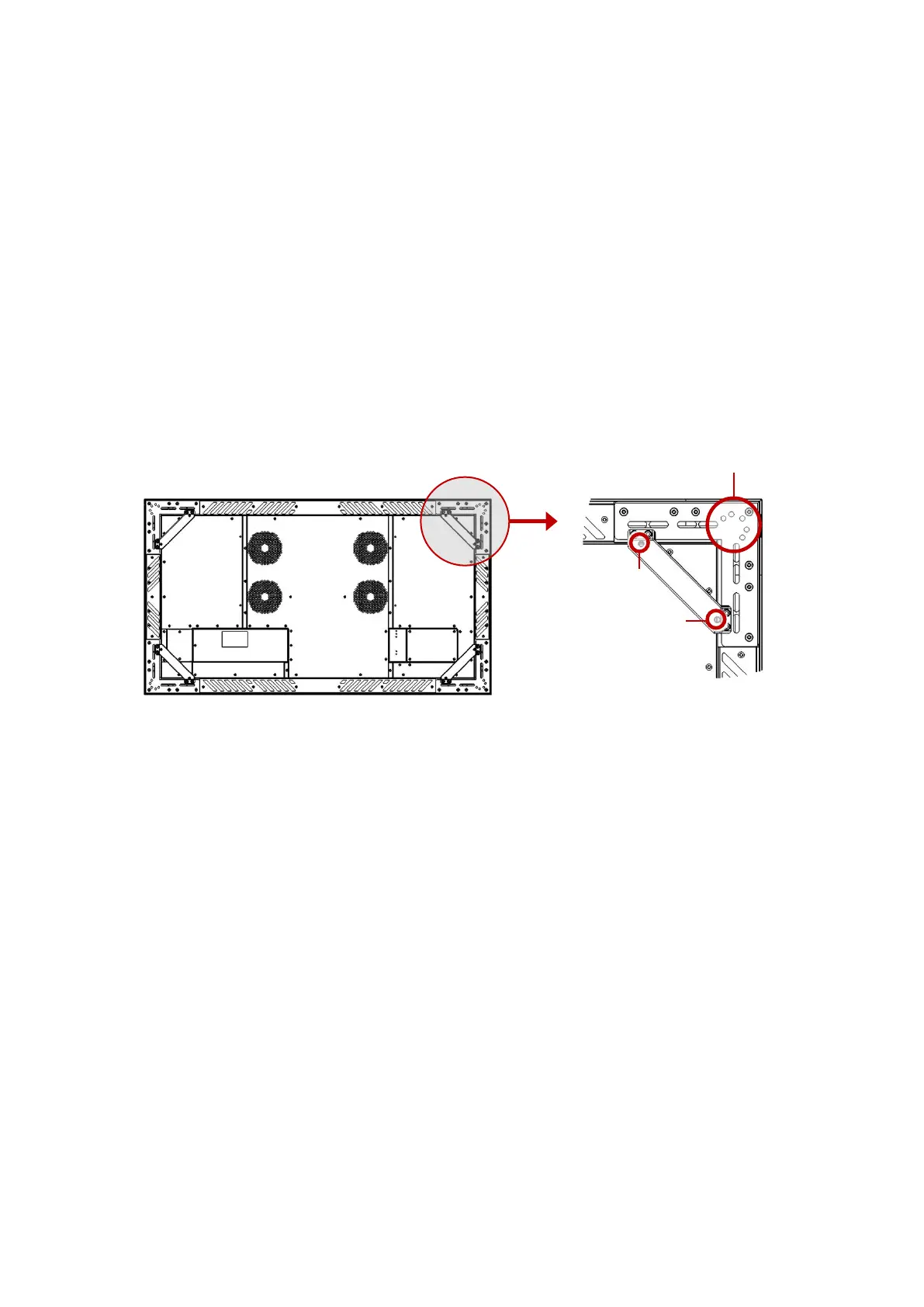
The Multitaction Cell offers highly flexible mounting options. In each corner, there are five M8, 14
mm deep screw holes. See mounting point 1 on the following figure.
When mounting the MT Cell to any mounting bracket, use M8 screws with steel grade 12.9.
Tightening torque is 20Nm. Never use too long screws that could bottom the 14mm deep
mounting screw holes.
Mounting holes are also used for MT Cell legs. Leg screws are M8 x 20mm with steel grade 12.9.
These M8 x 20mm leg screws can be used mounting MT Cell to mounts that have minimum
thickness of 6mm and maximum thickness of 12mm. Tightening torque is 20Nm. If mounting
bracket thickness is less than 6mm, a shorter M8 x 16mm with steel grade 12.9 must be used.
If you want to use the MT Cell on a table mount, an optional adapter can be fitted to the handles
in each corner. See point 2 on following figure. These handles are not suited for any other than
table mounting.
Multitaction Cell rear view. The following screw holes are with M8 thread and they are repeated in
each corner:
Point 1: Five screw holes (with M8 thread) on the corner.
Point 2: Two screw holes (with M8 thread) on handles, used only for custom table installation.


 To Next Page