1-2 Connecting to a LAN
Connecting the cables
In order to use the network features you must connect your machine to your LAN
and adjust the appropriate settings.
To connect the machine to the LAN, a 10BASE-T or 100BASE-TX LAN cable (Cat-
egory 5) is required.
NOTE: The LAN cable is not included with this product.
1
Turn your machine off and unplug the power cord.
2
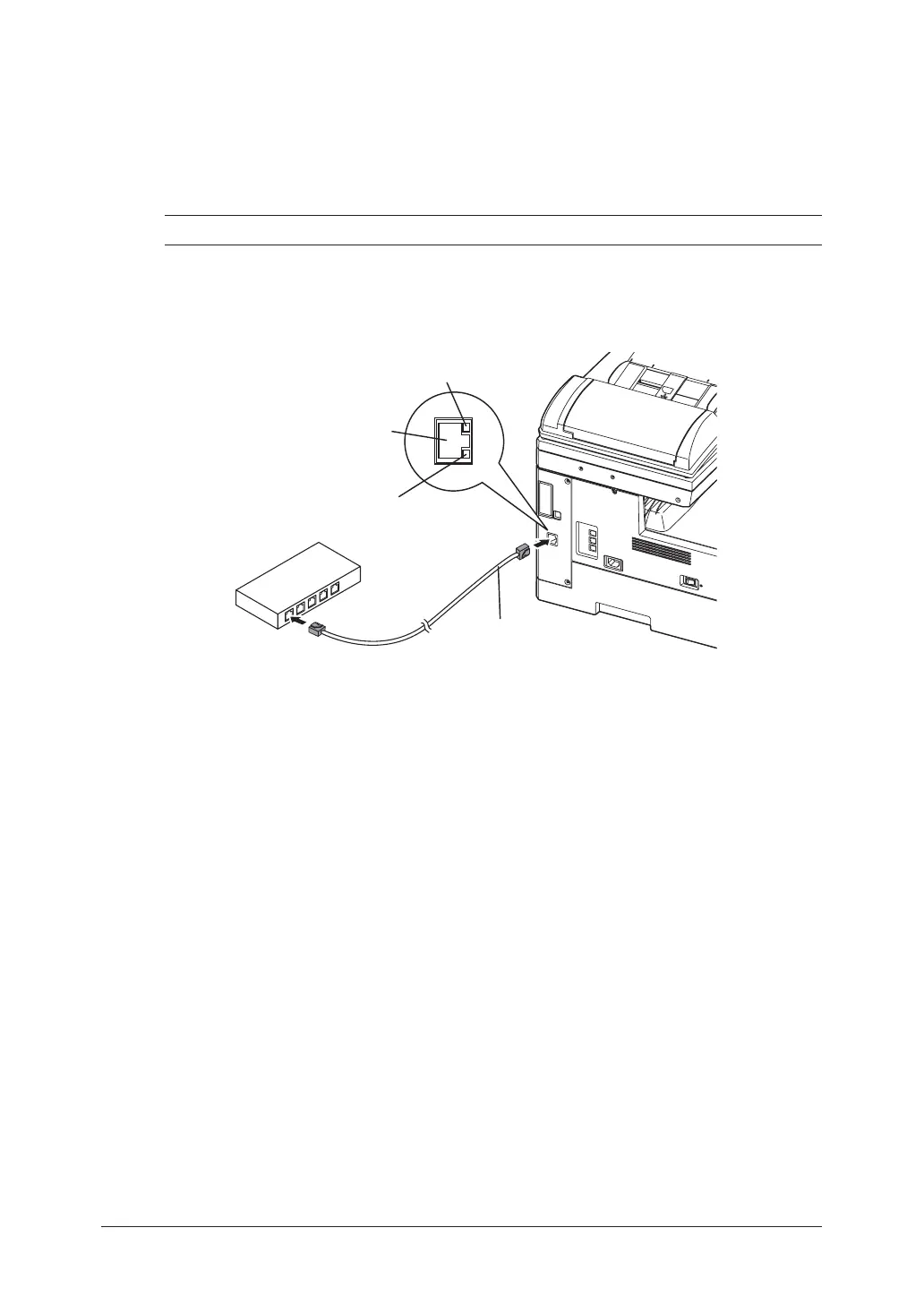
Plug one end of the LAN cable into the LAN connector on the left side of the
machine.
LINE
P
H
O
N
E
1
P
H
O
N
E
2
LINK lamp:
Illuminates when connected to the LAN.
LAN Connector
LAN cable:
10Base-T/100Base-TX cable
RJ-45 connector
ACTIVITY lamp:
Blinks when there is data trafic
on the LAN.
Connect to the Ethernet hub.
3
Plug the other end of the LAN cable into the 10Base-T/100Base-TX Ethernet
hub.
4
Plug the power cord into the wall outlet and turn your machine on.









 To Next Page