5-34 Using the Web Browser
Folder Shortcuts
1
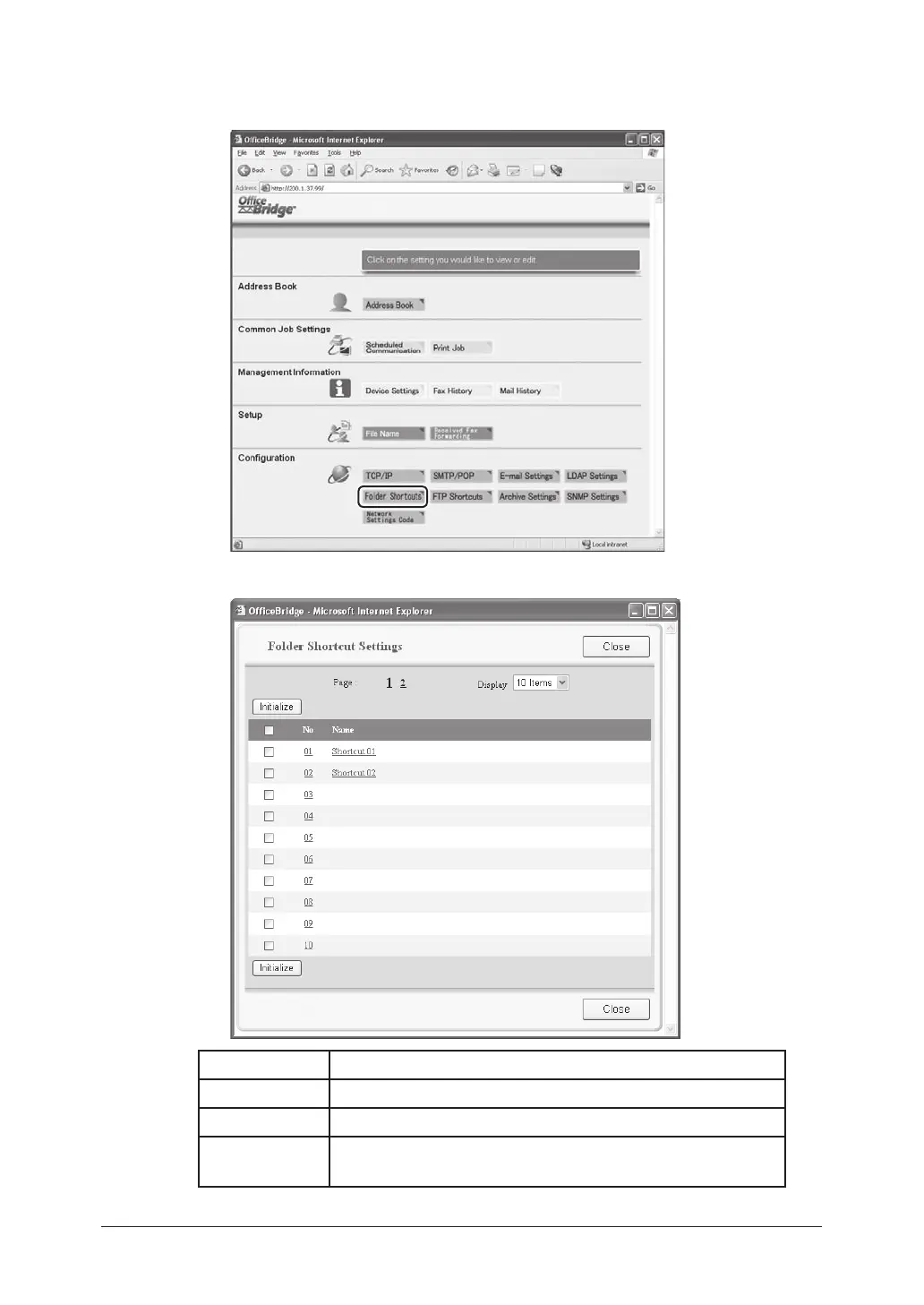
Click [Folder Shortcuts] in the “Configuration” column.
2
A list of registered folder shortcuts will be displayed.
Item Description
No The shortcut number.
Name The registered shortcut name.
Initialize To delete a folder shortcut, select the box next to the folder
number and click [Initialize].



 To Next Page
 Loading...








