5-40 Using the Web Browser
Archive Settings
NOTE: When you set “Archive Settings” to “ON”, the following transmission will be
disabled.
• Non-memory transmissions
• Transmissions using the [Monitor] or an optional handset
• F-code security receptions
• F-code bulletin box receptions
Polling communications will not be archived.
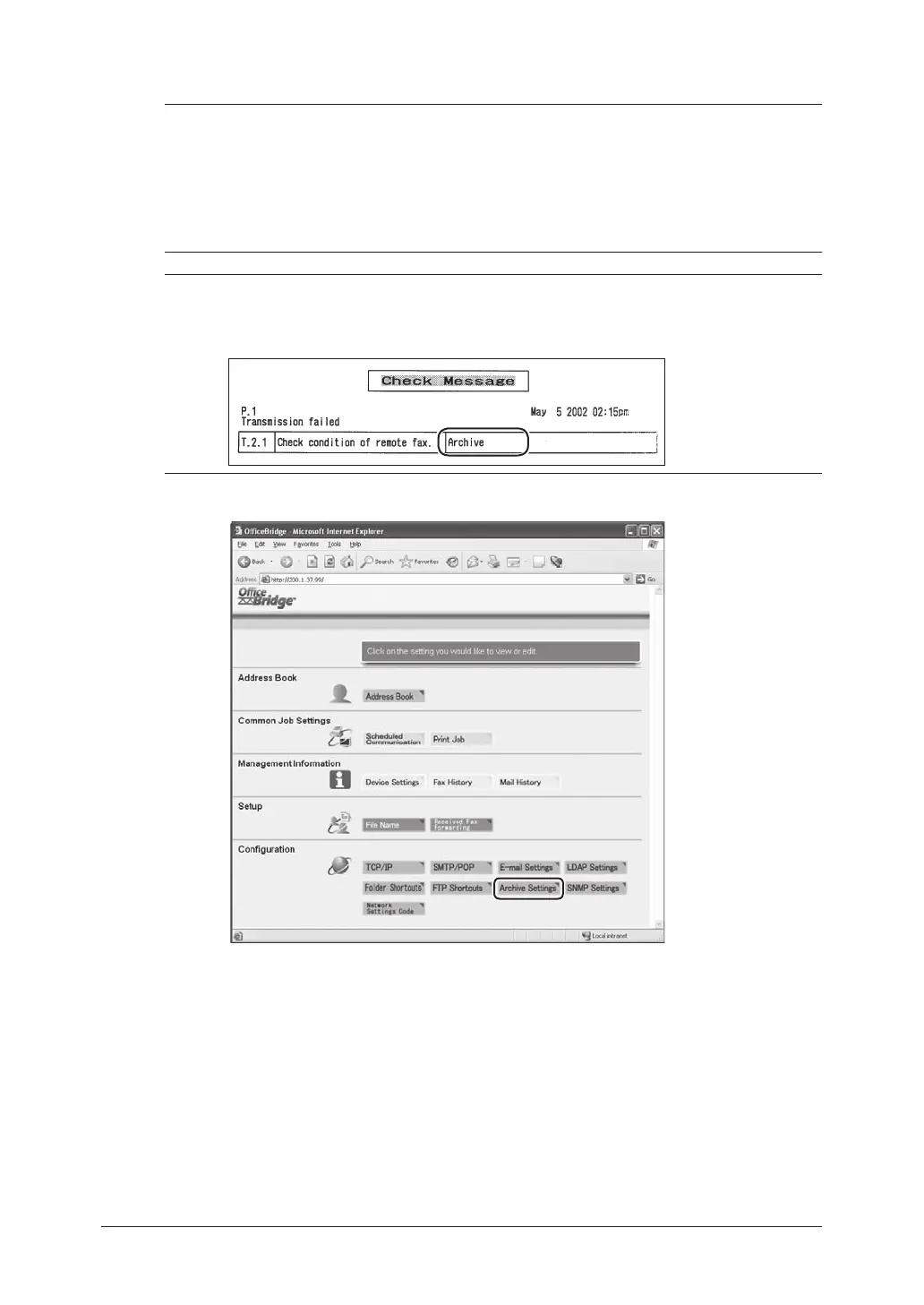
NOTE: When the machine fails to archive, a check message will be printed out and
indicates that transmission to the “Archive” has failed. You may better inform
the users in advance that this message does not mean the transmission to the
desired destination has failed, when you set this function to [ON].
1
Click [Archive Settings] in the “Configuration” column.



 To Next Page
 Loading...








