Before using VJ-2638/1638X/1938WX/1638WX OPERATION MANUAL
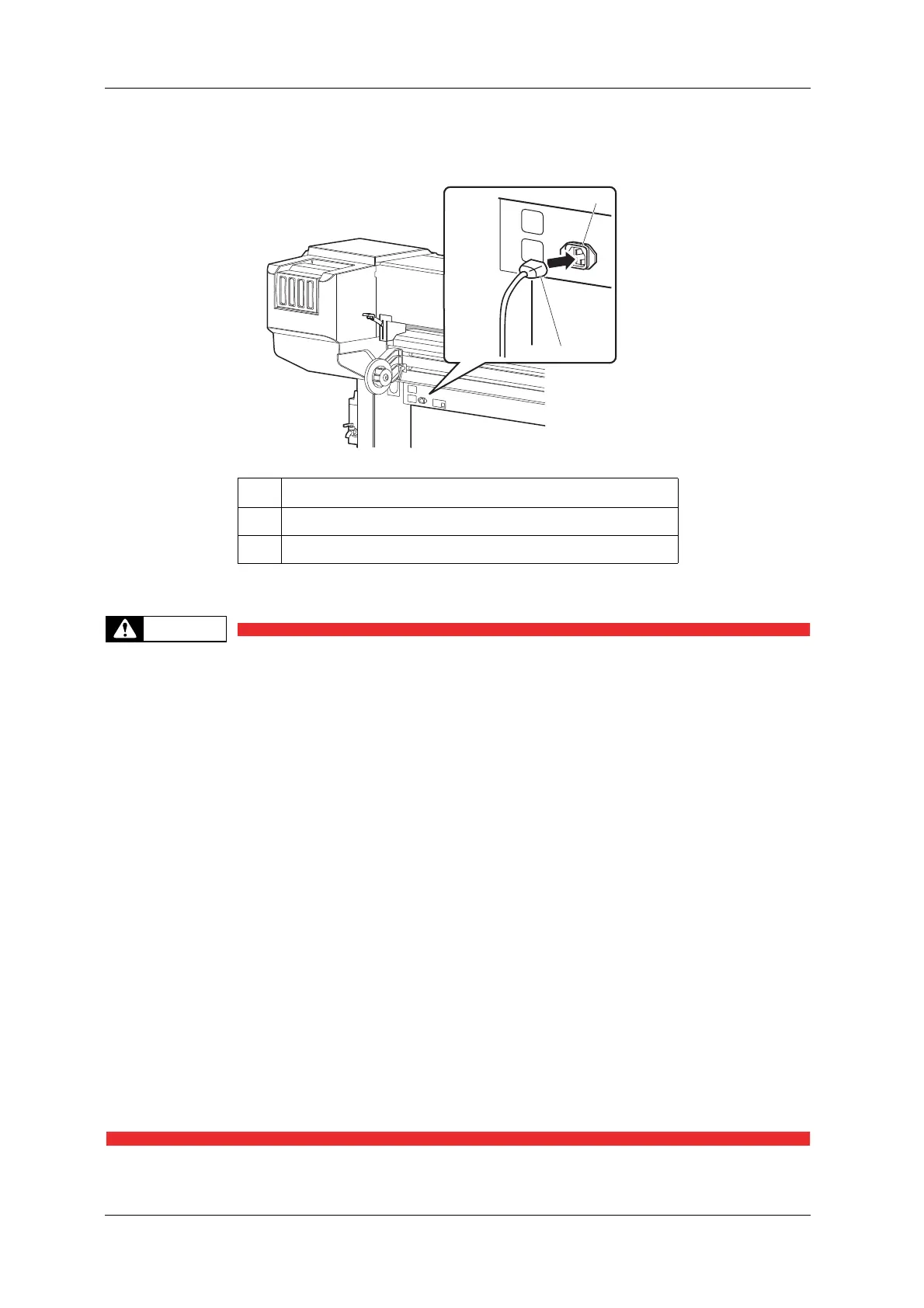
44 3.1 Power cord set connection
<VJ-1938WX/1638WX>
3. Insert the plug of the power cord set firmly in the socket.
• Do not pull out or insert the power plug with a wet hand.
This could lead to an electric shock.
• Make sure to use only the specified power supply (AC 100 V to 120 V or AC 220 V to
240 V).
If a power supply other than the specified voltage is used, it could cause an electric
shock or fire.
• Take power for the printer directly from the power socket (AC 100 V - 120 V or AC
220 V - 240 V).
Do not use multiple plugs on the same socket.
This could generate heat and might cause a fire.
• Be sure to use a dedicated power socket with an earth wire for the power supply,
and connect it to the earth wire.
If the earth wire is not connected, it may cause an electric shock or fire.
• Do not connect an earth wire to the following places.
• Gas pipes
There is a possibility of ignition and explosion.
• An earth wire of telephone cables and lightning rods
A heavy current might flow whenever lightning strikes.
• Water pipe and faucet
The earth does not work if part of the metal pipe is plastic.
No. Name
1AC inlet
2 Power cord set













 To Next Page