VJ-2638/1638X/1938WX/1638WX OPERATION MANUAL Before using
3.1 Power cord set connection 45
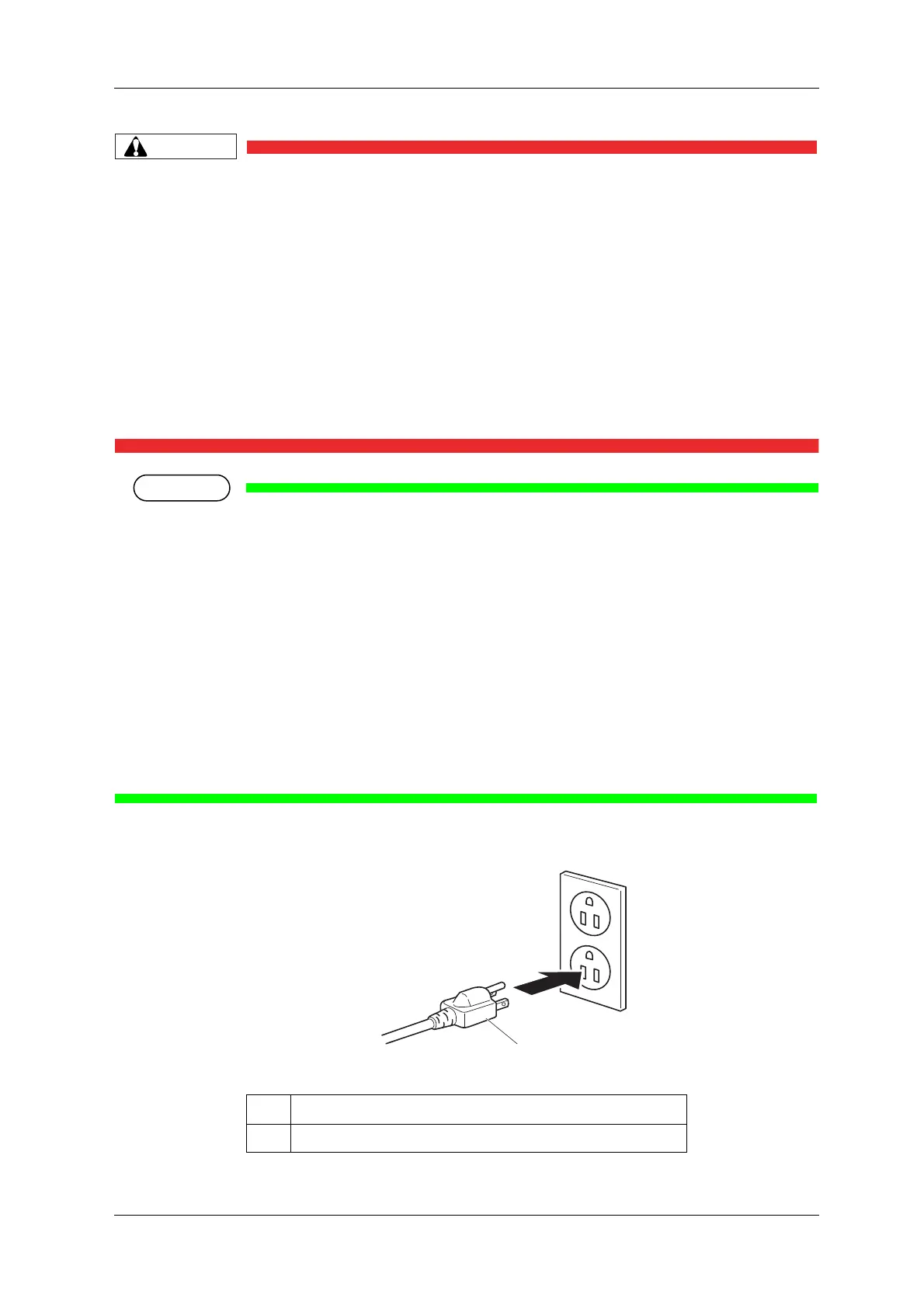
• Pay attention to the following points when handling the power plug.
Any mishandling of the power cable could cause a fire.
• Make sure that no foreign substances such as dust are stuck to the power plug.
• Make sure that the power plug is inserted all the way.
• When you do not use the printer for a long period, make sure to pull out the power
plug from the power socket for safety.
• Make sure to connect an earth wire to the earth connection that meets the following
standards.
• An earth terminal of power socket
• An earth wire with a copper plate which is buried at 650 mm or more in the ground.
• Contact your local MUTOH dealer if the earth connection is not/cannot be established.
• When the printer is ON, do not pull out the power cord set from the power socket.
Whenever the plug is pulled out from the power socket, turn OFF the power on Operation panel and
allow one minute or more before inserting the plug in the power socket again.
• When inserting Power cordset into the power socket the following capacity is required. If you
cannot ensure the capacity insert Power cord sets separately into different power socket.
• VJ-2636 :
When “Heater Ctrl” is “EcoMode”, “Eco/Fixer” or “Eco/Dryer” : 26A
When “Heater Ctrl” is “Powerful”, “Pow/Fixer” or “Pow/Dryer” : 30A
• VJ-1638 X: 19A
• VJ-1938WX/1638 WX: 2.5A
No. Name
1 Power plug













 To Next Page