Before using VJ-2638/1638X/1938WX/1638WX OPERATION MANUAL
70 3.3 Filling ink
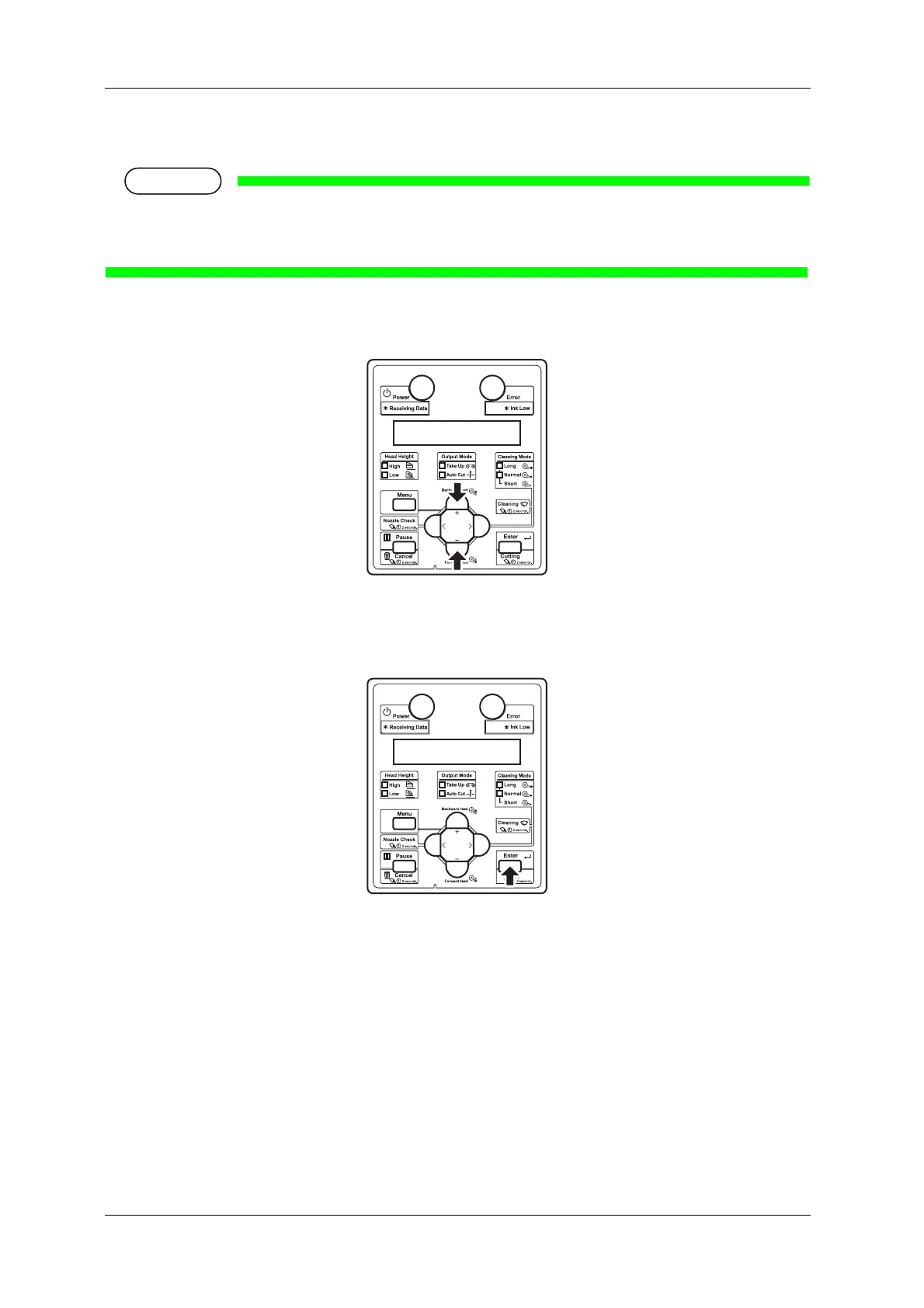
3. Select whether to perform cleaning of the ink path before the initial ink charge.
• Cleaning may be required depending on the ink type to be set.
• To perform head cleaning, make sure to use the cleaning liquid that matches the ink.
a. When cleaning is required, press the [+] key or [-] key to select "Yes".
b. When cleaning is not required, proceed to the step 8.
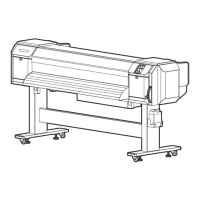
4. Press the [Enter] key on Operation panel.
• "Insert CleaningCart." is displayed on Operation panel.
5. Take out Cleaning cartridges (8 pieces) from the bags.













 To Next Page