VJ-2638/1638X/1938WX/1638WX OPERATION MANUAL Before using
3.4 Loading media 85
Follow the procedure below to load the roll media.
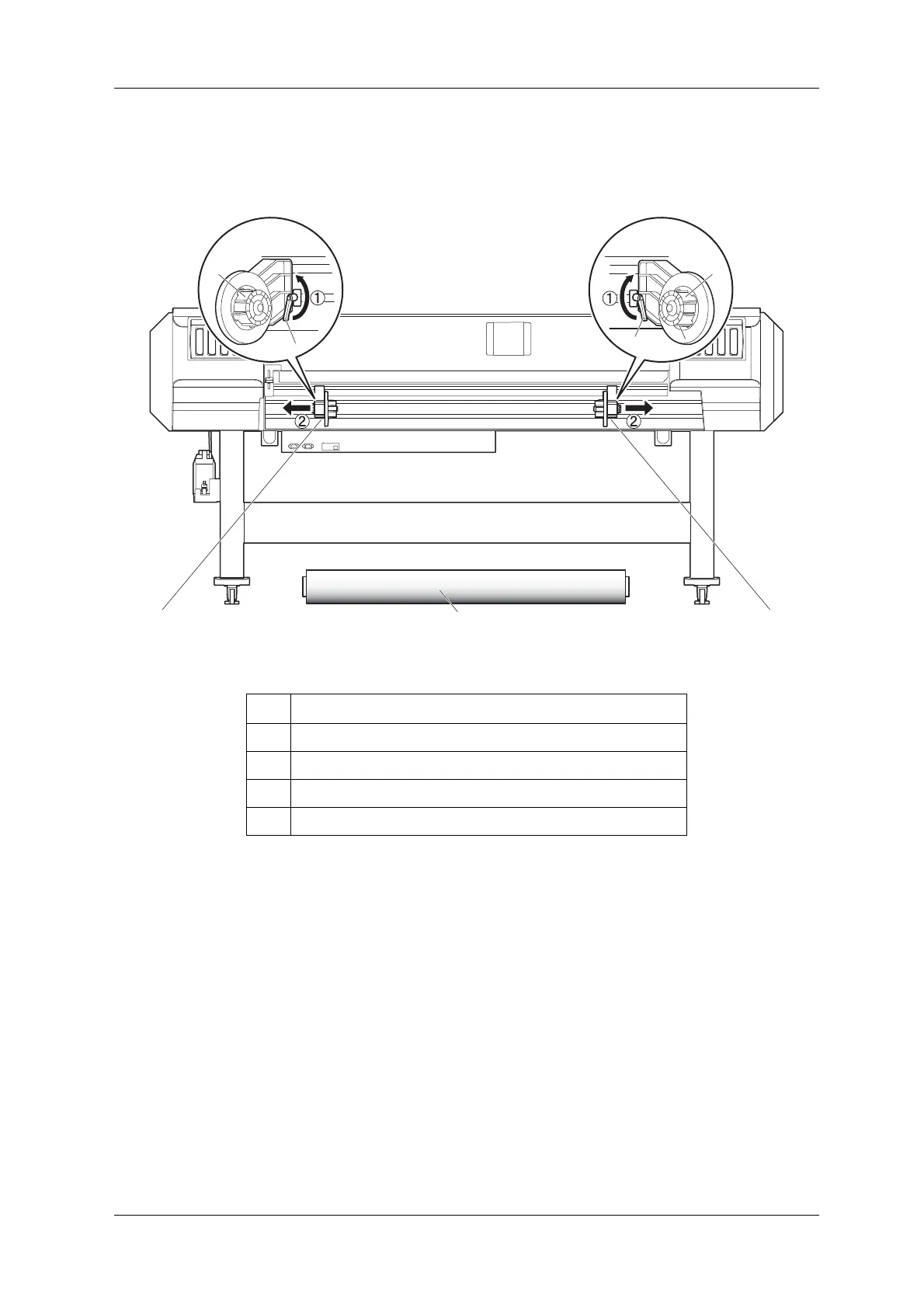
1. Loosen Fixing levers on the Roll media holders (both left and right) on the back of the printer. Set
the distance between Roll media holders wider () than the actual width of the roll media to be set.
No. Name
1 Roll media holder (Left)
2 Roll media holder (Right)
3 Roll media
4 Fixing lever













 To Next Page