2
25
Changing settings
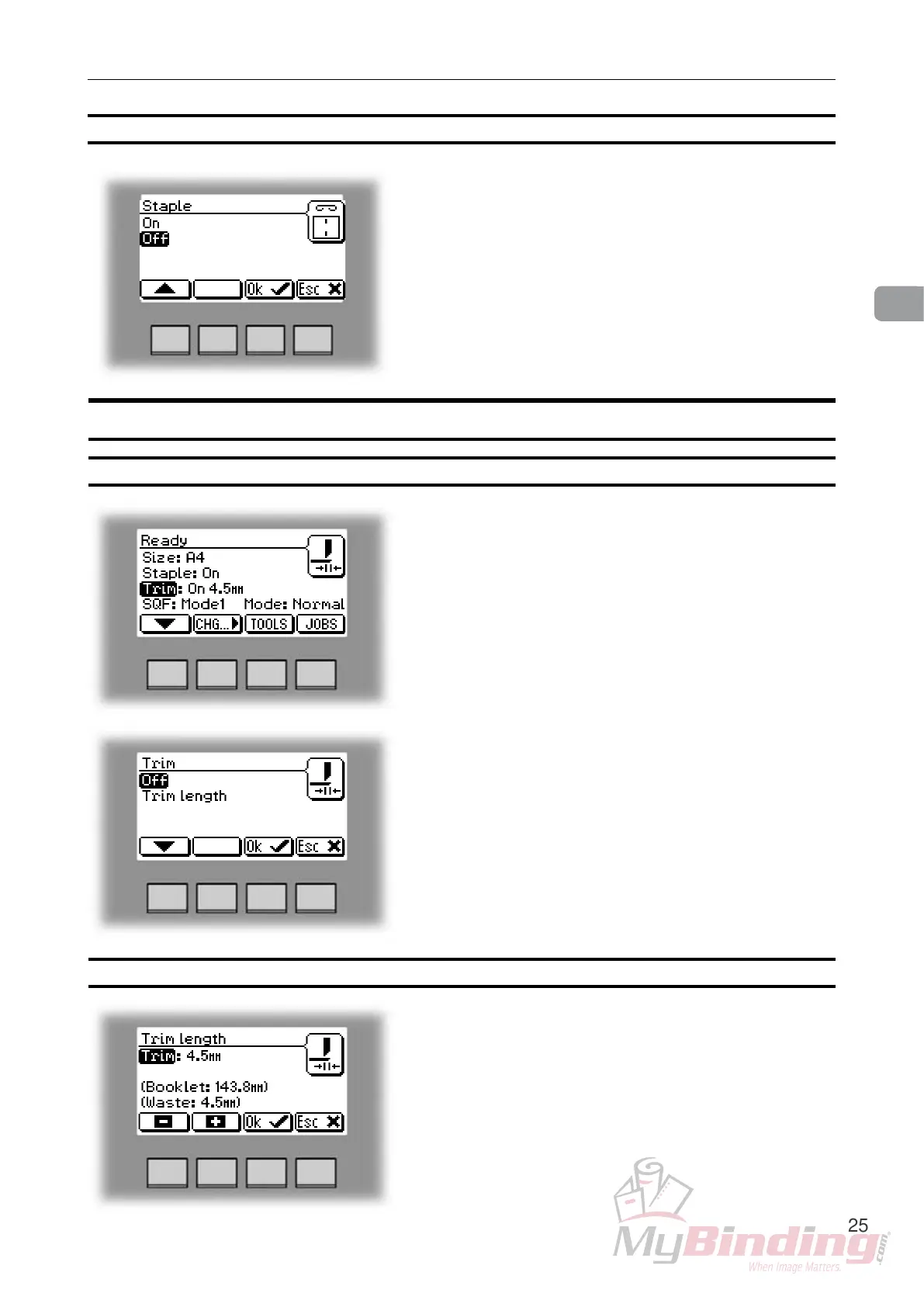
If stapling was On, the rst choice will be Off and vice
versa.
Select On or Off with the [arrow] button and press the
[OK] button.
Selecting stapling On or Off, continues
Trimming
Adjusting the cutting margin
Select Trim and press the [Change] button. Select
Trim length and press the [OK] button. Press the [+]
or [-] buttons to ne adjust in increments of 0.5 mm or
0.02 inches. The trimmed booklet size and waste are
displayed. Press the [OK] button to conrm.
Selecting trimming On or Off
If trimming was On, the rst choice will be Off and vice
versa.
Select On or Off with the [arrow] button and press the
[OK] button.
From the Ready screen, select Trim and press the
[Change] button.


 To Next Page