5
34
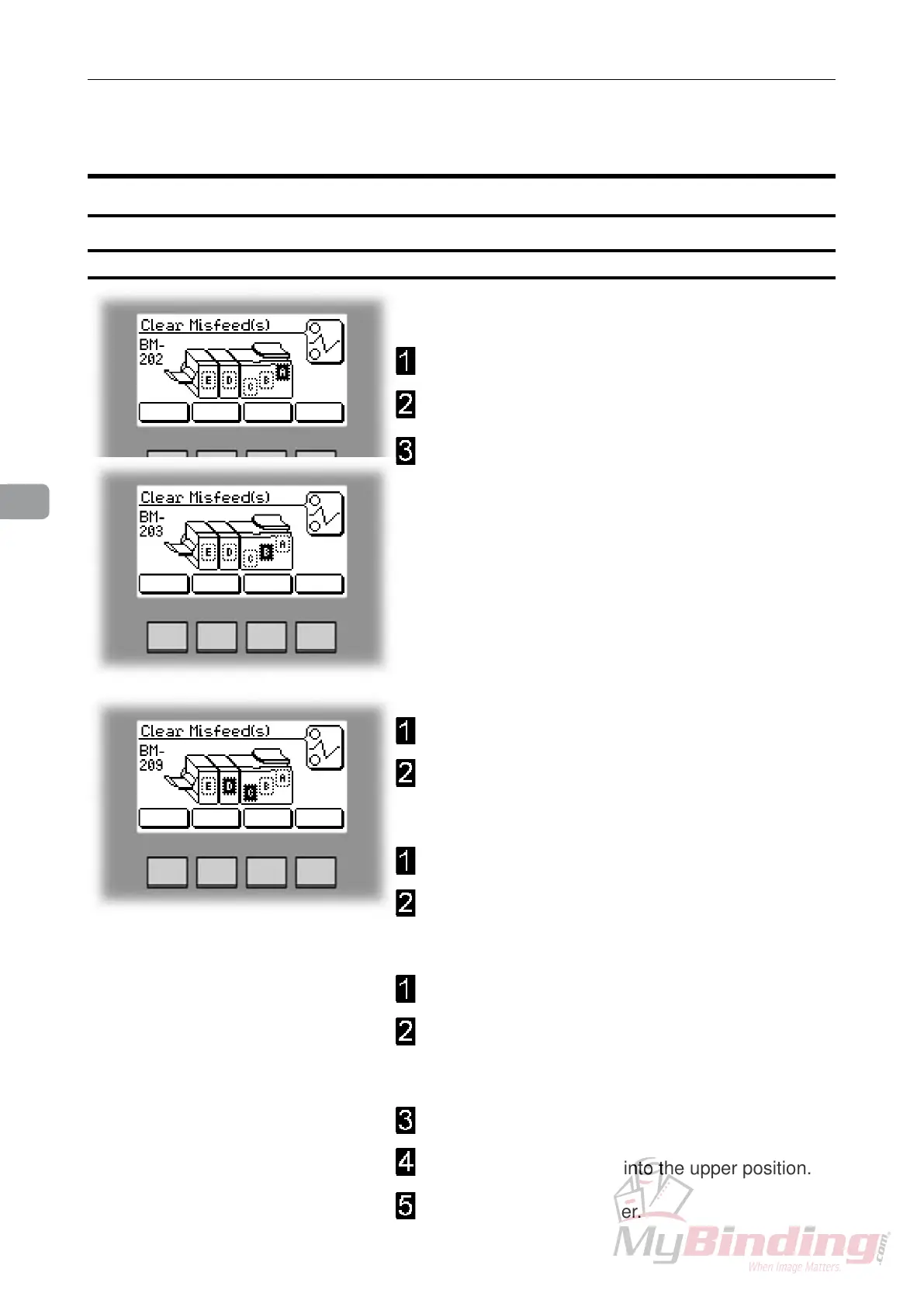
To clear a misfeed indicated in Area A or B
Open the top cover.
Remove misfed sheets.
Close the top cover.
To clear a misfeed indicated in Area C
Open the top cover.
Close top cover.
If misfeed condition remains:
Switch off the main power.
Switch on the main power.
If misfeed condition remains:
Switch off the main power.
If a Trimmer is installed, rst remove the trim bin to
get access to the fold stop. By hand, pull down the
fold stop (page 8, item 9).
Remove misfed sheets.
Push the fold stop back into the upper position.
Switch on the main power.
Clearing misfeed(s)
Booklet Maker
Inside the Booklet Maker
Clearing misfeed(s)


 To Next Page