4
32
Recalling a Job
Jobs
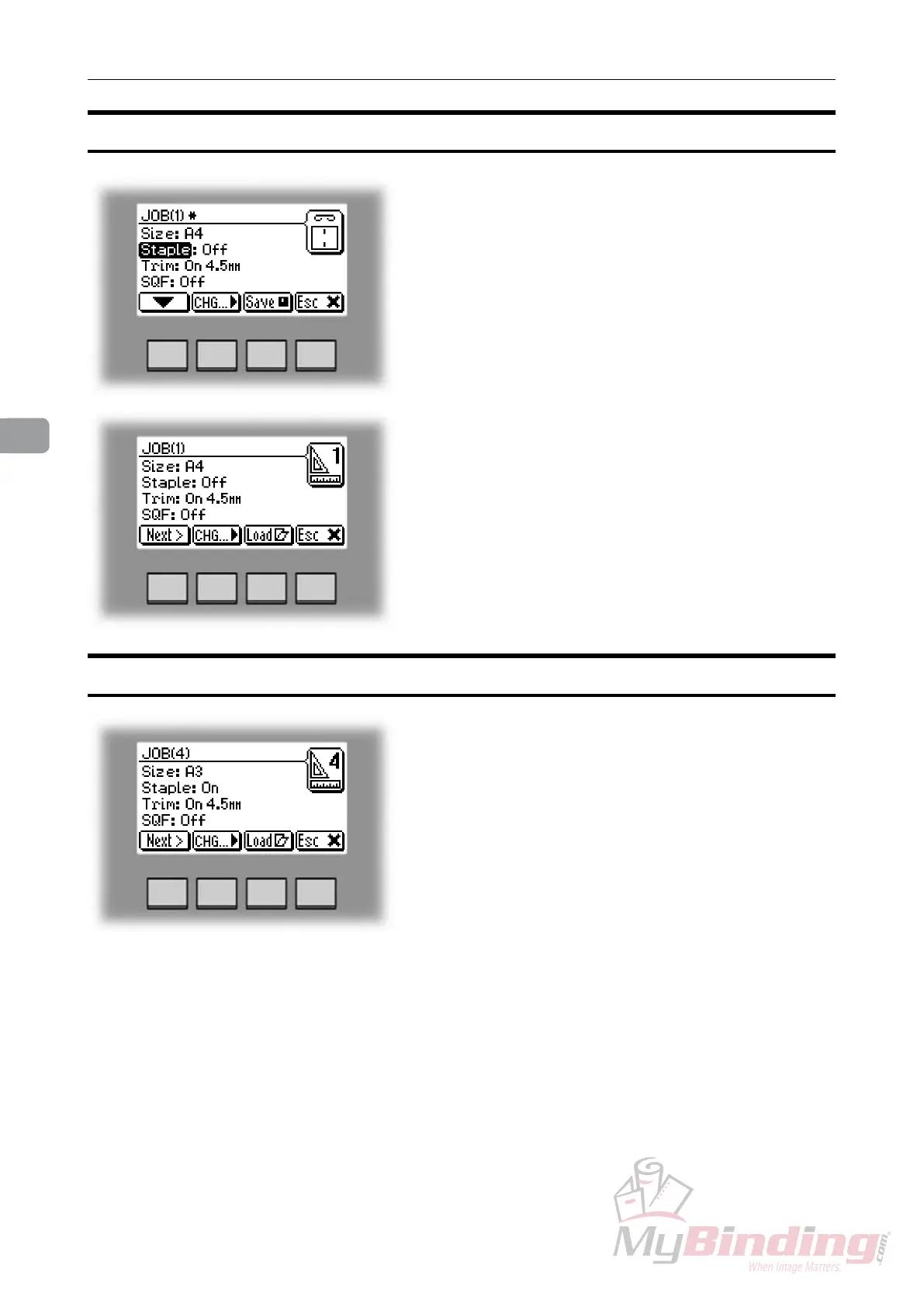
To recall a stored job press the [Jobs] button from the
Ready screen to enter the Jobs screen.
Select the desired job by pressing the [Next] button.
Then press the [Load] button. The booklet maker will
then automatically setup that specic job and return to
the Ready screen.
Storing a new Job, continues
The asterisc after the job number indicates that
changes has been made, but the job is not stored yet.
To store the job, press the [Save] button.
If you want to run the actual job, press the [Load] button.
The booklet maker will then automatically setup that
specic job and return to the Ready screen.


 To Next Page