5
35
Trimmer
Trimmer
Clearing misfeed(s)
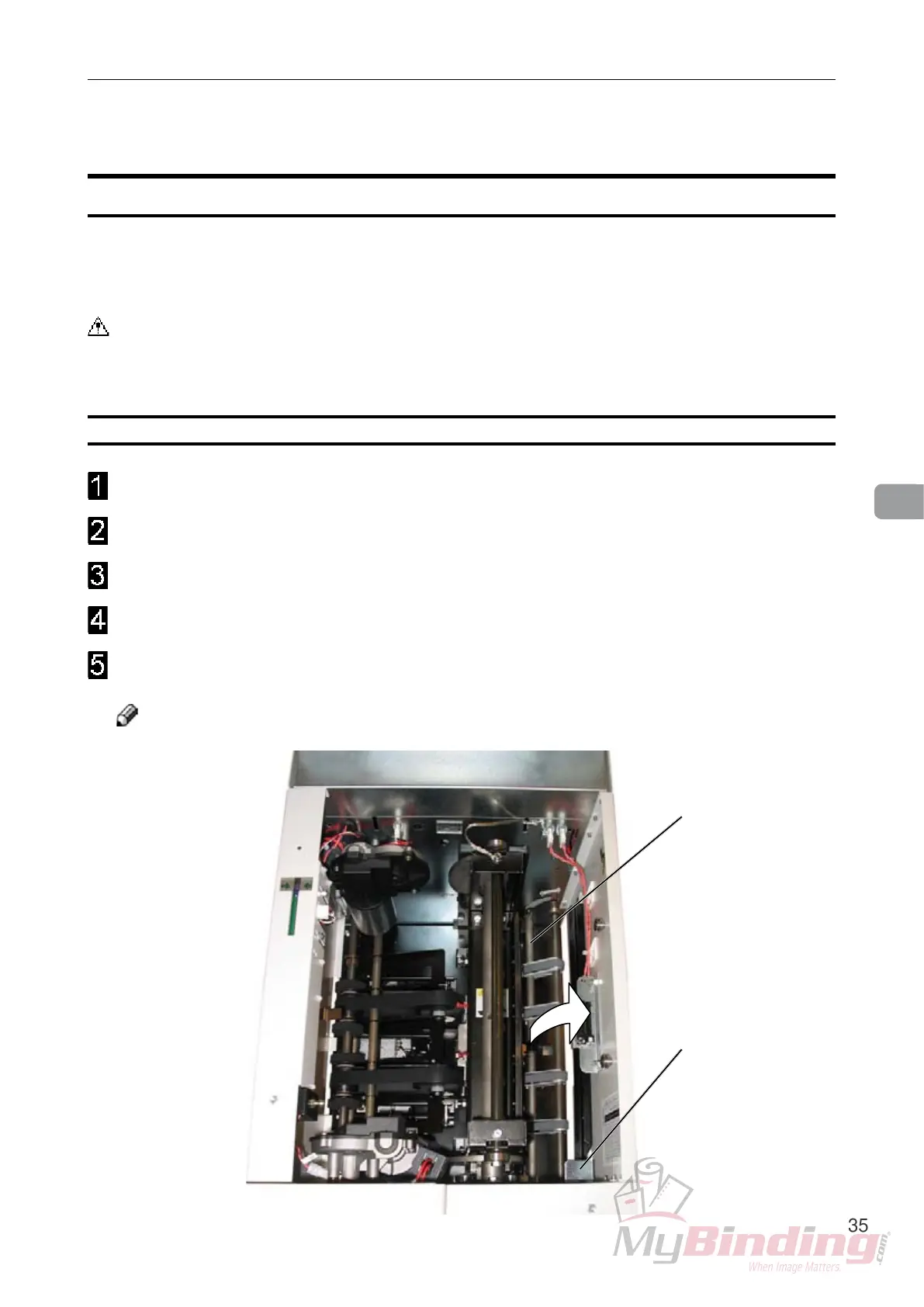
Remove the Trimmer fan (see page 11, item 7).
Lift up the infeed roller shaft (A).
Secure under the latch (B)
Remove the misfed sheets in the infeed area.
After the misfed sheets are removed, lift up the latch (B) and place the infeed roller shaft
into operating position.
Note
If the infeed roller shaft is lifted, the fault code “FTR-205” is displayed
Clearing misfeed in input area
The upper trimmer blade on the trimmer is protected by a knife protection plate that moves
away during the cutting stroke. Jams can occur in the input area or the exit area.
Warning
Never put ngers or other parts of the body between the upper and lower trimmer knives.
A
B


 To Next Page