31
4. Jobs
Storing and deleting jobs
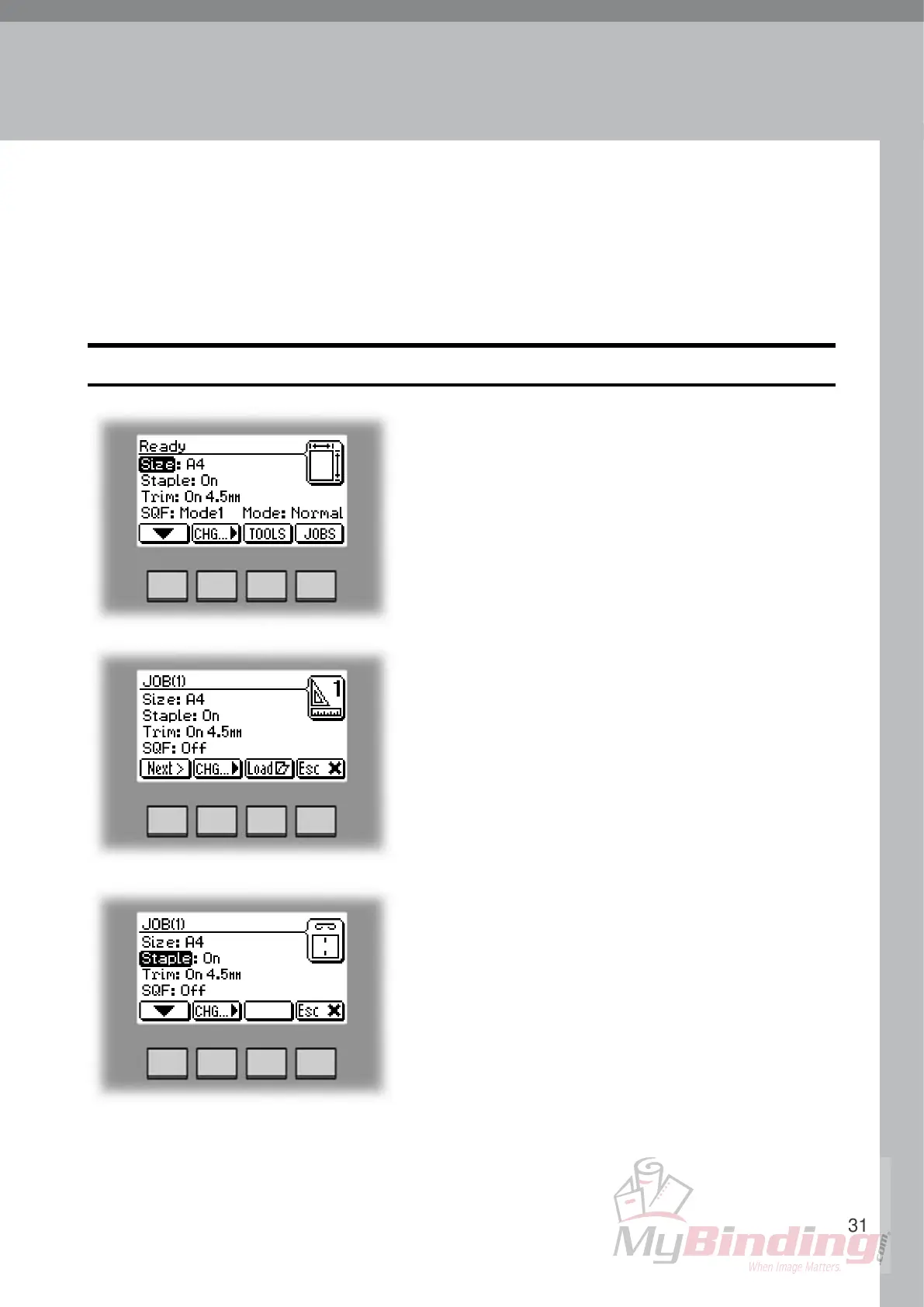
Select an already stored job by pressing the [Next]
button. Then press the [Change] button.
Select the option you want to change with the [arrow]
button and then press the [Change] button. See section
2. Making Booklets for how to set up each separate
option.
After changing the options press the [OK] button to
accept the changes you just made.
Continued on next page.
The Booklet Maker has a maximum storage capacity of 10 different jobs. It is not possible
to delete jobs, therefore when you need to store a new job, an old job must be overwritten.
To make temporary changes in the actual job settings or temporary changes of a stored job,
see section 2. Making Booklets.
Storing a new Job
To store a new job or add new settings to an existing
job you need to start from the Jobs screen. From the
Ready screen press the [Jobs] button to enter the Jobs
screen.


 To Next Page