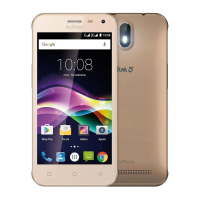
© 2015 myPhone. All rights reserved myPhone COMPACT EN
10
1. Before first use
SIM card installation
myPhone COMPACT is a Dual SIM technology smartphone that enables the use of two
cellular networks simultaneously. The first slot supports microSIM cards and the second slot
supports SIM cards or microSIM cards with an adapter. To install a SIM card properly:
Turn off the phone, remove the back cover (using your nail to hold the thin slot, it is
located in the bottom part of the phone, next to the microUSB slot).
Remove the battery.
Insert the SIM card as shown in figures below the slot.
MICRO SIM ADAPTERS
Do not insert an empty microSIM card adapter (without the card). It may cause the adapter
to jam inside. Any attempts to use force to remove a jammed card adapter may lead to
mechanical damage of the phone. If an empty adapter is jammed inside the SIM card slot,
contact an authorized myPhone service!
Memory card installation
Only use compatible and company-approved memory cards. Incompatible memory cards
may damage the card itself and/or the device and lead to data loss. Memory card
incompatibility means an unsupported card format (microSD format is required) or an
unsupported card capacity (above 32GB). To install a memory card properly:
Turn off the phone, remove the back cover (using your nail to hold the thin slot, it is
located in the bottom part of the phone, next to the microUSB slot).
Remove the battery.
Insert the memory card into the slot as shown in the figure below.
Charging the battery
Charge the battery before first use of the phone. The battery should be charged using the AC
adapter. The battery has a 1350 mAh capacity. Should any battery problems occur or in case
of a required replacement the device should be delivered to the myPhone service center.
Use only adapters and cables approved by myPhone company. Use of any unapproved
adapters or chargers may lead to battery explosion or device damages. If the battery is low,
a low battery message is displayed. Charge the battery, to continue using the device.
After complete battery discharge the device can not be turned on, even during recharging.
Charge the battery for a few minutes before restart.
To charge the battery:
1. Plug the micro-B USB connector (trapezium-shaped) into an appropriate socket of
myPhone COMPACT phone.
Improper plugging of the adapter (USB cable) may lead to device or adapter
damage. The warranty does not cover any damages resulting from improper handling.
2. Plug the adapter to the mains socket. When the charging is initiated, an animated thunder
icon is displayed in the upper right corner of the screen.



 To Next Page