© 2015 myPhone. All rights reserved myPhone COMPACT EN
30
8. Multimedia
Camera
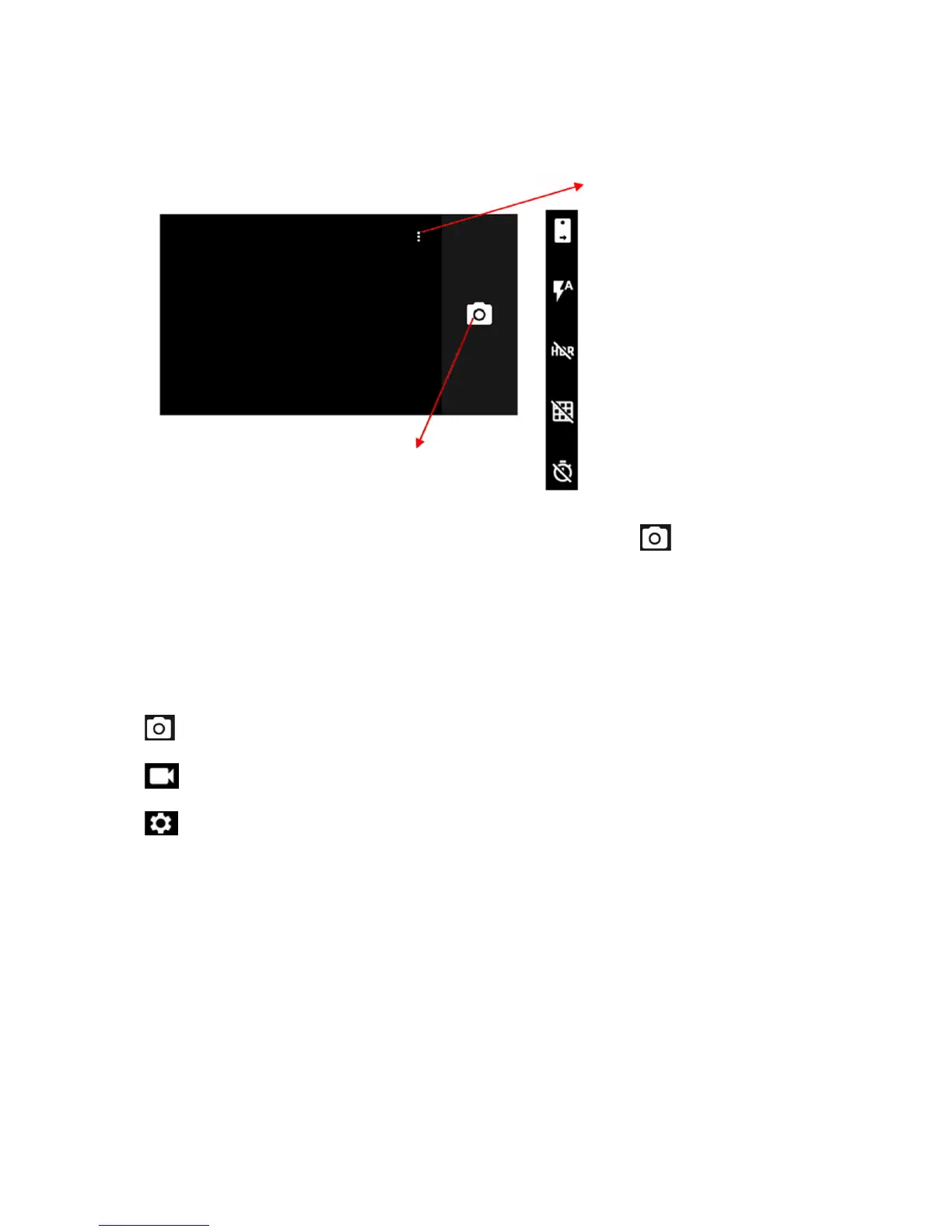
Place the object in the camera preview frame and touch the shutter button to take the
picture.
If necessary, adjust settings for exposure, flash and other elements or leave them in
automatic mode (options available in settings).
To change settings, place your finger at the left edge of the screen and swipe toward the
center until new symbols are visible:
Touch to switch to camera
Touch to switch to video recording
Touch to open settings
Resolution and quality
o Photo: back camera
o Photo: front camera
o Video: back camera
o Video: front camera
Memory path
o Internal
o External (if a microSD card is available)
Advanced
Camera
o Photo quality
o Measurement
o White balance
o Flicker reduction



 To Next Page