© 2015 myPhone. All rights reserved myPhone COMPACT EN
17
Screen lock
To lock the screen, short press the lock button (9). The screen should be turned off.
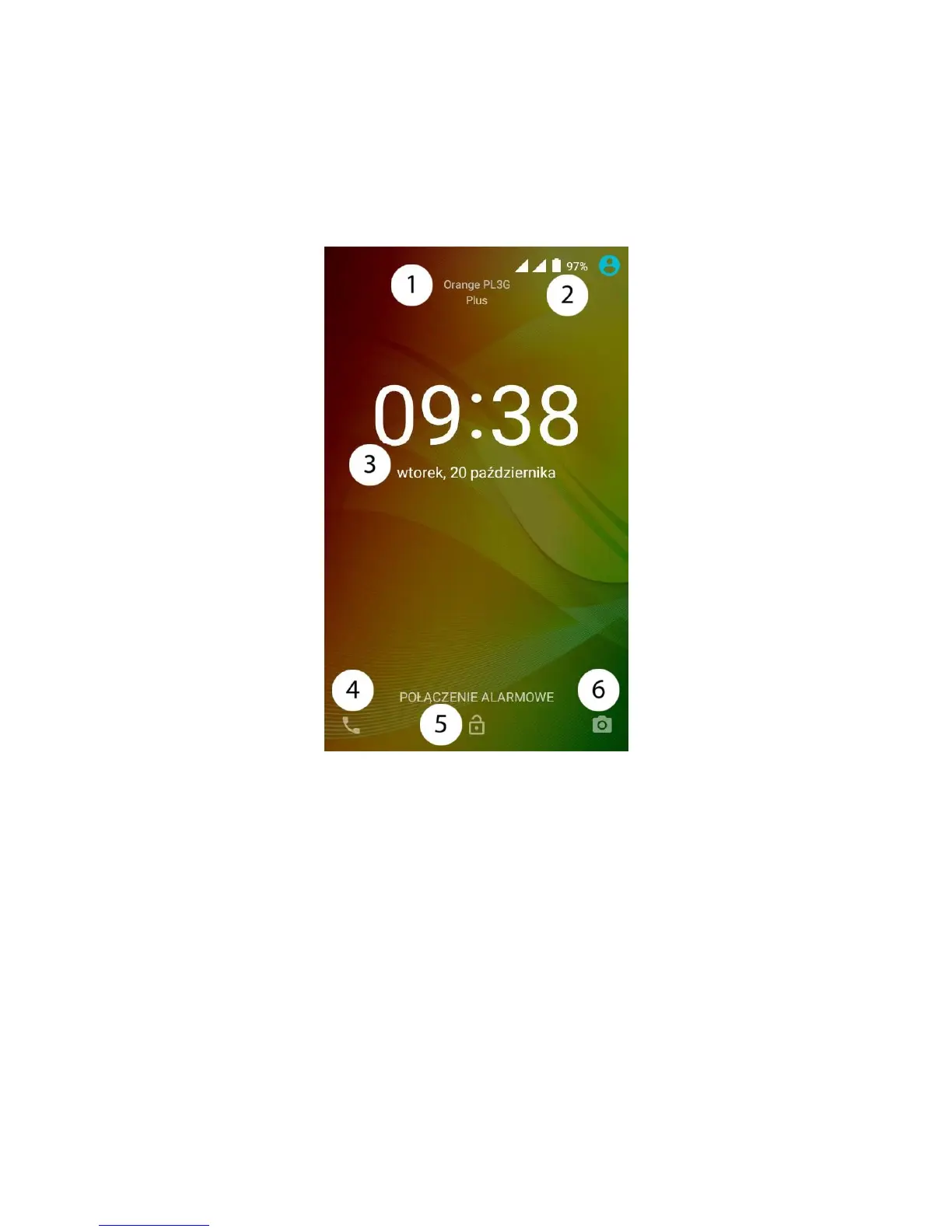
To unlock the screen, short press the lock button. A screen similar to the following will
appear:
On the display, in screen lock mode, the following information can be found:
1.
Information about the SIM card status / network operator's name.
2.
Status icon bar
3.
Current time and date.
4.
App icon to make calls. To open an app, touch it and swipe right.
5.
An icon of a locked device. To unlock, touch the padlock button and swipe up.
6.
Camera icon. To open the camera, touch it and swipe left.



 To Next Page