© 2015 myPhone. All rights reserved myPhone COMPACT EN
32
Music
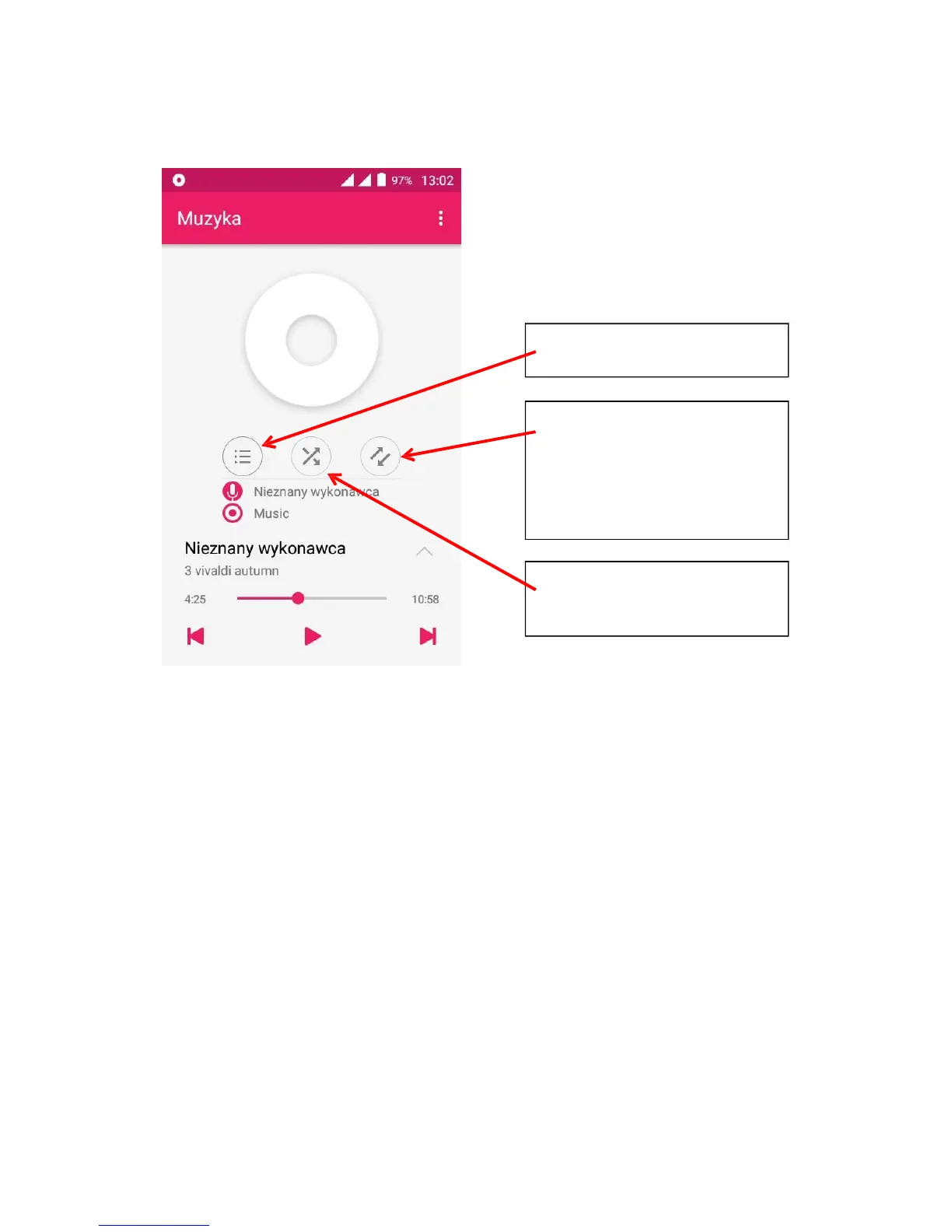
To manage and play music use the [Music] app available in the main menu.
Touching the [Menu] button opens a dialog window with following options:
Library – all available songs
Random – party mode
Add do playlist – adding current song to a user defined playlist
Delete
Sound effects – the equalizer effects
Set as ringtone – the current song is set as the phone ringtone
Close – exits the [Music] app



 To Next Page