EasyManua.ls Logo

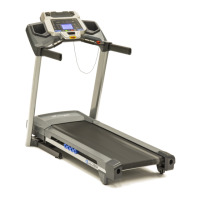
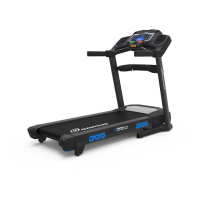
Nautilus T616 - User Manual

Nautilus T616
56 pages
Print Icon
To Next Page IconTo Next Page
Loading...
ASSEMBLY MANUAL / OWNER’S MANUAL
Manual en Español Latino Americano:
http://www.nautilus.com

Other manuals for Nautilus T616

Questions and Answers

  • E
    Eric WebbSep 8, 2025
    What to do if the fan won't turn on or off on my Nautilus T616 Treadmill?
    • M
      Meredith OrtizSep 8, 2025
      To resolve an issue where the fan on your Nautilus Treadmill won't turn on or off, unplug the unit from the electrical outlet for 5 minutes, then reconnect it.
  • J
    Jennifer FaulknerSep 7, 2025
    Why is the motor strained on my Nautilus Treadmill?
    • B
      Brittney WhiteSep 7, 2025
      If the motor on your Nautilus Treadmill sounds strained, apply silicone lubrication to the inner surface of the walking belt. Refer to the belt lubrication procedure in this manual.
  • N
    Nicole GonzalezAug 22, 2025
    Why won't my Nautilus T616 Treadmill turn on?
    • M
      Madison NicholsAug 22, 2025
      If your Nautilus Treadmill isn't turning on, has no display, or only a partial display, try these steps: 1. Check the electrical outlet by plugging in a lamp or other device to ensure it's working. 2. Inspect the power cord connection at the front of the unit for damage and ensure it's secure. Replace if damaged. 3. Check the data cable for any visible damage to the wires. Replace if crimped or cut. 4. Make sure the data cable is securely connected and properly oriented, with the latch snapped into place. 5. Inspect the console display for cracks or damage. Replace the console if damaged. 6. If the console has a partial display and all connections are fine, replace the console.
  • B
    bakerkellySep 4, 2025
    Why won't the telemetric heart rate show on my Nautilus T616 Treadmill?
    • T
      taylor30Sep 4, 2025
      If your Nautilus Treadmill operates but the telemetric heart rate is not displayed: * Ensure you are using a 'POLAR®' compatible and uncoded chest strap. Make sure the strap is directly against your skin and the contact area is wet, with the transmitter curve oriented upward. * Check the User Profile settings and ensure that the WIRELESS HR setting is turned ON. * Try moving the unit away from potential sources of interference like TVs or microwaves.
  • C
    Christy CarterSep 3, 2025
    Why is my Nautilus Treadmill making a thumping sound?
    • A
      Adam JohnsonSep 3, 2025
      If your Nautilus Treadmill is making a thumping sound when the belt operates, it's likely that the walking belt needs to be used for a wear-in period. The sound should disappear after this period.
  • C
    Cheryl LeeSep 1, 2025
    Why won't the heart rate be displayed on my Nautilus T616?
    • C
      Cameron SchmidtSep 2, 2025
      If your Nautilus Treadmill operates but doesn't display your heart rate when using the contact sensors: * Ensure your hands are centered on the HR sensors and kept still, applying relatively equal pressure to each side. * Dry or calloused hands can impede the sensors. Use a conductive electrode cream to improve contact.
  • W
    Wendy VaughanAug 31, 2025
    What to do if my Nautilus T616 Treadmill hesitates or the walking belt slips?
    • D
      Daniel CampbellAug 31, 2025
      If your Nautilus Treadmill hesitates or the walking belt slips during use, adjust the belt tension at the rear of the machine. Refer to the procedure for adjusting belt tension in this manual.
  • K
    kgarciaAug 30, 2025
    Why is the speed display inaccurate on my Nautilus T616 Treadmill?
    • C
      Cody RussellAug 30, 2025
      If the speed display on your Nautilus Treadmill is not accurate, it might be set to the wrong unit of measure (English/Metric). Change the display to show the correct units.
  • E
    Elizabeth DavisAug 28, 2025
    What to do if my Nautilus Treadmill console shuts off while in use?
    • W
      William StuartAug 28, 2025
      If your Nautilus Treadmill console shuts off during use, check the following: * Ensure the treadmill is plugged into a functioning wall outlet by testing the outlet with a known working device. * Inspect the connection at the front of the unit, ensuring it's secure and undamaged; replace if necessary. * Check the data cable for any damage; replace if wires are cut or crimped. * Confirm the data cable connections are secure and properly oriented. * Try resetting the machine by unplugging it from the electrical outlet for 3 minutes, then reconnecting it.
  • M
    Mary RiversAug 27, 2025
    Why does the walking belt slip on my Nautilus T616 Treadmill when I use it?
    • E
      Emily JonesAug 27, 2025
      If you experience hesitation or the walking belt slips during use, adjust the belt tension at the rear of the machine.

Summary

IMPORTANT SAFETY INSTRUCTIONS

Safety Warning Labels and Serial Number

Information on safety labels and product identification.

Grounding and Emergency Stop Procedures

Proper electrical grounding and emergency stop procedures for safe operation.

SPECIFICATIONS

ASSEMBLY INSTRUCTIONS

Fold the Walking Deck on the Base Assembly

Instructions for folding the walking deck for storage or setup.

Route the Cables through the Right Upright, and Attach the Uprights to the Frame

Connecting wiring and attaching upright support structures to the main frame.

Unfold the Walking Deck

Step-by-step guide to unfolding the walking deck from its folded position.

Attach the Console to Frame Assembly and Connect the Cables

Mounting the console unit and connecting its internal wiring to the frame.

Final Inspection

Verifying all components are correctly assembled and hardware is tight.

Storage and Moving the Machine

MACHINE FEATURES

Bluetooth Connectivity and HR Monitoring

Using Bluetooth for app sync and understanding heart rate monitoring methods.

OPERATIONS AND WORKOUTS

Getting Started and Initial Setup

Initial steps for first-time use, including power-up and basic setup.

User Profiles Management

Creating, selecting, and editing user profiles for personalized workouts.

Profile Programs

Heart Rate Control Workouts

Utilizing heart rate data to guide workout intensity and adjustments.

Fitness Score

Workout Control

CONSOLE SETUP MODE

MAINTENANCE

Belt Adjustment

Lubricating the Walking Belt

TROUBLESHOOTING

Display, Power, and HR Issues

Solutions for common problems with console display, power, and heart rate readings.

Belt, Motor, and Sync Problems

Troubleshooting mechanical issues and Bluetooth connectivity problems.

WARRANTY INFORMATION

Nautilus T616 Specifications

General IconGeneral
Maximum speed19.3 km/h
Number of programs26
Maximum user weight136 kg
Built-in displayYes
Weight and Dimensions IconWeight and Dimensions
Depth1960 mm
Width894 mm
Height1463 mm
Weight97500 g
Running area (W x L)508 x 1524 mm

Related product manuals