19
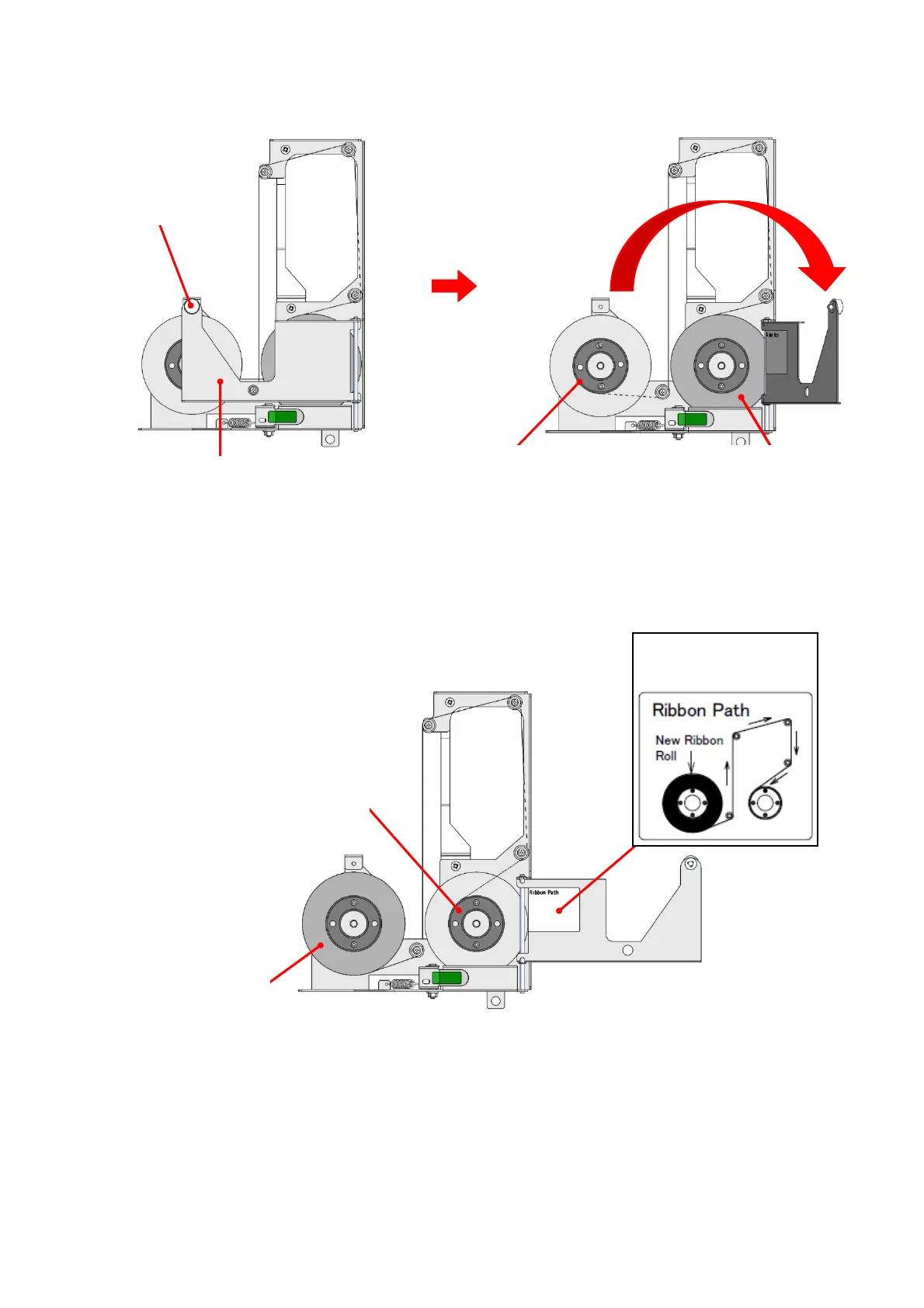
3. Remove a thumb-screw and open the Film Guide.
4. Remove the Empty Core and used film. Then set the new film to the left and the Empty Core to the right.
5. Peel off the fixing tape on the edge of the new film, and set the film according to the guidance figure for
“Film Setting”. Fix the edge of the film onto the Empty Core with the fixing tape.
At this time, the film should not lie off the core largely.
6. Turn the empty core three times counter-clockwise to remove the slack of the indent film.
Close the Film Guide, and fix the thumb-screw.
Used film
Empty Core
Film Guide
Thumb- screw
Used film
New film
Empty Core
Guidance figure for
“Film Setting,”



 To Next Page