20
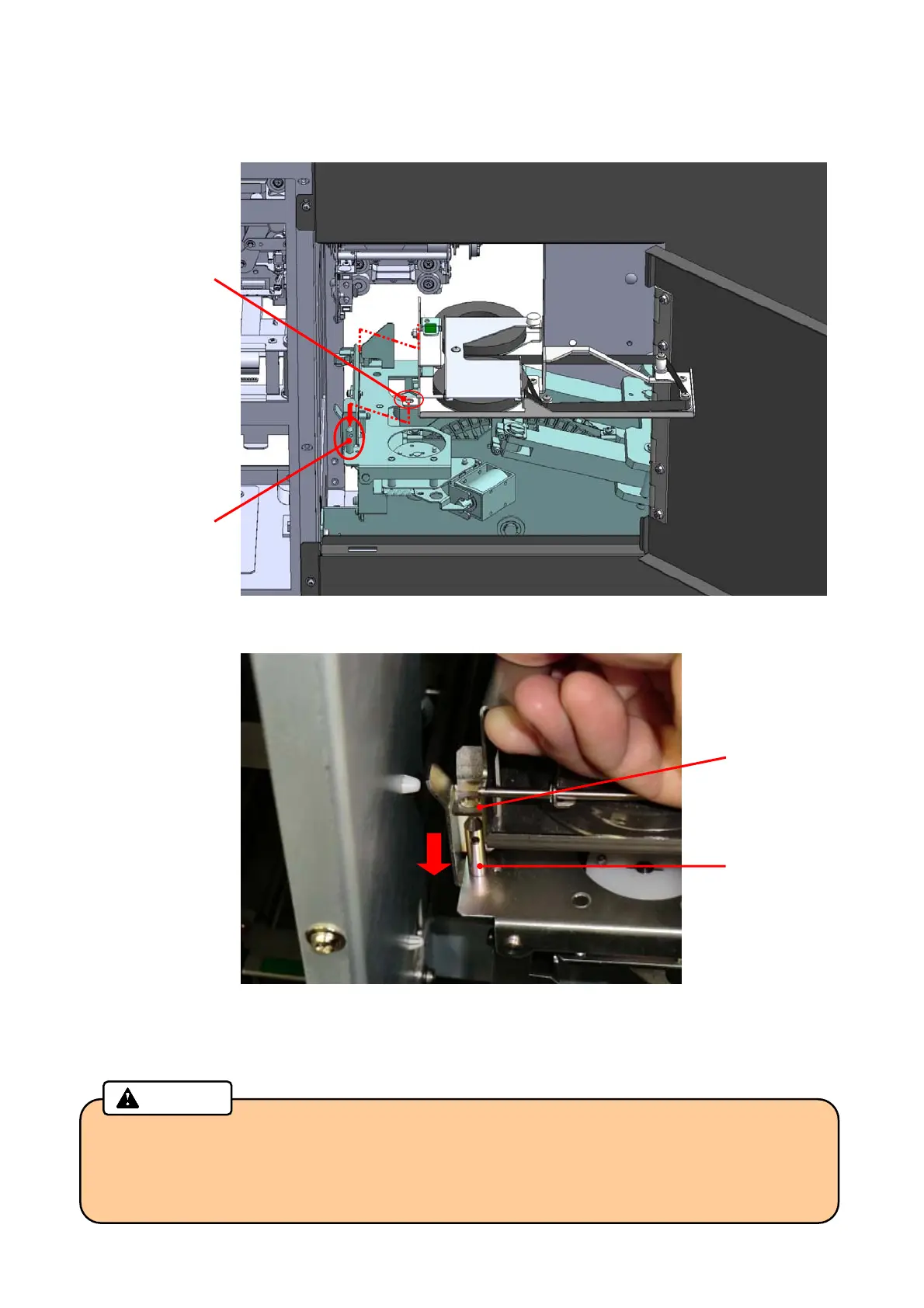
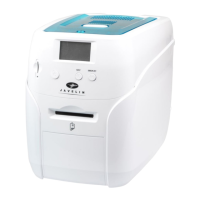
7. Install the Indent Cassette to the main body. Insert the Guide shaft into the Guide hole of the cassette
while grabbing the lock lever and the handle, and install the cassette until it clicks.
(Refer to the guidance figure for “Indent Cassette Setting” on the Right side door.)
8. After attaching the cassette, check that the film has no slack.
Close the Right side door, and lock with the key.
• Be sure to remove the slack of the Indent Film before installing the Indent Cassette.
The slack may adversely affect the print quality.
• Before installing the halfway used film again, be sure to wind the used part completely.
Caution
Guide Hole
Guide Shaft
Push down the Indent Cassette until it clicks.
Guide Shaft
Guide Hole



 To Next Page