NComputing L-Series User Manual rev.05.07.12
Page 72 of 95
3.0 Profiles
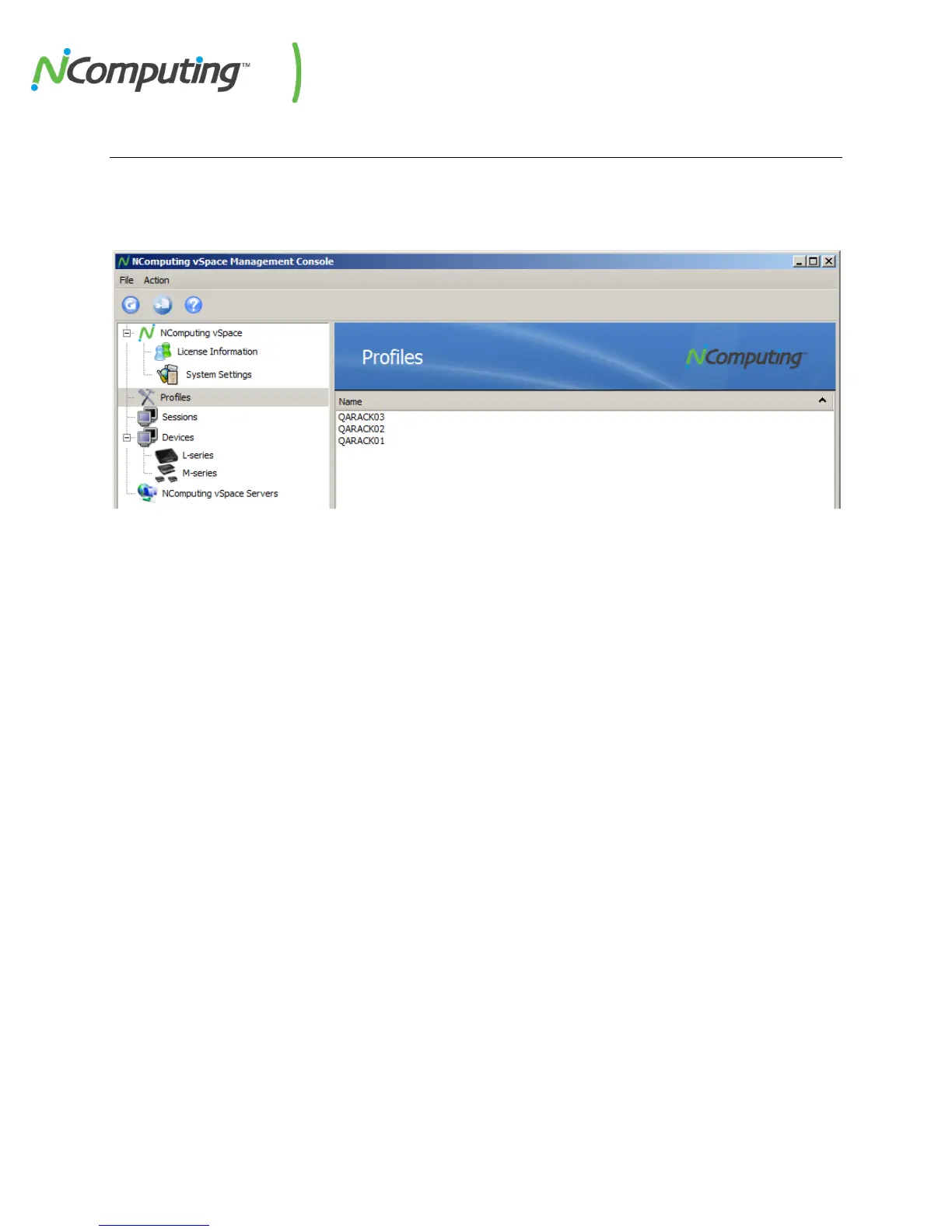
Left-click on the “Profiles” section of the left navigation tree to display information on device profiles
that have been saved for future use. You can edit or delete these profiles by right-clicking on them in
the profile list on the right side of the console.
Profiles can be “pulled” from existing devices and then “pushed” to entire groups of devices to simplify
the process of configuring several devices at a time. See 6.11 Configuration Profiles for more
information on pushing and pulling profiles.


 To Next Page