8-7
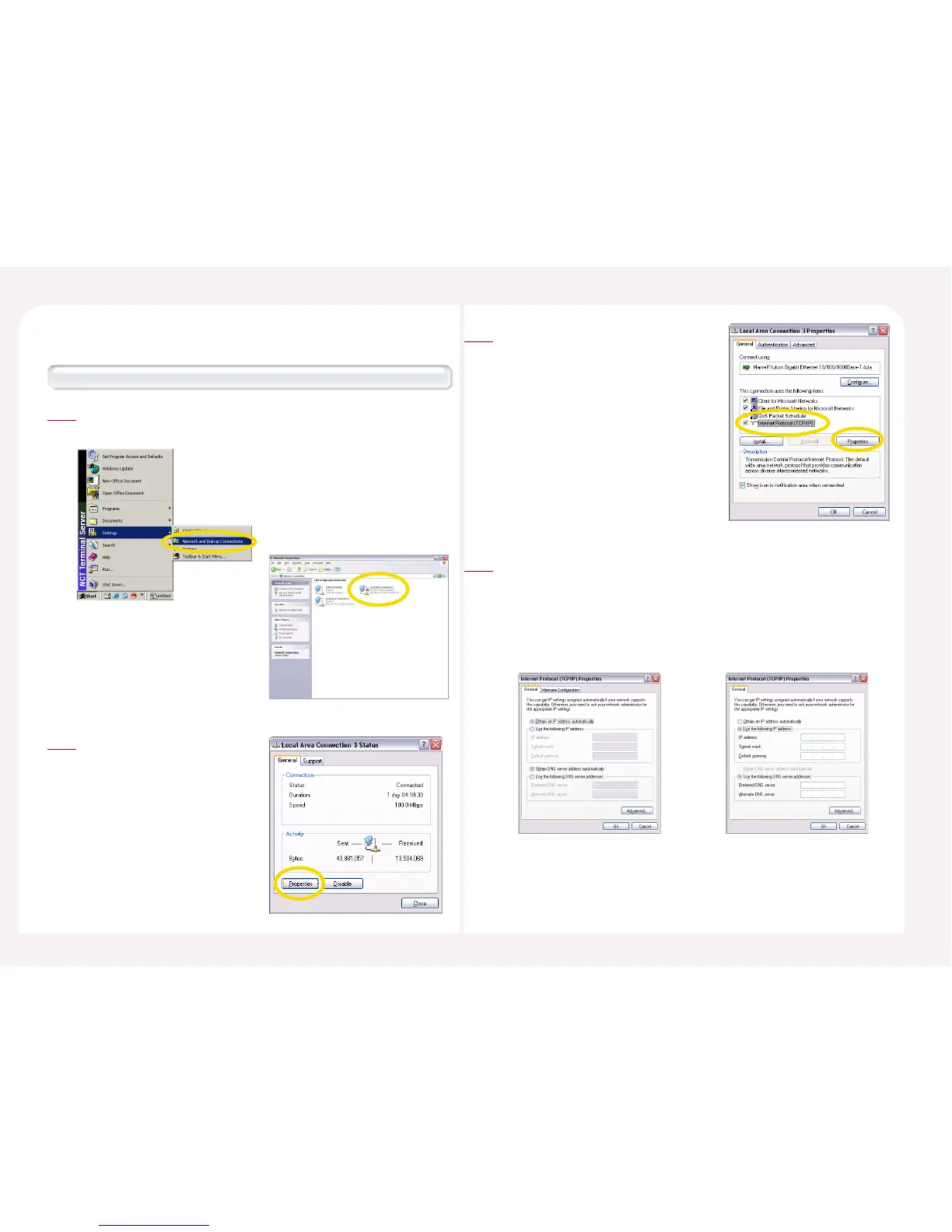
How to check the IP address with Windows 2000 operating system.
<Start> ▶ <Settings> ▶ <Network and Dial-up connection> ▶
Select ‘Local Area Connection’ and then double-click it.
1
Click the <Properties> button.
2
3. How to check the IP address of the host PC.
Select ‘Internet Protocol(TCP/IP)’ and
then click the <Properties> button.
3
To use an automatically allocated IP address, select ‘Obtain an IP address
automatically.’ To use a static IP address, select ‘Use the following IP
address.’ In this case, you must manually enter the IP address, Subnet
mask, Default gateway, and Preferred DNS server address. For the
information necessary for manual setting, ask your computer
administrator.
4
<Automatic Setting> <Manual Setting>



 To Next Page