9
AUTO SETUP SYSTEM
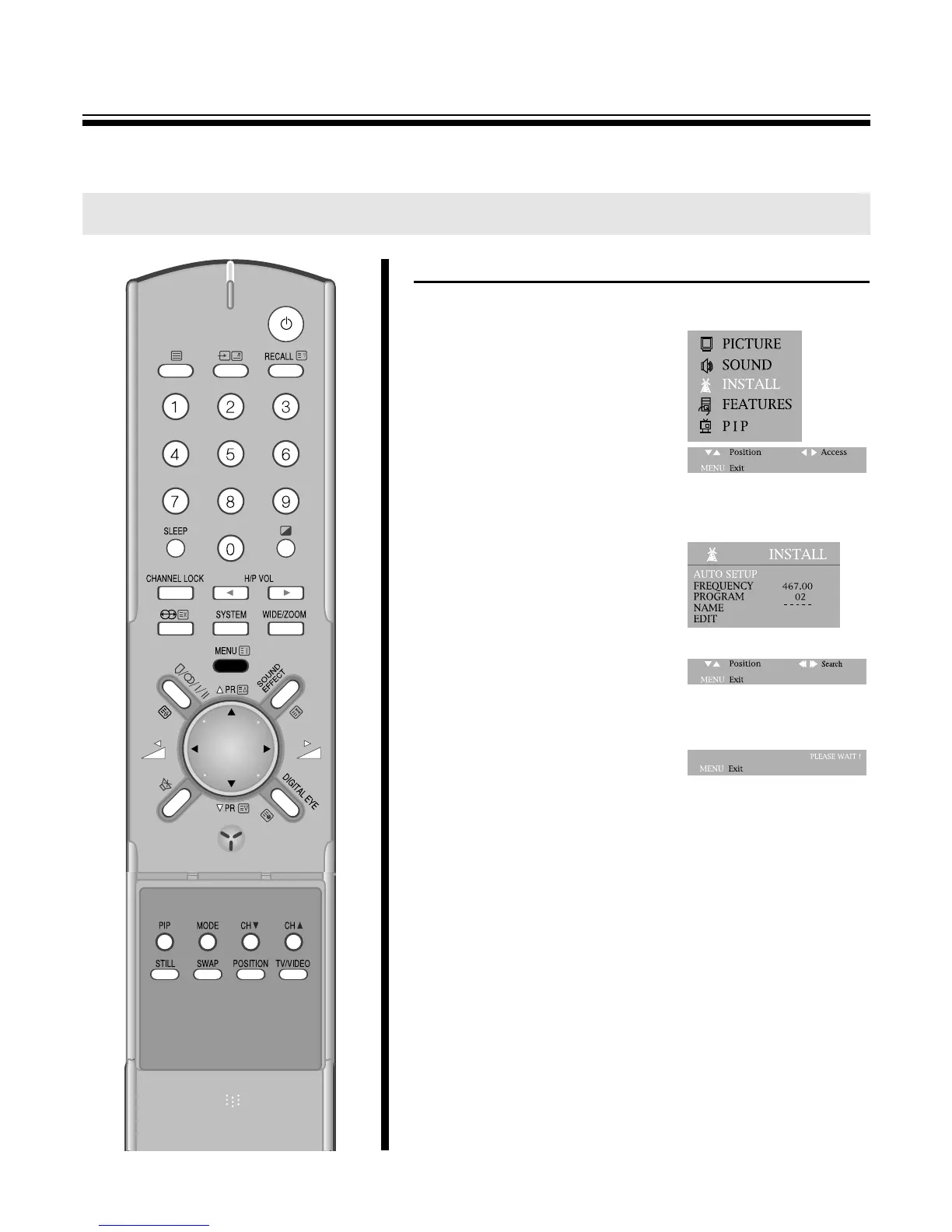
1. Press the MENU button to select to INSTALL.
2. Press the C
/
B buttons and then
INSTALL SYSTEM.
3. Select AUTO SETUP with the
PRy
/
x buttons and the C
/
B
buttons to start AUTO SETUP.
4. Please wait until the EDIT menu
appears.
M NOTE
Press the C
/
B buttons and keep it pressing for 2seconds, the AUTO
SETUP will be started.
M Warning
This television has been factory pretuned to channels 2, 7, 9, 10
and 28. If the auto search function is activated, these preset
channels will be deleted and new channels tuned to 1, 2, 3 ETC..
TUNING THE TV CHANNELS
AUTO SETUP SYSTEM



 To Next Page