12
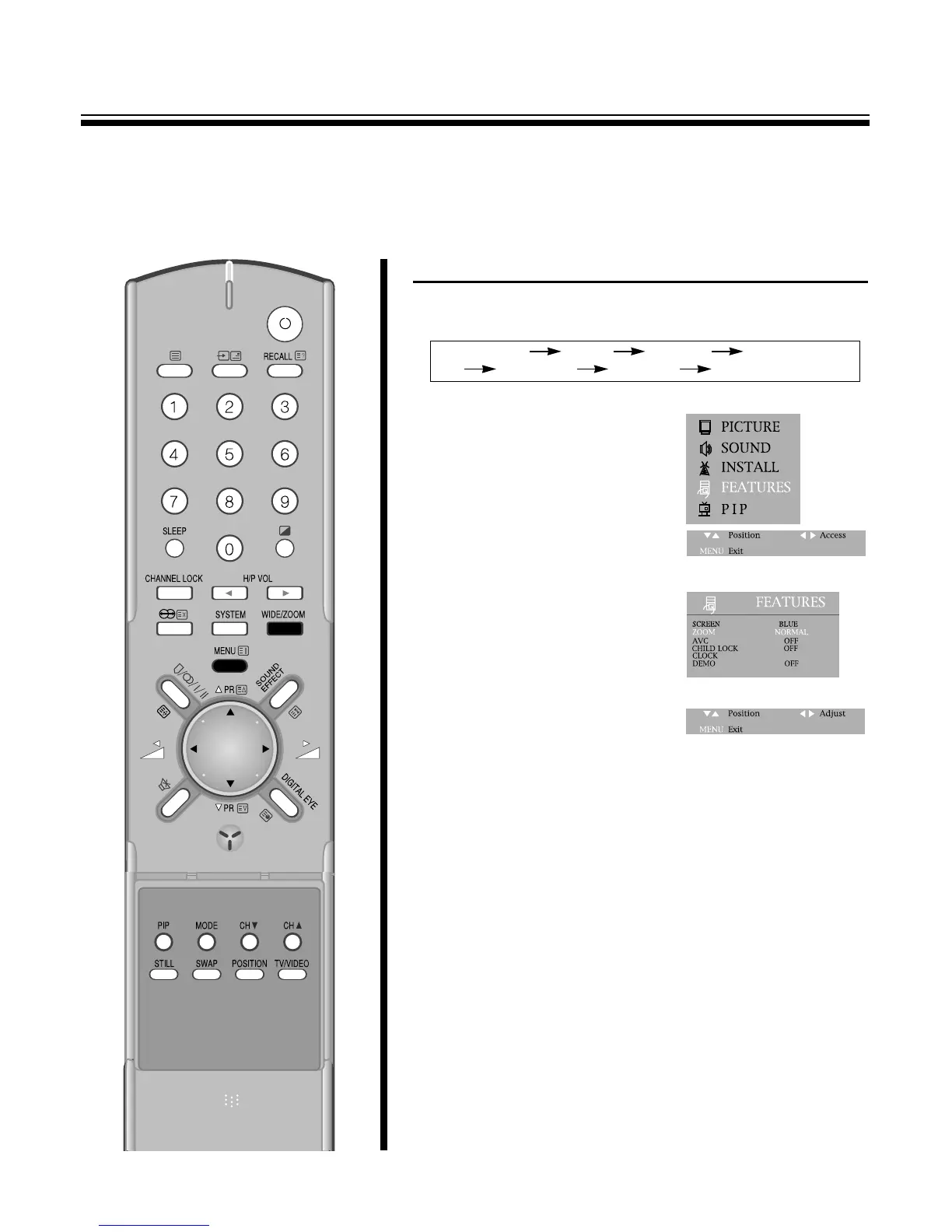
TO SELECT THE WIDE OR ZOOM 1~ZOOM 4 SCREEN
1.By pressing the WIDE
/
ZOOM button in remote control, the following
six modes change cyclically.
2.Or press the MENU button to
FEATURES.
3.And then to be displayed on the
right appearance.
Select the ZOOM with the PR
y
/
x buttons.
4. By pressing the C
/
B buttons, the following six mode change
cyclically.
ENJOYING WIDE AND ZOOM PICTURE
M
You can enjoy WIDE picture and ZOOM 1~ZOOM 4 picture with TV.
In addition to regular wide
/
zoom screen mode.
NORMAL WIDE ZOOM1 ZOOM2
ZOOM3 ZOOM4 NORMAL



 To Next Page