15
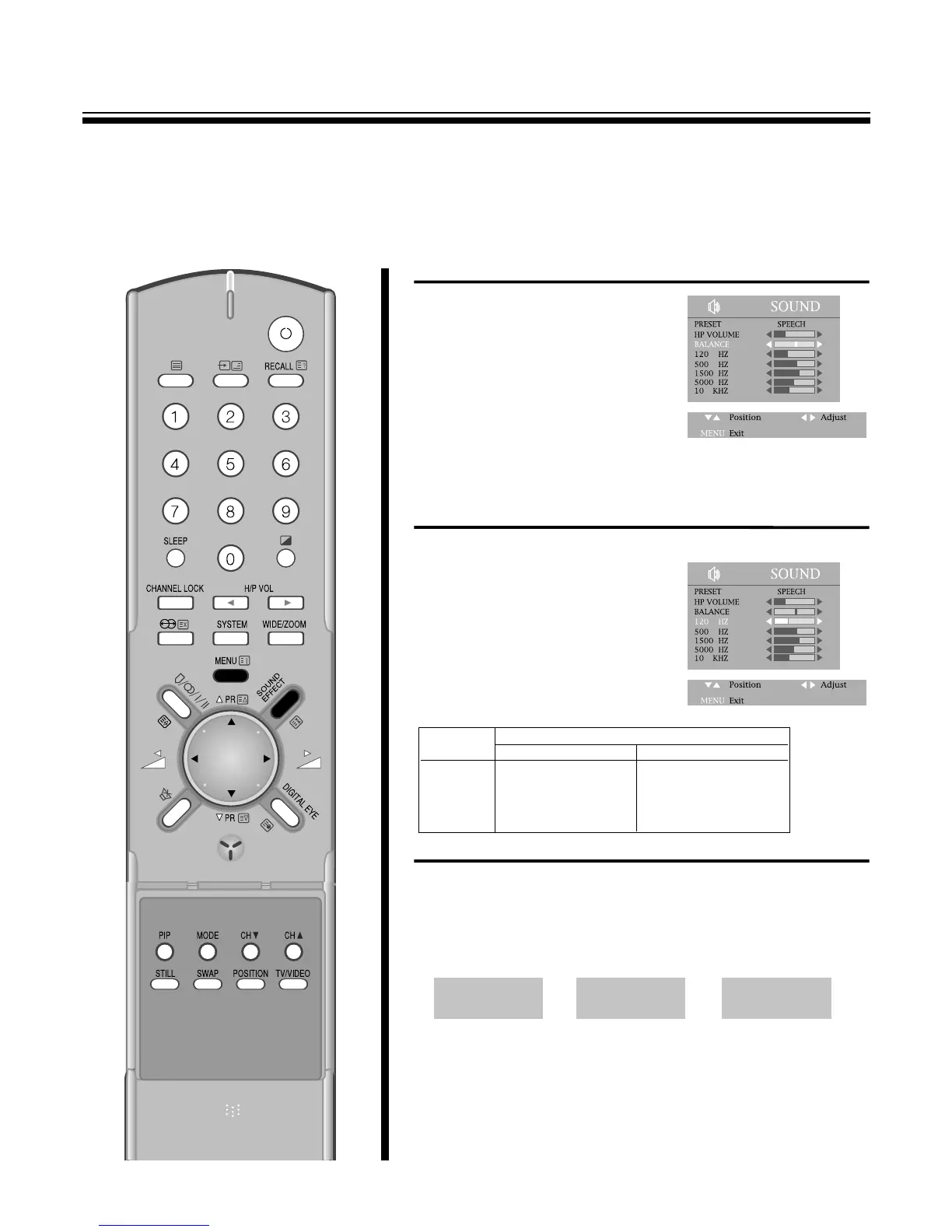
TO ADJUST THE SOUND BALANCE
Press the MENU button to select the
SOUND and then to be displayed on
right appearance.
Select the BALANCE with the
PR y
/
x buttons.
Adjust the BALANCE with the C
/
B
buttons.
Press C button to decrease the right
speaker volume and the B button to
decrease the left speaker volume.
TO ADJUST SOUND FREQUENCY
Press the MENU button to select the SOUND and then to be
displayed on the right appearance.
Select the sound frequency(120HZ,
500HZ, 1500HZ, 5000HZ, 10KHZ)
with the PR y
/
x buttons.
By pressing the C
/
B buttons to
activate the sound frequency.
TO SELECT SOUND EFFECT
Press the SOUND EFFECT button at remote control to select sound
effect.
The display of SURROUND, DYNAMIC, OFF change cyclically
whenever you press the SOUND EFFECT button.
Item
Pressing
CB
120HZ Decrease 120HZ Increase 120HZ
500HZ Decrease 500HZ Increase 500HZ
1500HZ Decrease 1500HZ Increase 1500HZ
5000HZ Decrease 5000HZ Increase 5000HZ
10KHZ Decrease 10KHZ Increase 10HZ



 To Next Page