11
TO SELECT THE PICTURE MODE
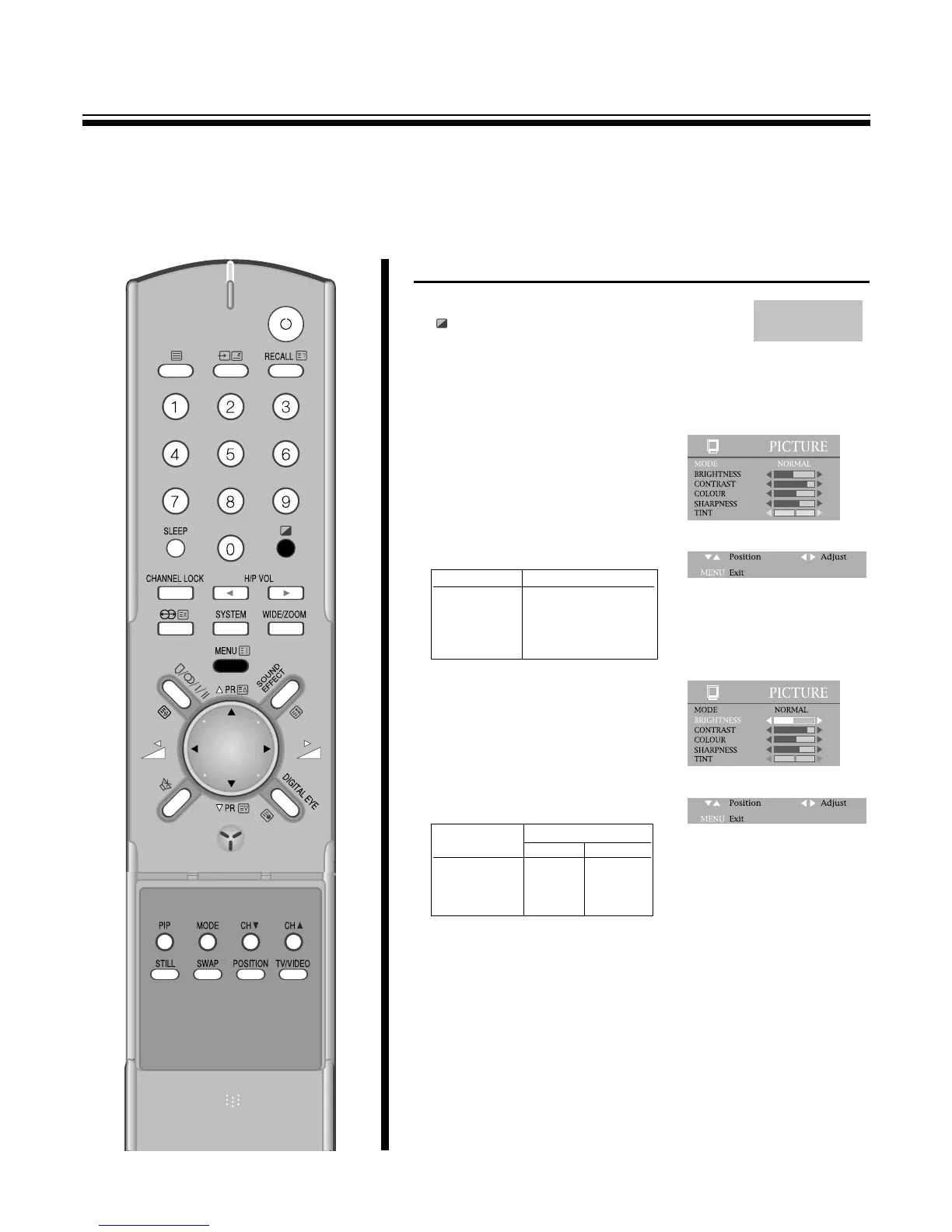
1.Press the SELECTABLE PICTURE
( ) button at remote control to select
the desired picture quality.
Normal, Mild and Favourite can be selected cyclically.
2.Or press the MENU button to
select the PICTURE and then to
be displayed on the right
appearance.
BY pressing the C
/
B buttons, the
following four mode change
cyclically.
3.You can select the BRIGHTNESS,
CONTRAST, COLOUR, and
SHARPNESS with the PR y
/
x
buttons.
Select the desired item with the
PR y
/
x buttons and press with
the C
/
B buttons adjust the level.
CONVENIENT PICTURE CONTROL
M
You can select the picture quality instantly.
MODE Picture Quality
NORMAL hard picture
MILD soft picture
DIGITAL EYE picture by optical-
sensor
FAVOURITE adjustable
Item
Pressing
CB
BRIGHTNESS darker lighter
CONTRAST weaker stronger
COLOUR paler deeper
SHARPNESS softer sharper



 To Next Page