24
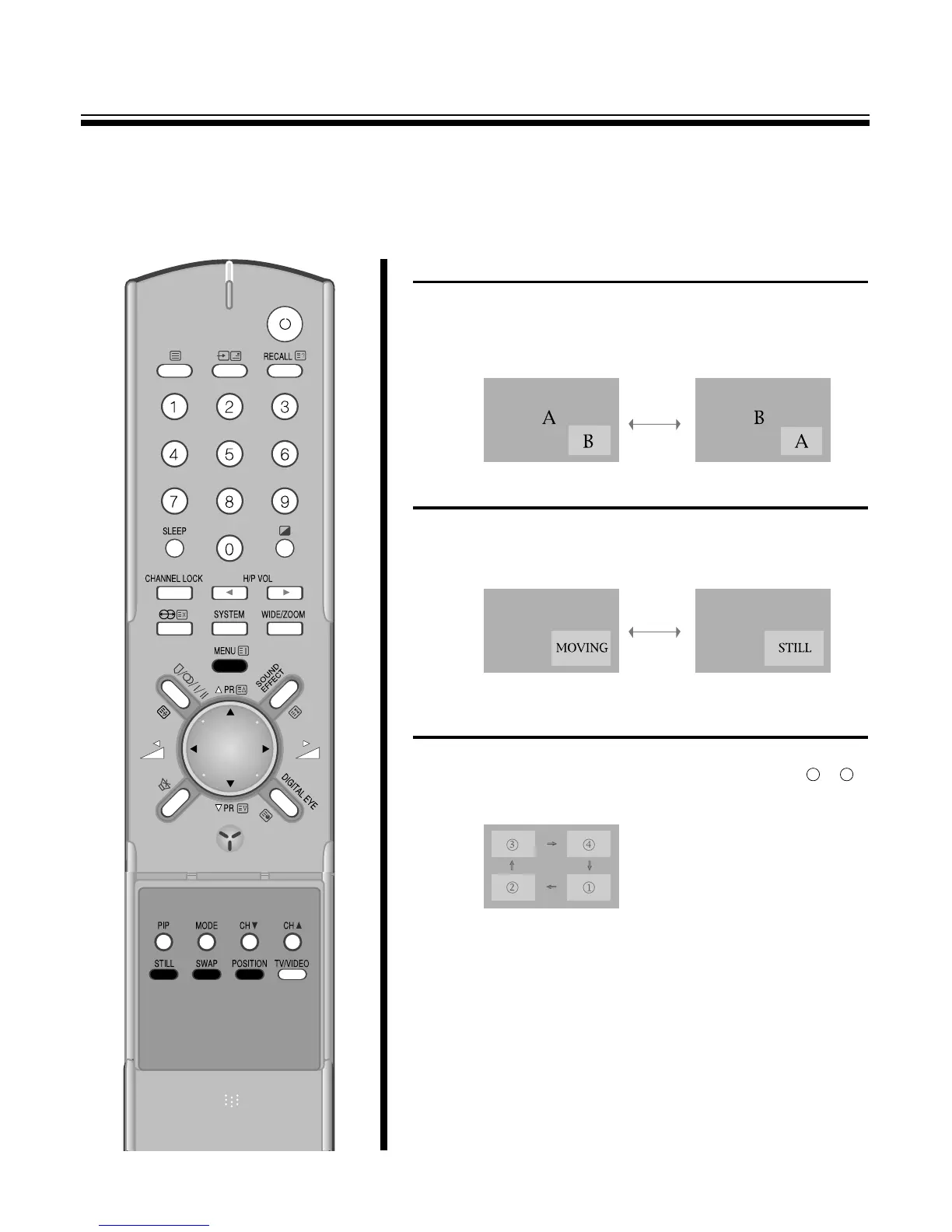
TO SWITCH THE MAIN AND SUB-PICTURE OF THE PIP
Press the SWAP button when a picture-in-picture is displayed.
The main picture(the large picture) and sub-picture(the small picture)
are switched.
Press the SWAP button again to switch again.
TO FREEZE THE SUB-PICTURE
Press the STILL button when a sub-picture is displayed.
The Sub- picture will be a still picture. To return to a moving picture,
Press the STILL button again.
TO CHANGE THE POSITION OF THE SUB PICTURE(WHEN
SMALL or LARGE MODE)
Press the position button repeatedly when a sub-picture is displayed.
The display position of the sub-picture will changed in order to
PIP mode.



 To Next Page