23
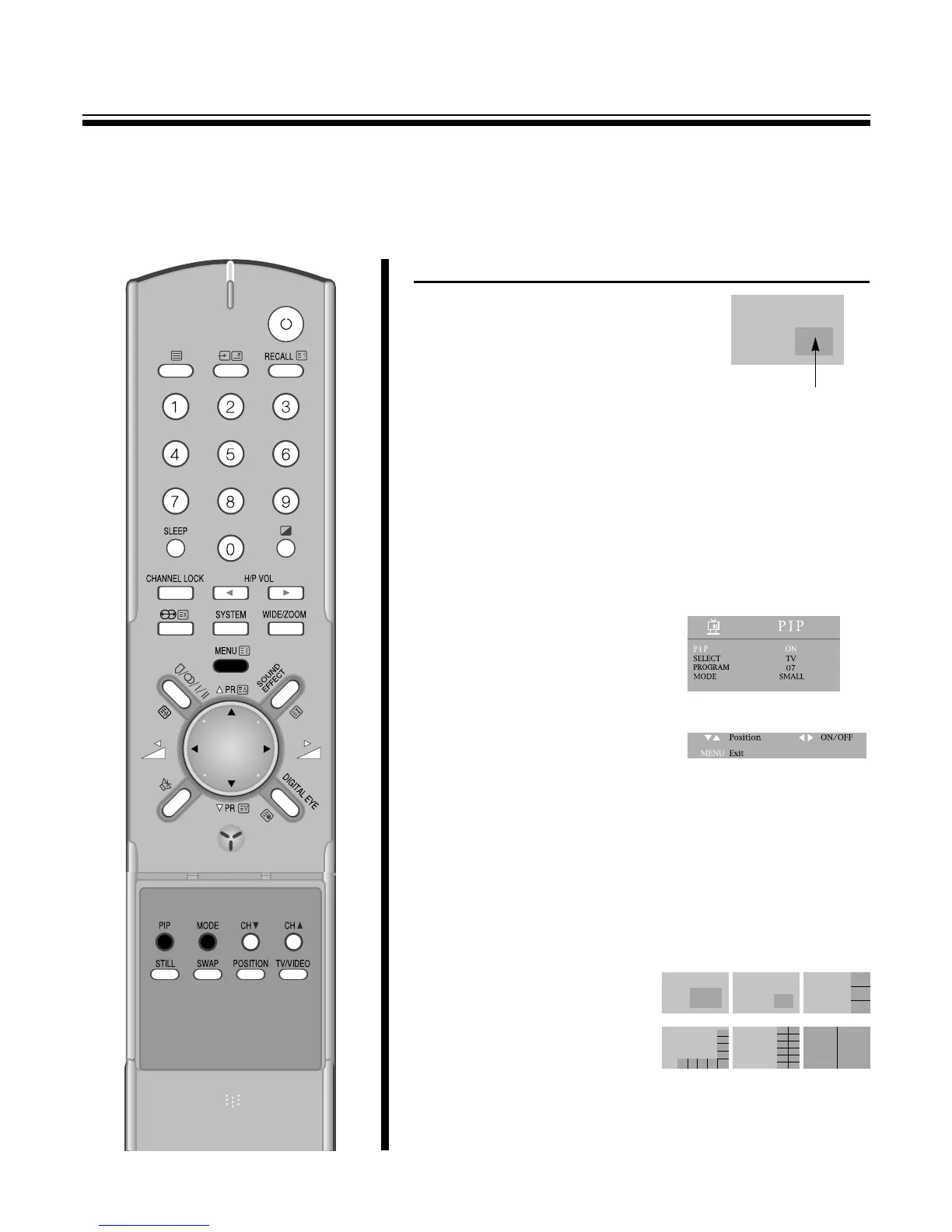
TO WATCH A TV OR AN EXTERNAL SOURCE AS A SUB-PICTURE
1.Select the desired program.
2.Press the PIP button to display a
sub-picture.
SUB-PICTURE
3.Press the sub TV
/
VIDEO button repeatedly to select the input for
the sub picture(the small picture). A TV picture, the picture from the
TV, AV1, AV2, AV3 will appear cyclically.
4.When a TV picture appears, select the desired TV program using
the CH y
/
x buttons.
Press the CH y
/
x buttons to select lower program numbers and
CH y
/
x buttons to select higher ones.
5.To turn off the sub-picture, press the PIP button again.
6.Or press the MENU button to
select the PIP and then to be
displayed on the right
appearance.
Select the PIP with the PR y
/
x
buttons. Press the C
/
B buttons to
select the PIP ON(or OFF).
7.Select SELECT with the PR y
/
x buttons.
Press the C
/
B buttons to select the input the sub-picture(the small
picture). A TV picture, the picture from the TV, AV1, AV2, AV3 will
appear cyclically.
8.When a TV picture appears, select the Pr with the PR y
/
x
buttons.
Select the desired TV program using the C
/
B buttons.
Press the C button to select lower program buttons.
Press the B button to select higher ones.
9.Select MODE with the PR
y
/
x buttons. Press the C
/
B
buttons to select the
mode(LARGE, SMALL, 3PIC,
9PIC, 12PIC, 2PIC).
The mode will be appear
cyclically.
M When SUB-PICTURE mode, you can’t select DVD.



 To Next Page