2-2 Getting Started
ML440 End User Guide - Revision 1
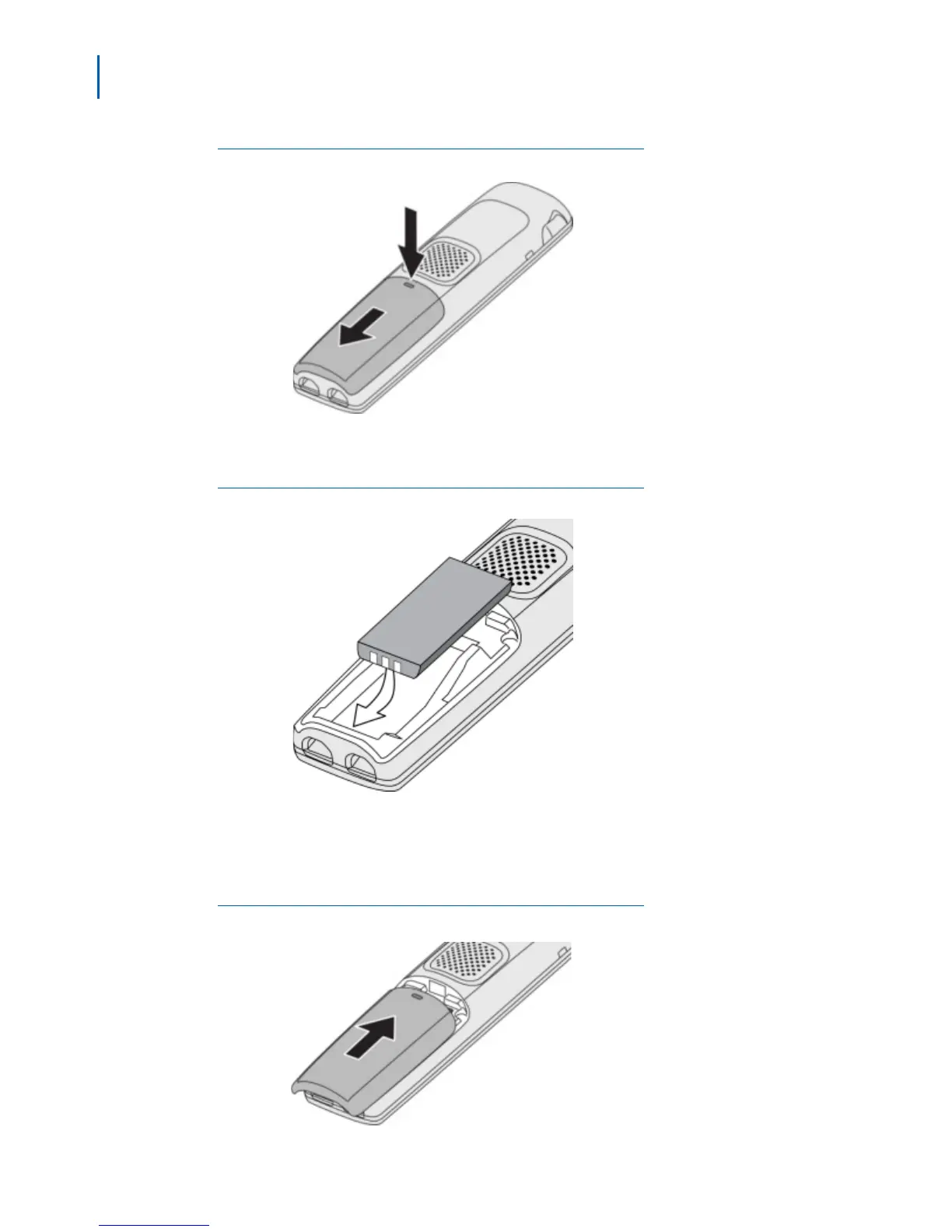
Figure 2-1
Remove Battery Cover
Step 2 Align the battery so that the contacts face the bottom of the handset and
the flat side faces up (Figure 2-2).
Figure 2-2
Align Battery
Step 3 Insert the bottom of the battery first, then lay the battery down and push it
gently until it snaps into place.
Step 4 Replace the cover and slide it up into place (Figure 2-3).
Figure 2-3
Replace Battery Cover



 To Next Page