2-10 Getting Started
ML440 End User Guide - Revision 1
Using the Menus
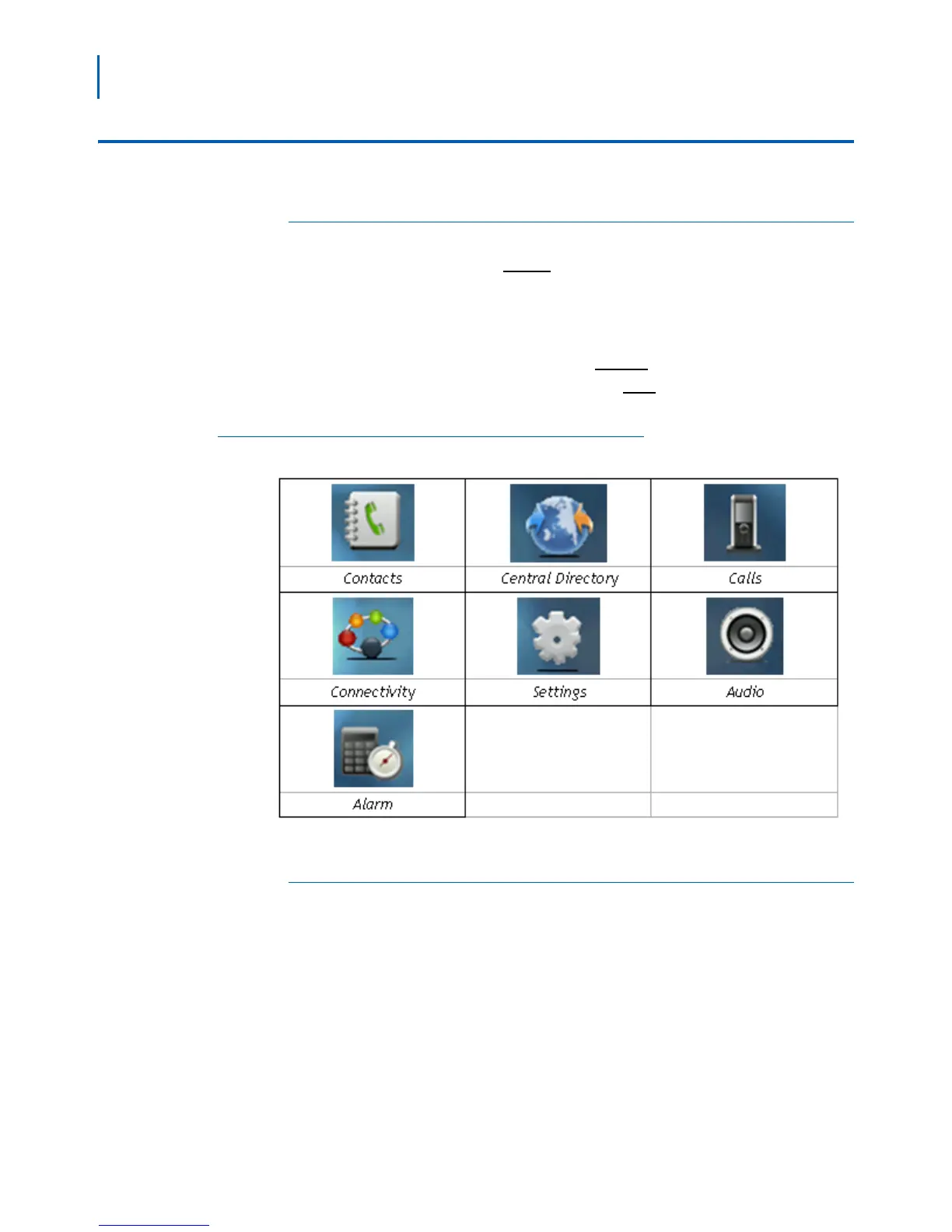
Main Menu Screen
• To open the menu, press Menu. The handset displays the main menu
screen (Figure 2-9).
• Use the four-way key to move the cursor and highlight items. When
yo
u highlight each item, the handset shows the current setting for
that item in the display.
• To select the highlighted item, press
Select.
• To go back one level in the menu, press
End.
• If you don't press any keys for 1 minute, the handset exits the menu.
Figure 2-9
Main Menu Screen
Contacts Screen (Local Contacts)
The main Contacts screen shows the list of contacts stored locally on
this handset. When you highlight a contact, you can use one of the soft
keys described in Tabl e 2 - 6 .



 To Next Page