Getting Started 2-3
ML440 End User Guide - Revision 1
Step 5 Connect the charger AC adapter to the charger’s AC jack.
Step 6 Plug the other end of the adapter into a standard 120V AC power outlet.
Step 7 Place the handset in the charger with the display facing forward. The
display on the handset should light up and the charger LED should turn
on. If it doesn't, reseat the handset or try plugging the AC adapter into a
different outlet.
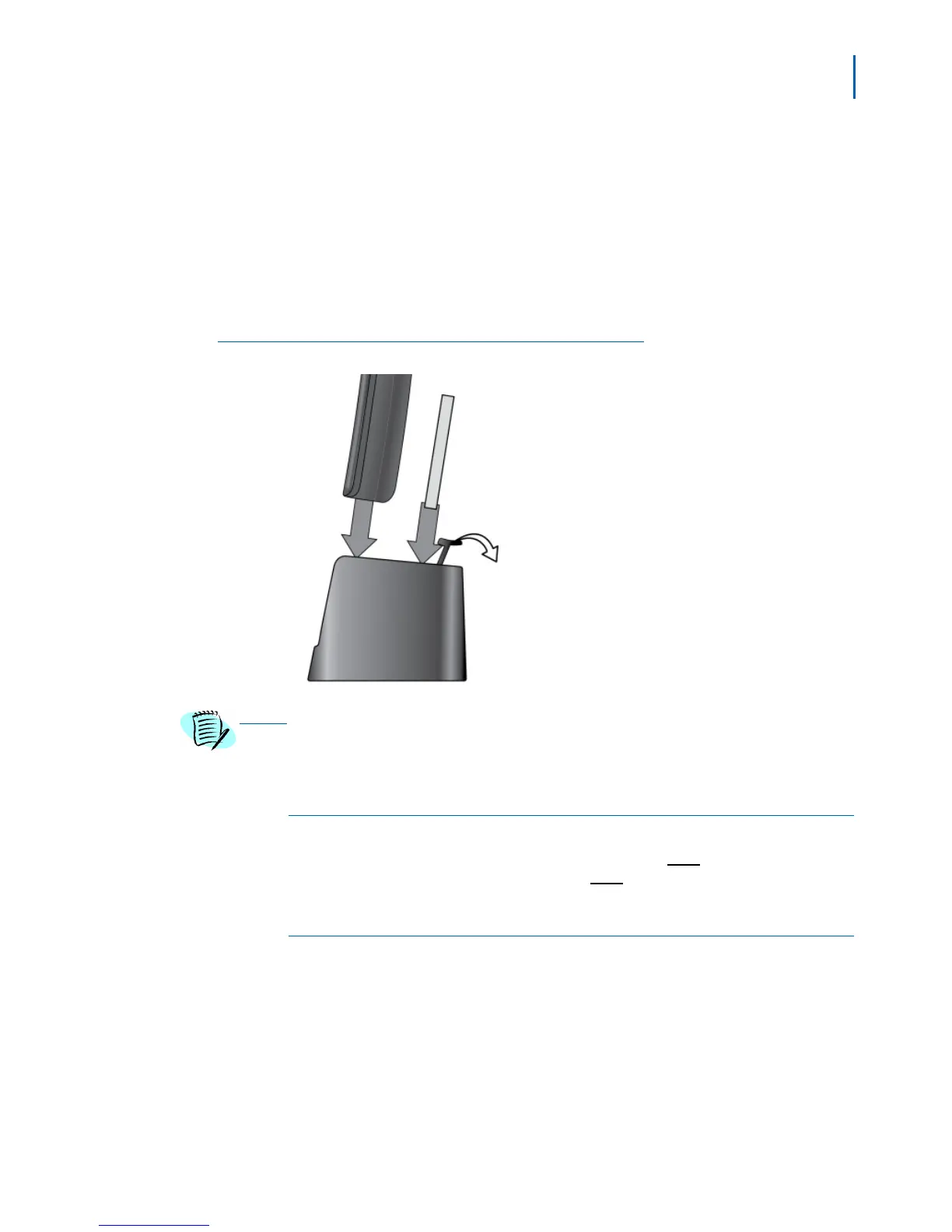
Step 8 Place the spare battery in the back section of the charger. (Pull the
battery latch back to insert the battery (Figure 2-4).
Figure 2-4
Spare Battery Placement
Charge each battery completely (approximately 10 hours) before use.
Powering on the Handset
To power up the handset, press and release the End key. (To power
down the handset, press and hold the
End key.)
Attaching the Belt Clip
Line up the holes on each side of the handset. Insert the belt clip into
the holes on each side of the handset. Press down until it clicks.
To remove the belt clip, pull either side
of the belt clip to release the
tabs from the holes.



 To Next Page