Important Information 4-3
ML440 End User Guide - Revision 1
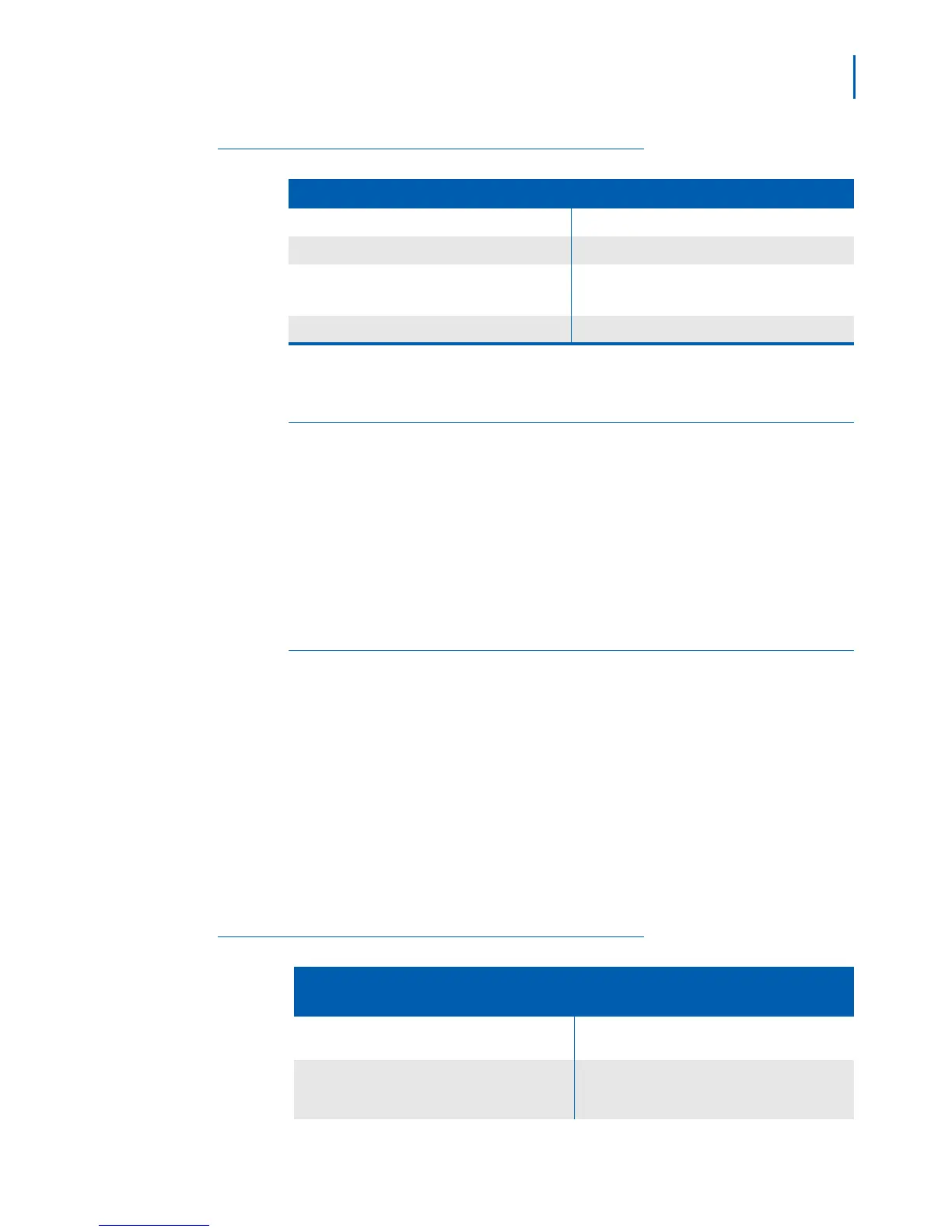
Table 4-2 Troubleshooting Handset Issues
If.... Try....
A handset can’t make or receive calls Moving the handset closer to the base
A handset can make calls, but it won’t ring Make sure the ringer is turned on
A handset is not working
• Charging the battery for 15-20 hours
• Checking the battery connection
A handset displays Searching Moving the handset closer to the base
Weak or Hard to Hear Audio
If a caller's voice sounds weak or soft, the signal might be blocked by
large metal objects or walls; you might also be too far from the base, or
the handset's battery may be weak.
• Try moving around while you're on a call or moving closer to the base
to see if the sound gets
l
ouder.
• Make sure the handset's battery is fully
charged.
• Try adjusting the earpiece volume.
Noise or Static on the Line
Interference is the most common cause of noise or static on a cordless
handset. Here are some common sources of interference:
• electrical appliances, especially microwave ovens
• computer equipment, especially wireless LAN equipment and DSL
modems
• radio-based wireless devices, such as room monitors, wireless
controllers,
or wireless headsets or speakers
• florescent light fixtures (especially if they give off a buzzing noise)
• other services that use your handset line, like alarm systems,
intercom sy
stems, or broadband Internet service
Tab le 4 - 3 lists steps for eliminating noise on the line.
Table 4-3 Static or Noise Reduction
If the static is on 1 handset or in 1
location
If the static is on all handsets or in all
locations
Check nearby for one of the common interference
sources
Check near the base for the source of
interference
Try moving the handset away from a suspected
source, or try moving the suspected source to it’s
not between the handset and the base.
Trying moving the base away from a suspected
source, or turn off the source if possible.



 To Next Page