2-12 Getting Started
ML440 End User Guide - Revision 1
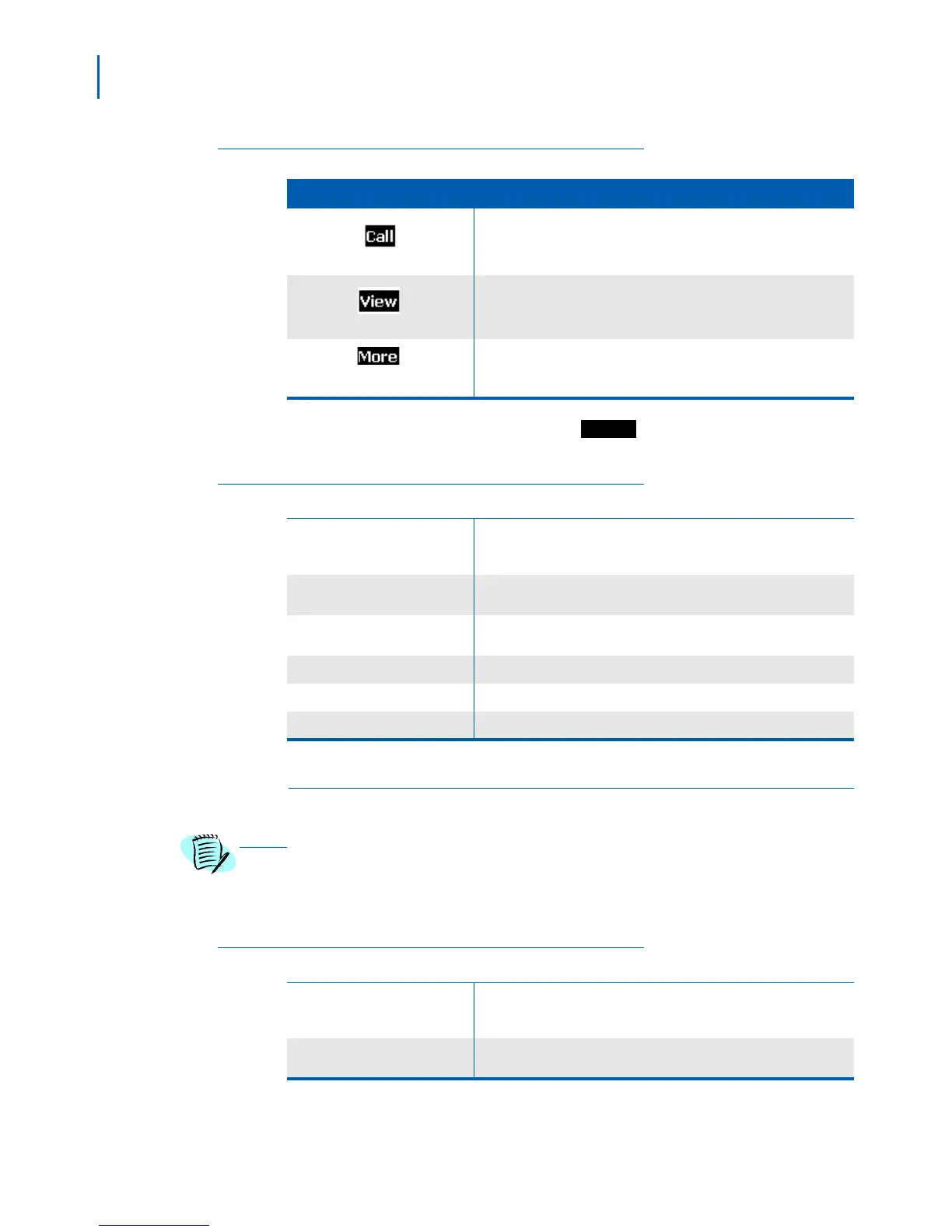
Table 2-8 Calls Screen Soft Keys
Soft Key Operation
Return the selected call.
See more details about the selected call.
See more options for the call list.
To see options for the call list, press
. These options are
described in Tab l e 2- 9 .
Table 2-9 Call List More Options
View Details
View details about the call such as who it was from, the CID
information if available, was it answered or missed, and the time and
date of the call.
Save as contact
Add the name and phone number from the selected call record as a
new contact.
Append to contact
Add the number from the selected call record to an existing contact;
the handset prompts you to select a contact and phone number slot.
Edit before call Edit the selected phone number before you dial it.
Delete item
Delete the selected call record.
Delete all items Erase all records from call list.
Connectivity Screen
The operations on this screen require administrator-level access to the base.
Contact your system administrator before selecting any of these operations. See the
ML440 and AP20 System Installation Guide for more information.
Table 2-10 and Table 2-11 provide a list of the available operations and
a brief description.
Table 2-10 Connectivity Screen Operations
Register
Register the handset to a base. This option only functions if the
handset is not currently registered and displays a Deregistered
message
Deregister
Clear the handset's registration information. Once the handset is
deregistered, it will not function until it is registered to a base.



 To Next Page