Using Common Features 3-3
ML440 End User Guide - Revision 1
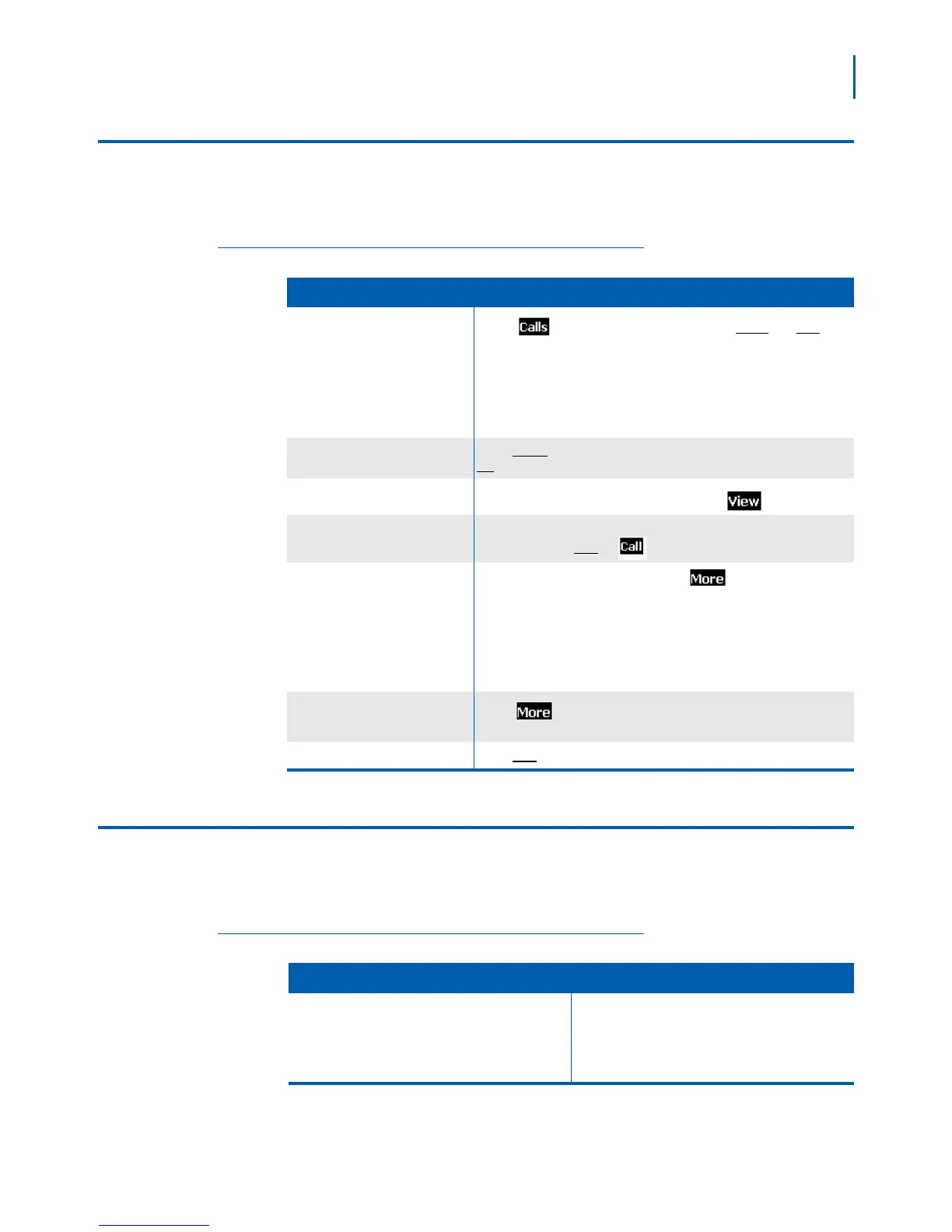
Using the Call Lists
The handset saves the last 50 calls (whether incoming or outgoing) to
the call list. Ta b le 3- 2 lists actions and the steps to perform that action.
Table 3-2 Call Lists Actions
To.... Press
Open the call list
Press
to see all calls on the lists. Use Right and Left to
select the specific call list you want to review:
• Answered calls
• Dialed calls (numbers dialed from this handset)
• Missed calls
Scroll through the list
Press Down to scroll through the list from newest to oldest. Press
Up to scroll from oldest to newest.
See details on a call
Highlight the call record in the list and press
.
Dial a number
(Answered and Dialed calls only) Highlight the call record you want
to dial and press
Talk or .
Add a number to the contact list
• Highlight the call record and press
.
• Select Append to a contact to add this phone number
to an
existing contact.
OR
• select Add to contact list to create a new contact for this call
record
Delete records from the call list
Press . Select Delete item to erase the selected call record;
select Delete all items to erase all records on the list.
Close the list Press
End.
Using the Contact List and Central Directory
Tab le 3 - 3 lists characteristics of both the local Contact List and global
Contact List.
Table 3-3 Contact List Characteristics
Contact List (local) Central Directory
• Up to 100 entries
• Unique to each handset
• Stored locally: can be edited by the end user of
the handset
• Up to 200 entries
• Shared by all users on the system
• Stored on the system



 To Next Page