Getting Started 2-5
ML440 End User Guide - Revision 1
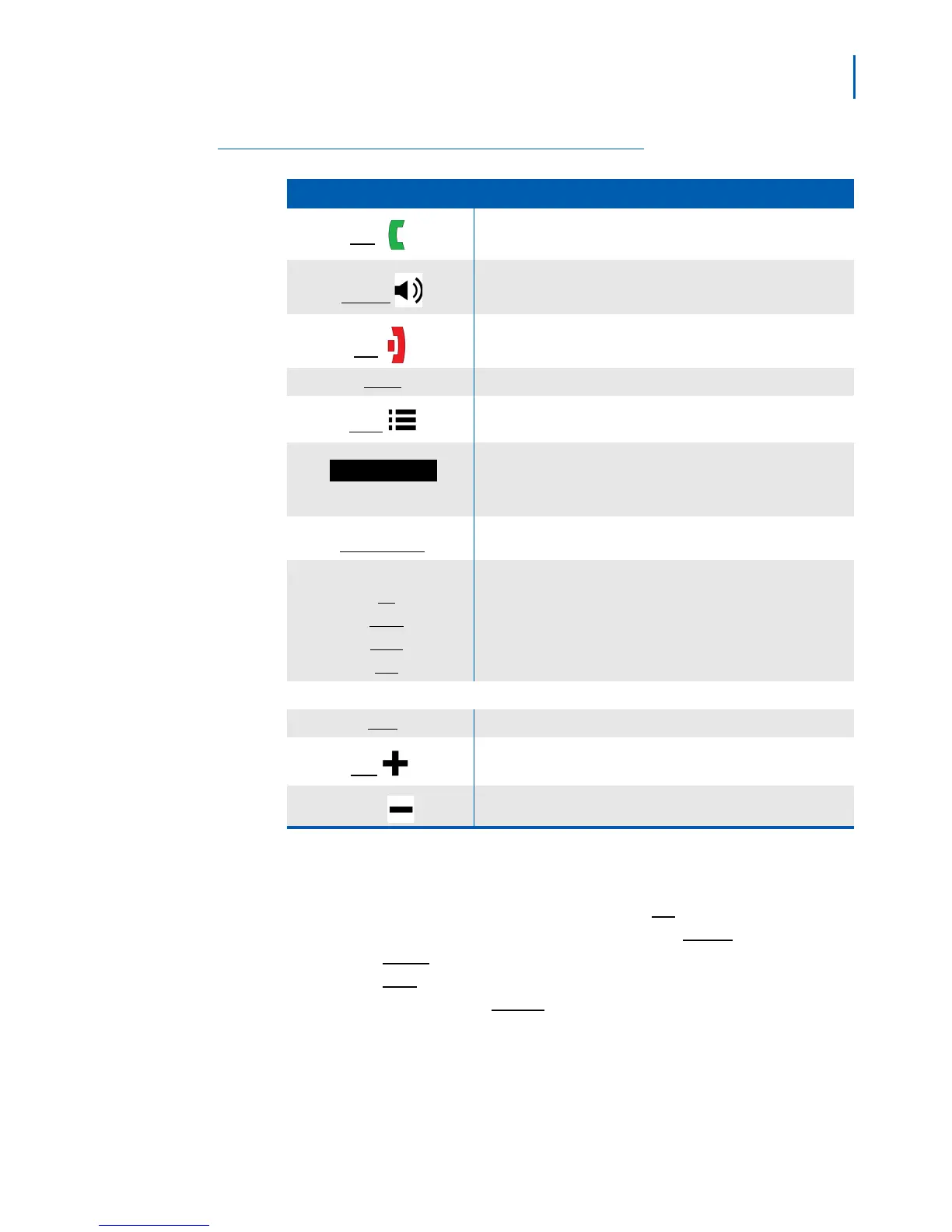
Table 2-1 Key Names and Descriptions
Key Name (Icon) What it Does
Talk
• In standby: start a telephone call.
• During a call: switch to a waiting call.
Speaker
• Switch a call to the speakerphone (and back).
End
• During a call: hang up.
• In the menu or any list: go back one screen.
Select • In the menu or any list: select the highlighted item.
Menu
• Open or close the menu.
The soft keys automatically change their function based on what
you are doing. See “Using Soft Keys” on page 2-6".
Function keys 1 through 4
(
F1 through F4)
The four function keys are programmed at the PBX: contact your
system administrator for details.
Four-way key:
-
Up
- Down
- Right
- Left
- Move the cursor up one line.
- Move the cursor down one line.
- Move the cursor to the right.
- Move the cursor to the left.
Side Keys:
Mute • During a call: mute the microphone.
Plus
• During a call: increase the call volume.
Minus
• During a call: decrease the call volume.
Using the Four-Way Key
The four-way key (Figure 2-6) can be used in the following ways:
• Press the top of the key to move the cursor
Up.
• Press the bottom of the key to move the cursor
Down.
•Press the
Right side of the key to move the cursor to the right.
•Press the
Left side of the key to move the cursor to the left.
• Press the center key to
Select the currently highlighted item.



 To Next Page