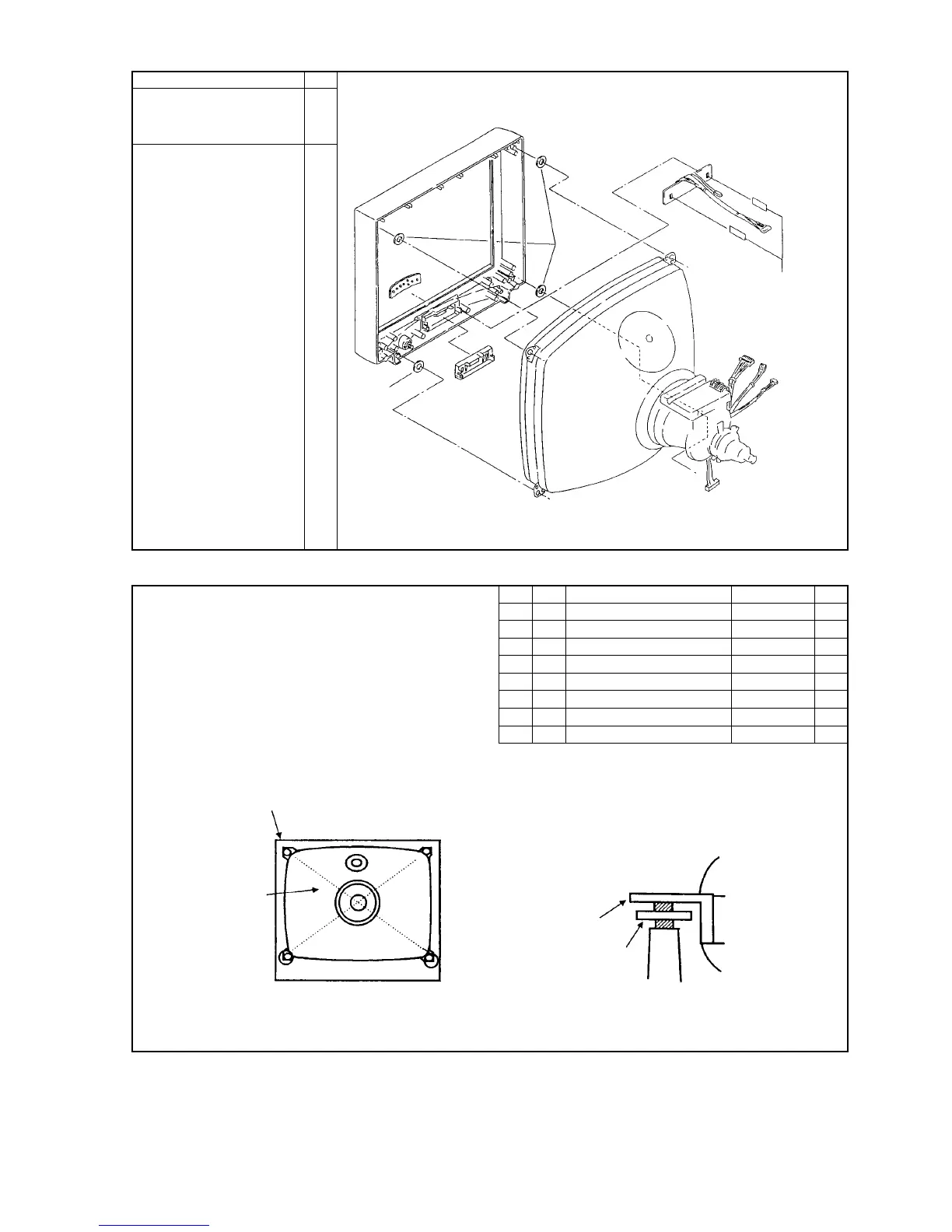
142 WASHER (D20,D6.5,T2) 04
142 WASHER (D20,D6.5,T1) OR
142 WASHER (D20,D6.5,T1.2) OR
142 WASHER (D20,D6.5,T1.6) OR
142 WASHER (T0.5,P20) OR
142 WASHER,SPECIAL OR
142 OR
Screw CRT on CABINET,FRONT (4 points).
The use of WASHER at setting CRT.
1.Necessary to make sure the screw condition of each Lot. Make sure
the CABINET FRONT, it should not be whitish by stress of
securing screws. And make sure the gap between CABINET
FRONT and CRT. It must keep in tolerance.
2.In case of gap or changing color caused by stress, arrange the
thickness of washers.
Check to ensure the lead is caught or binding
a







 To Next Page