5
1. Introduction
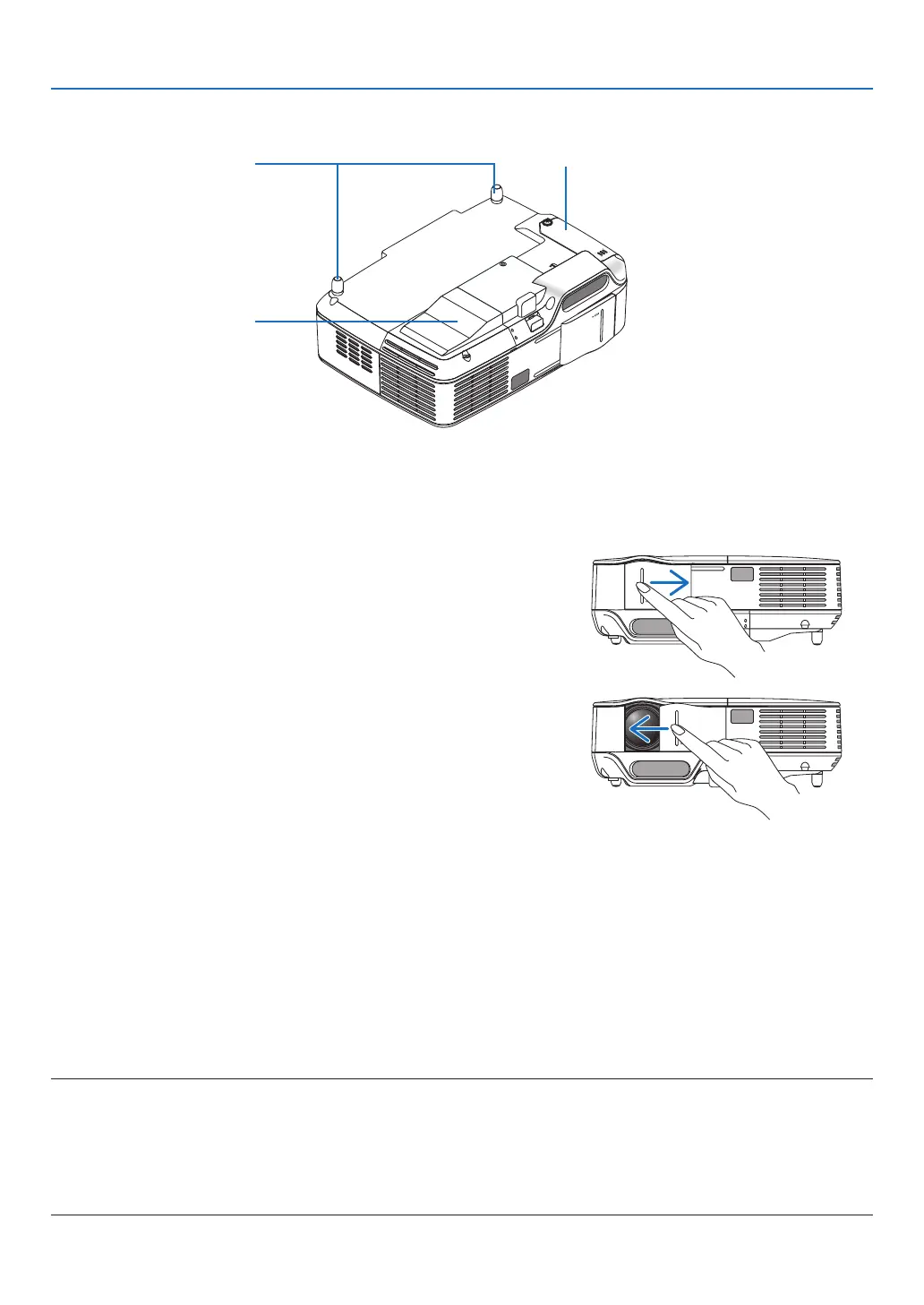
Bottom
Lamp Cover
(→ page 79)
Rear Feet
(→ page 21)
Cooling Pump Cover
(→ page 81)
Opening and closing the lens cover
Slidethelenscovertotherighttouncoverthelens.
Tocoverthelens,slidethelenscovertotheleft.
NOTE:
• ThelenscoverworksinconjunctionwiththeAVmutefunction.Closingthelenscoverwillturnofftheimageandsounddur-
ingnormalprojectoroperation;openingitwillrestoretheimageandsound.
Withthelenscoverclosedtheimageandsoundisturnedoff,howeverthelampisstilllit.Iftheprojectorstaysthiswayfor
about2hours,itwillturnoffautomatically.
• Do notpull the lenscoverwithexcessive forceorapplystrongpressureineither the upordowndirection.Doing socan
causedamagetothelenscoverslidingmechanism!



 To Next Page