75
6. Using On-Screen Menu
❼
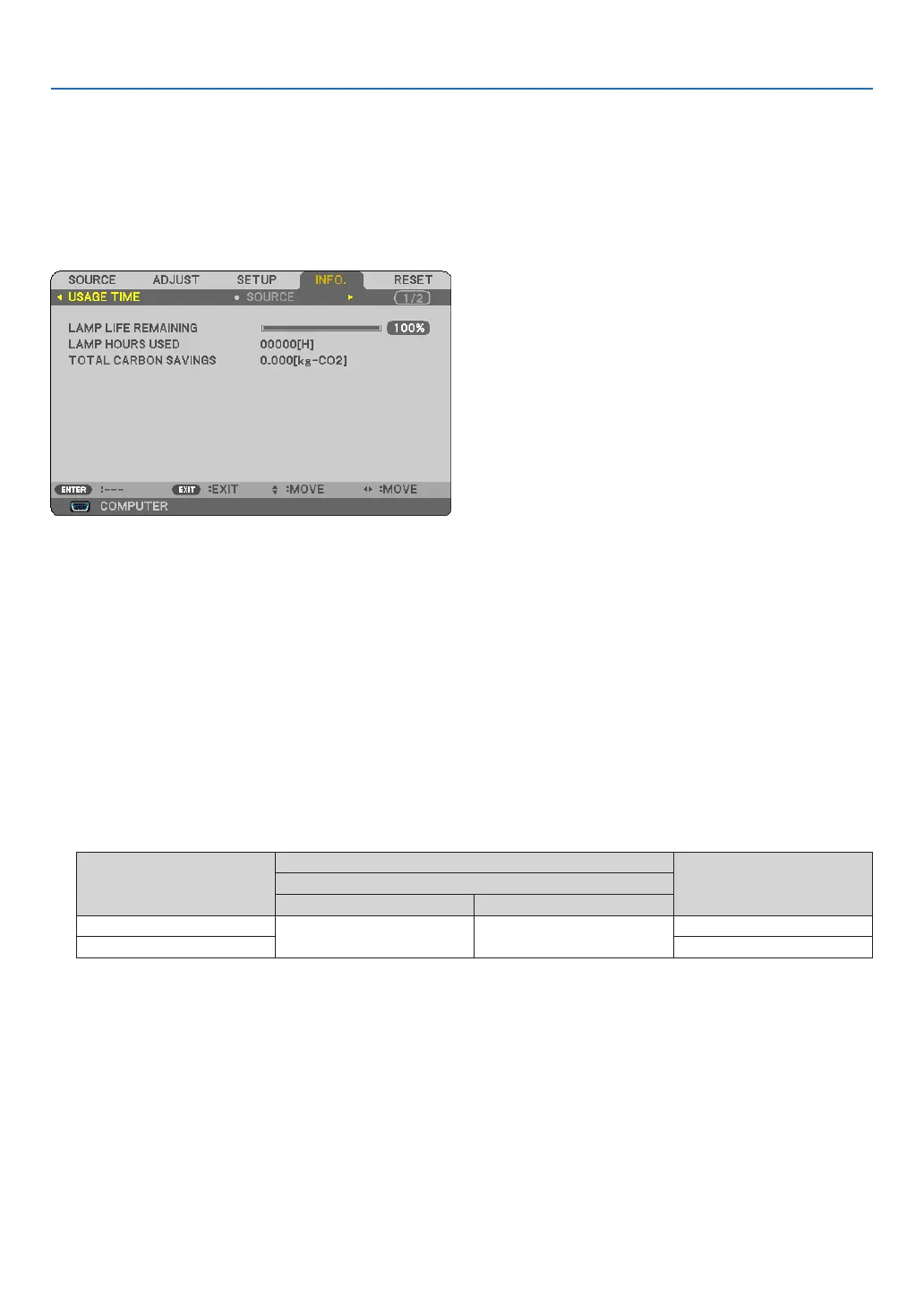
Menu Descriptions & Functions [INFO.]
Displaysthestatusofthecurrentsignalandlampusage.Thisitemhasthreepages.Theinformationincludedis
asfollows:
TIP: PressingtheHELPbuttonontheremotecontrolwillshowthe[INFO.]menuitems.
[USAGE TIME]
[LAMPLIFEREMAINING](%)*
[LAMPHOURSUSED](H)
[TOTALCARBONSAVINGS](kg-CO2)
* Theprogressindicatorshowsthepercentageofremainingbulblife.
Thevalueinformsyouoftheamountoflampusage.Whentheremaininglamptimereaches0,theLAMPLIFE
REMAININGbarindicatorchangesfrom0%to100Hoursandstartscountingdown.
If the remaining lamp time reaches 0 hours, the projector will not turn on regardless of whether the ECO
MODEissettoOFForON.
• Themessagetotheeffectthatthelampshouldbereplacedwillbedisplayedforoneminutewhentheprojec-
toristurnedonandwhenthePOWERbuttonontheprojectorortheremotecontrolispressed.
Todismissthismessage,pressanybuttonontheprojectorortheremotecontrol.
Product
Lamp life(H)
Replacement lampECO MODE
OFF ON
NP64/NP63
2500 3500
NP09LP
NP54/NP43 NP08LP



 To Next Page