29
3. Projecting an Image (Basic Operation)
❾
After Use
Preparation: Make sure that the projector is turned off.
1. Unplug the power cable.
2. Disconnect any other cables.
3. Retract adjustable tilt foot and rear foot if extended.
4. Slide the lens cover to the left to cover the lens.
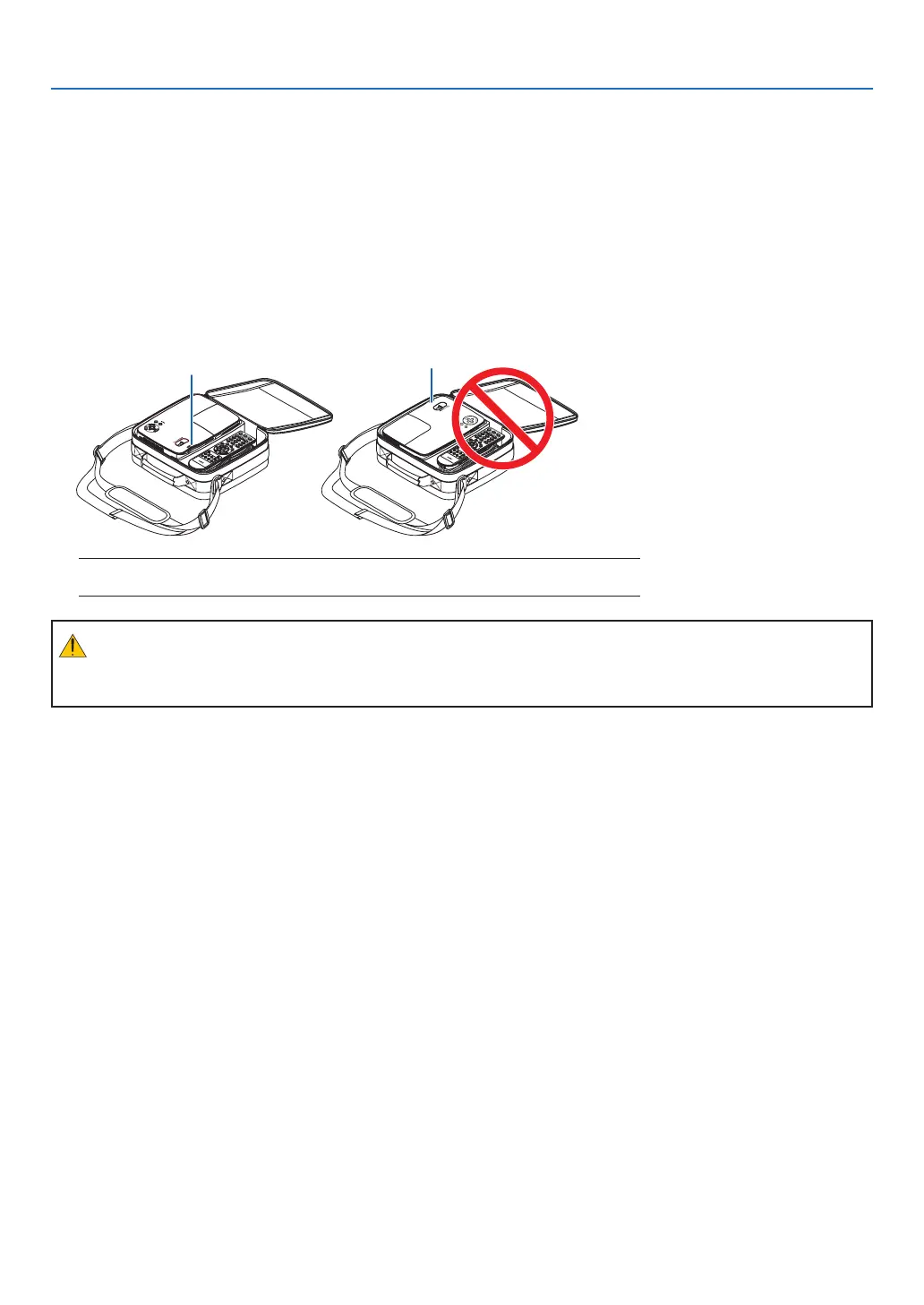
5. Put the projector and its accessories in the supplied soft case.
Place the projector in the soft case as shown below. This is to prevent the lens from damage.
CAUTION:
Usecautionwhenputtingtheprojectorinthesoftcaseimmediatelyaftertheprojectorhasbeenoperating.
Theprojectorcabinetishot.
NOTE:Whenplacingtheprojectorinthesoftcase,retractthetiltfootandtherearfeet.
Failuretodosomaycasedamagetotheprojector.
Lens Lens



 To Next Page