78
7. Maintenance
Thissectiondescribesthesimplemaintenanceproceduresyoushouldfollowtocleanthefocussensor,lensand
replacethelampandthecoolingpump.
➊
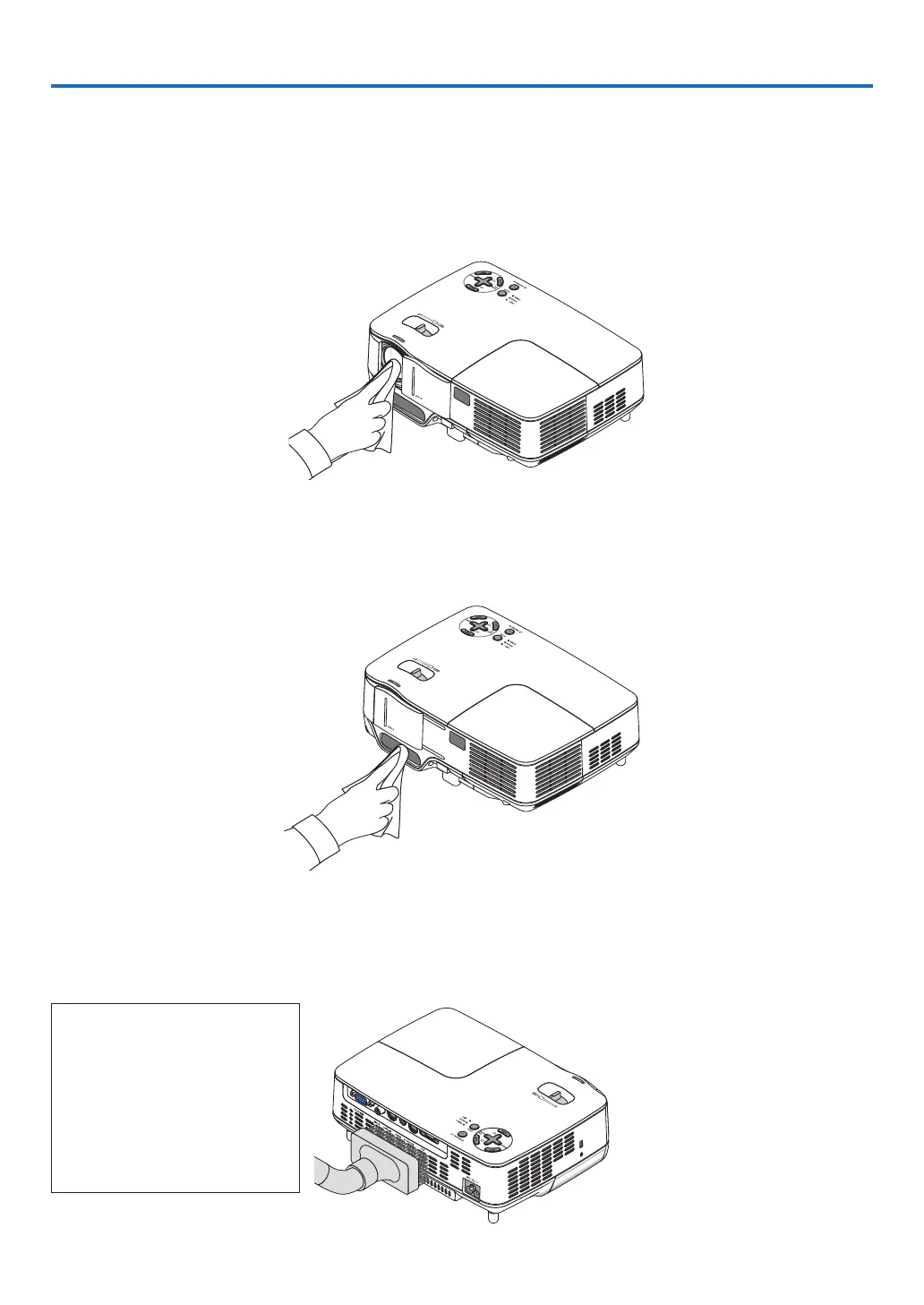
Cleaning the Lens and Focus Sensor
Cleaning the lens
Useablowerorlenspapertocleanthelens,andbecarefulnottoscratchormarthelens.
Cleaning the focus sensor
Useablowerorlenspapertocleanthefocussensor.
Keepngerprintsoffthefocussensor.Leavingngerprintsinthefocussensormightcausepoorfocusorshort
autofocusrange.
➋
Cleaning the Cabinet
1. Turn off the projector before cleaning.
2. Vacuum the ventilation inlet of the cabinet.
CAUTION:
When cleaning the speaker us-
ing a vacuum cleaner, do not
force the brush of the vacuum
cleanerintotheslitsofthecabi-
net.
Applyingstrongpressureorpos-
siblyimpactingthespeakermay
causeamalfunction.



 To Next Page