6
1. Introduction
Top Features
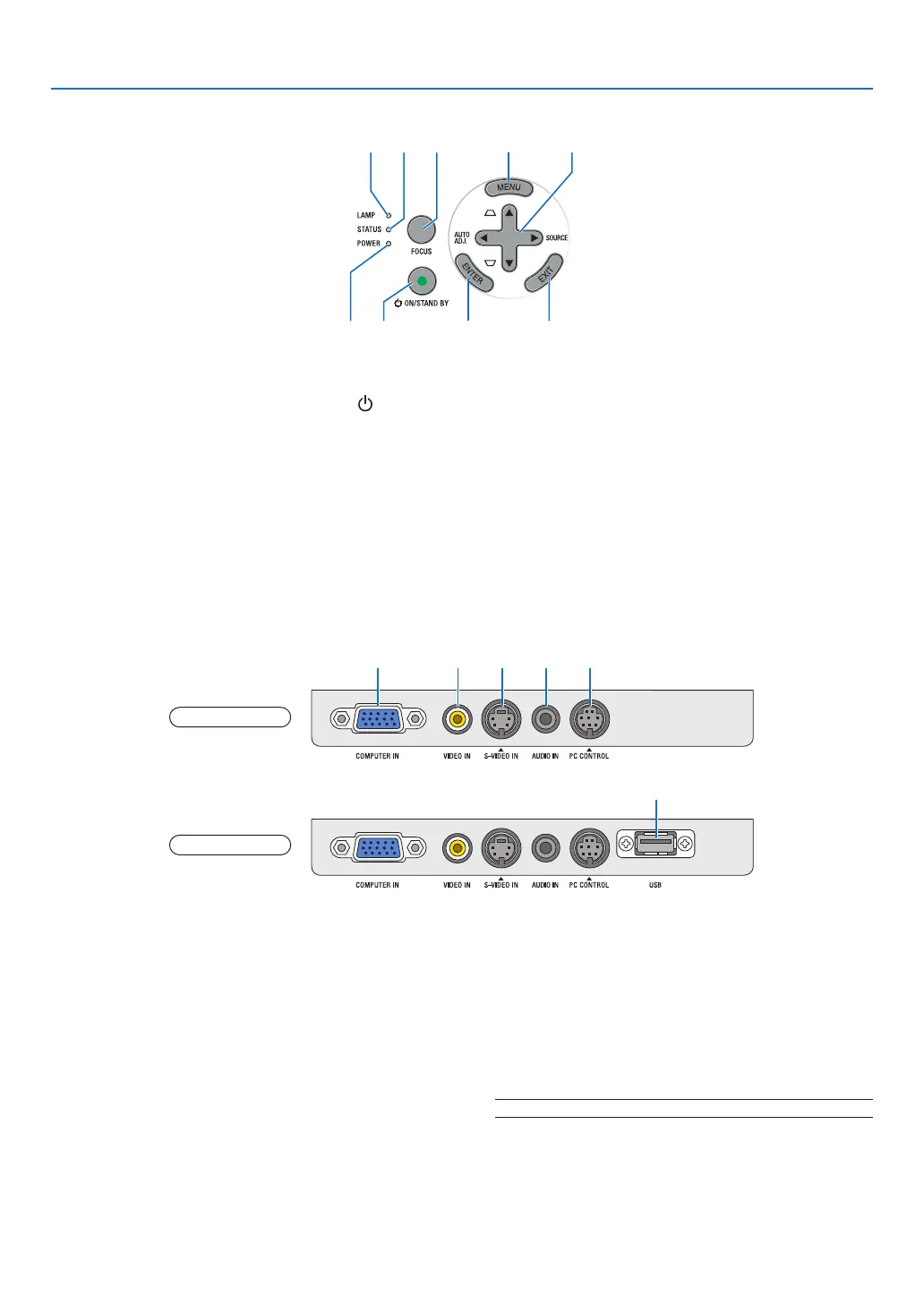
1. POWER Button (ON / STAND BY) ( ) (→page
16,28)
2. POWER Indicator (→page15,16,28,83)
3. STATUS Indicator (→page83)
4. LAMP Indicator (→page79,83)
5. FOCUS Button (→page24)
6. MENU Button (→page52)
7. AUTO ADJ. ◀ / SOURCE ▶ / Keystone ▲▼ But-
tons (→
page18,25,27)
8. ENTER Button
9. EXIT Button
Terminal Panel Features
1. COMPUTER IN/ Component Input Connector
(Mini D-Sub 15 Pin) (→page12,13)
2. VIDEO IN Connector (RCA) (→page14)
3. S-VIDEO IN Connector (Mini DIN 4 Pin)
(→page14)
4. AUDIO IN Mini Jack (Stereo Mini)
(→page12,13,14)
5. PC CONTROL Port (Mini DIN 8 Pin) (→page91)
Use this port to connect a PC or control system.
This enablesyoutocontroltheprojectorusingse-
rialcommunicationprotocol.Ifyouarewritingyour
ownprogram,typicalPCcontrolcodesareonpage
91.
6. USB Port (Type A)
InsertingacommerciallyavailableUSBmemoryal-
lowsyoutoviewimagesstoredintheUSBmemory
(→page41)
Inserting the optional Bluetooth® USB adaptor
(NP01BA)allowsyoutotransmitimagesfromyour
computer or mobile phone with Bluetoothwireless
technologytotheprojector.(→page49)
NOTE:TheNP63andNP43donothavetheUSBport.
1 5
6
NP63/NP43
NP64/NP54
2 3 4



 To Next Page