60
6. Using On-Screen Menu
[IMAGE OPTIONS]
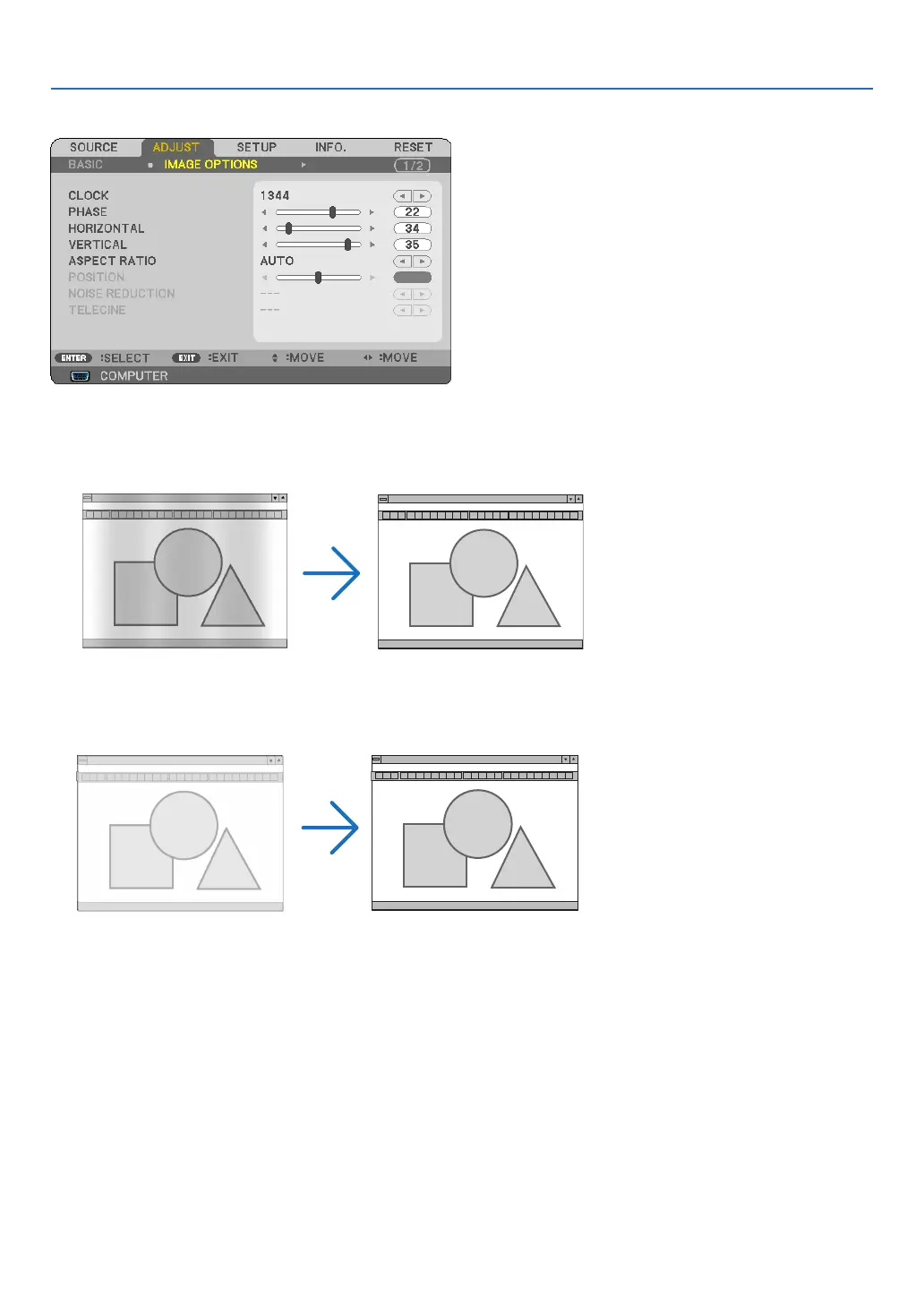
Adjusting Clock and Phase [CLOCK/PHASE]
ThisallowsyoutomanuallyadjustCLOCKandPHASE.
CLOCK ������������������� Use this item to fine tune the computer image or to remove any vertical banding that might appear� This
functionadjuststheclockfrequenciesthateliminatethehorizontalbandingintheimage.
This adjustment may be necessary when you connect your computer for the first time�
PHASE ������������������� Usethisitemtoadjusttheclockphaseortoreducevideonoise,dotinterferenceorcrosstalk.(Thisis
evident when part of your image appears to be shimmering�)
Use[PHASE]onlyafterthe[CLOCK]iscomplete.



 To Next Page