36
4. Convenient Features
7
Using the Optional Remote Mouse Receiver (NP01MR)
The optionalremote mousereceiverenablesyoutooperate your computer’s mouse functions from the remote
control.Itisagreatconvenienceforclickingthroughyourcomputer-generatedpresentations.
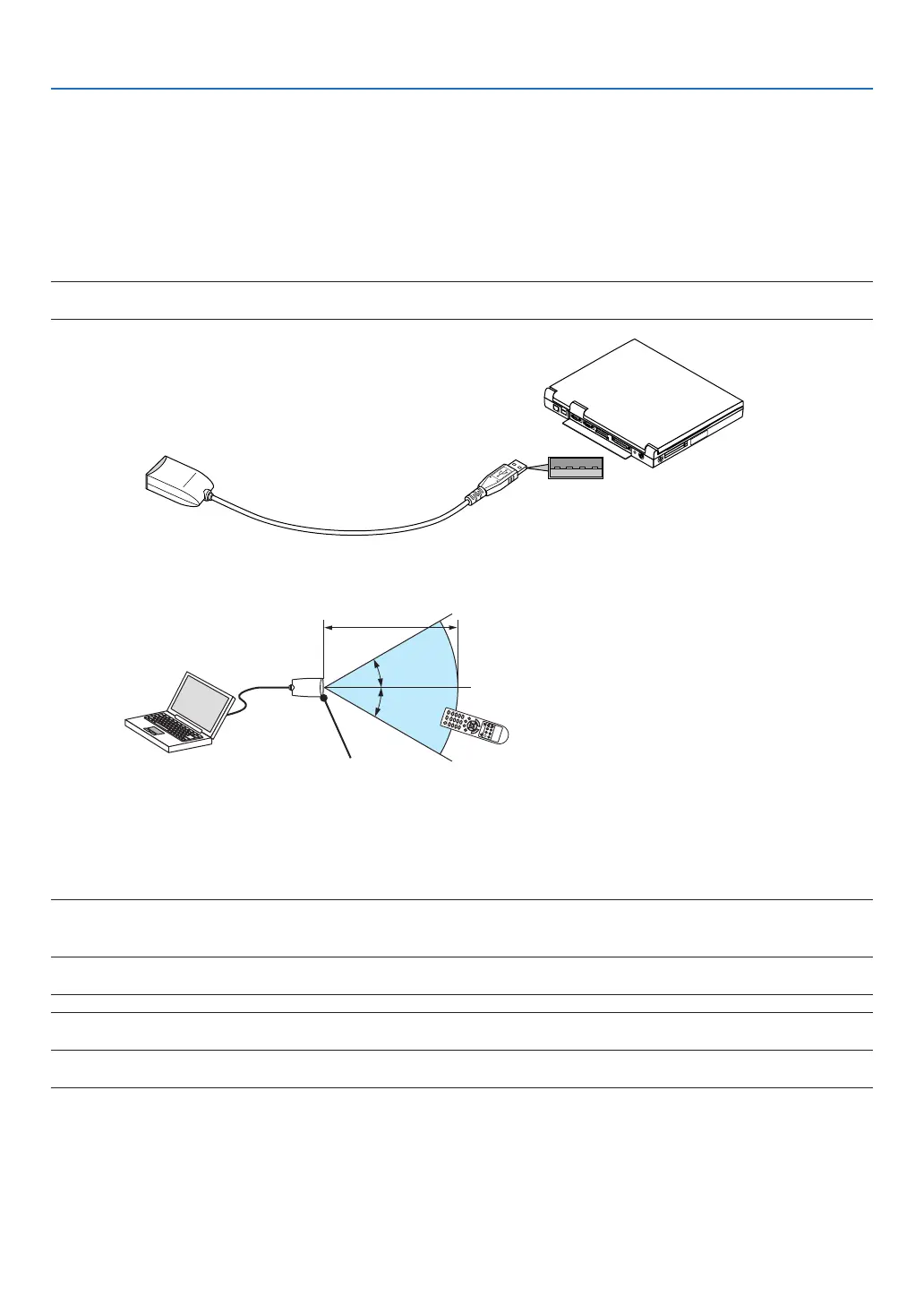
Connecting the remote mouse receiver to your computer
Ifyouwishtousetheremotemousefunction,connectthemousereceiverandcomputer.
Themousereceivercanbeconnecteddirectlytothecomputer’sUSBport(typeA).
NOTE:DependingonthetypeofconnectionorOSinstalledonyourcomputer,youmayhavetorestartyourcomputerorchange
yourcomputersettings.
When operating a computer via the remote mouse receiver
When connecting using the USB terminal
ForPC,themousereceivercanonlybeusedwithaWindowsXP*,Windows2000,WindowsVista,Windows7,or
MacOSX10.0.0orlateroperatingsystem.
*NOTE:InSP1orolderversionofWindowsXP,ifthemousecursorwillnotmovecorrectly,dothefollowing:
CleartheEnhancepointerprecisioncheckboxunderneaththemousespeedsliderintheMousePropertiesdialogbox[Pointer
Optionstab].
NOTE:ThePAGE
and
buttonsdonotworkwithPowerPointforMacintosh.
NOTE:Waitatleast5secondsafterdisconnectingthemousereceiverbeforereconnectingitandviceversa.Thecomputermay
notidentifythemousereceiverifitisrepeatedlyconnectedanddisconnectedinrapidintervals.
Remote mouse receiver
Computer
To USB port of PC or Macintosh
Remote sensor on the
remote mouse receiver
7 m/22 feet



 To Next Page