65
6. Using On-Screen Menu
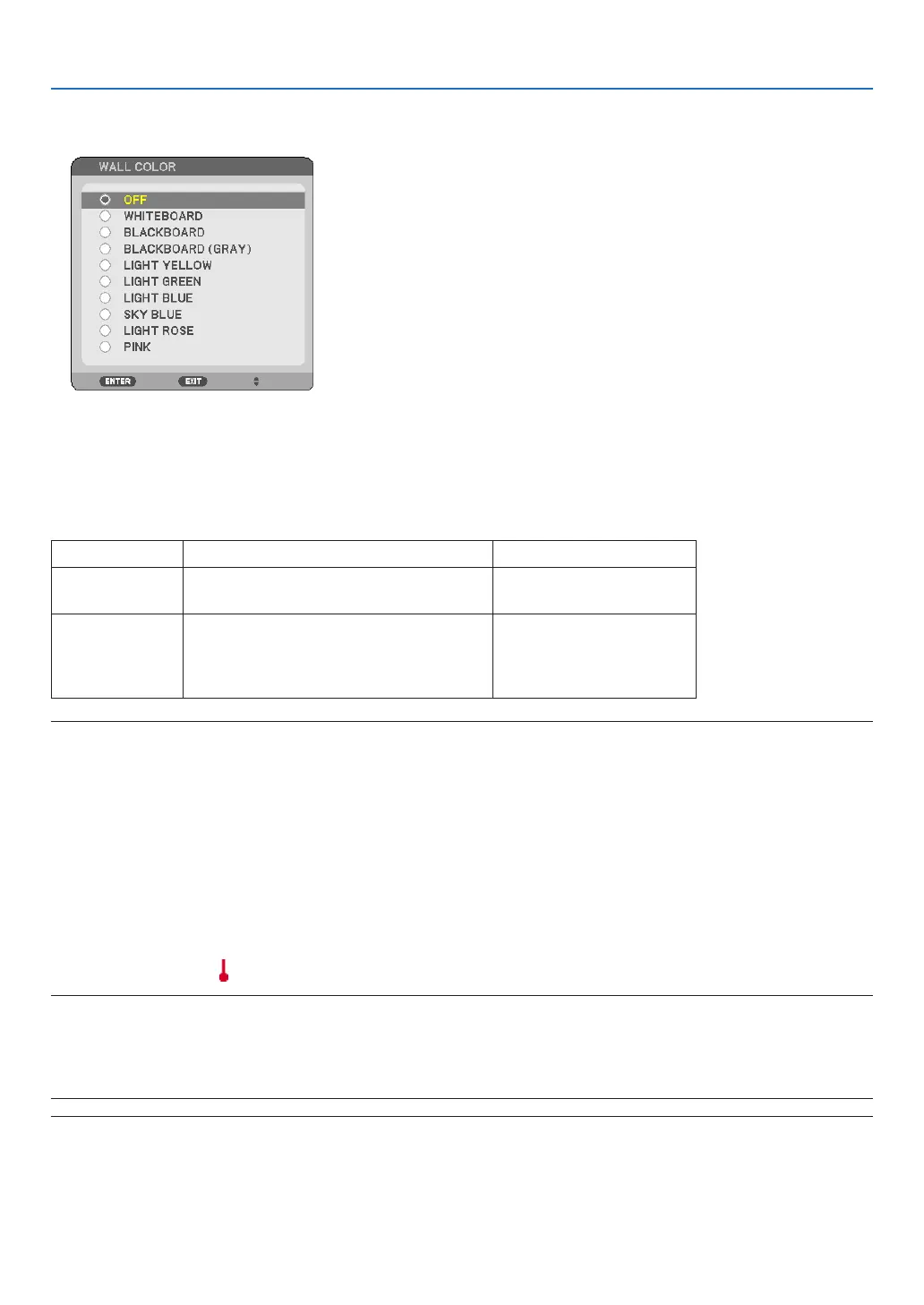
Using the Wall Color Correction [WALL COLOR]
Thisfunctionallowsforquickadaptivecolorcorrectioninapplicationswherethescreenmaterialisnotwhite.
Setting Eco Mode [ECO MODE]
ThisfeatureturnsonorofftheECOmode.Thelamplifecanbeextendedbyselecting[ON].Selecting[ON]also
decreasesfannoisewhencomparedto[OFF]mode.(→page31)
ECOMODE Description StatusofLAMPindicator
OFF
ThisistheDefaultsetting
(100%Brightness).
Off
ON
Selectthismodetoincreasethelamp
life(NP64/NP63:approx.75%Bright-
ness/NP54/NP43:approx.85%Bright-
ness)
SteadyGreenlight
NOTE:
• The[LAMPLIFEREMAINING]and[LAMPHOURSUSED]canbecheckedin[USAGETIME].Select[INFO.]→[USAGETIME].(→
page75)
• Theprojectorwillalwaysenterintothe[ECOMODE][OFF]conditionfor60secondsimmediatelyaftertheprojectoristurned
on.Thelampconditionwillnotbeaffectedevenwhen[ECOMODE]ischangedwithinthistimeperiod.
• Afteralapseof60secondsfromwhentheprojectordisplaysablue,blackorlogoscreen,[ECOMODE]willautomatically
switchto[ON].
Theprojectorwillreturntothe[OFF]modeonceasignalisaccepted.
• Iftheprojectorbecomesoverheatedin[OFF]modebecauseofuseinahigh-temperatureroom,theremaybeacasewhere
the[ECOMODE]automaticallychangesto[ON]modetoprotecttheprojector.Thismodeiscalled“forcedECOmode”.When
theprojectorisin[ON]mode,thepicturebrightnessdecreases.TheLAMPindicator’ssteadylightindicatestheprojectorisin
[ON]mode.Whentheprojectorcomesbacktonormaltemperature,the[ECOMODE]returnsto[OFF]mode.
Thermometersymbol[ ]indicatesthe[ECOMODE]isautomaticallysetto[ON]modebecausetheinternaltemperatureis
toohigh.
Selecting Menu Language [LANGUAGE]
Youcanchooseoneof21languagesforon-screeninstructions.
NOTE:Yoursettingwillnotbeaffectedevenwhen[RESET]isdonefromthemenu.



 To Next Page