Hangzhou NeoDen Technology Co.,Ltd.
generated. (Note, the two points need to be paralleled)
Under panelized PCB model, “PCB angle” is locked. You need to correct from panelized PCB
to single PCB (1*1), after confirm the PCB angle, you can change back to panelized PCB
model.
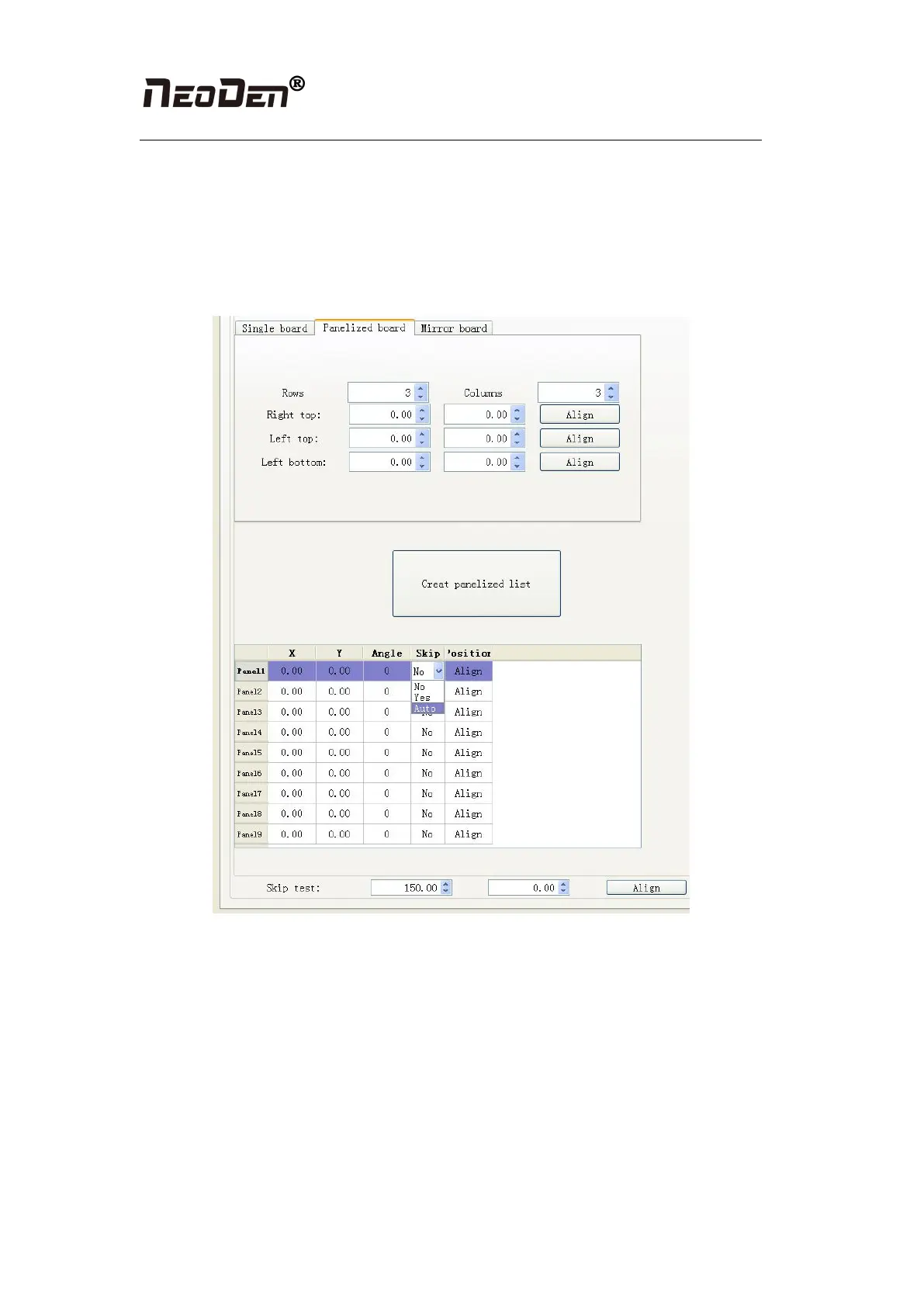
2.1.2.5 Skip marked panels
Figure (2.1.2.4)
Function: detect marked panels in multiple boards and skip marked panels
Steps:
(1) According to actual panelized PCB to generate panelized list
(2) Choose “Auto” from “Skip” option of panelized list
(3) Click “Align” button of skip test to choose one fixed position and mark it, thus every
time when machine scan this mark, it will skip this bad board.
The conventional practice is to stick a black label to the fixed position (the position that
you aligned on the skip test) on the board. If the label is attached on one panel, this panel
will be automatically skipped. And if the label is not attached on one panel, this panel will
be normally placed.


 To Next Page